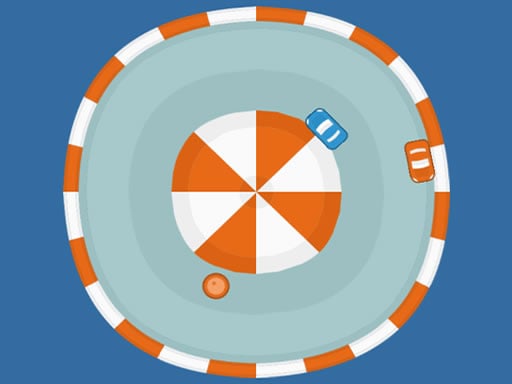
Looking for a racing game that starts instantly? Mini Road runs in your browser and is completely free to play. In Mini Road every corner is a small decision — brake early and lose time, brake late and risk the wall. That tension is what keeps people replaying the same track. From the tags you can already tell that you compete against the clock or other racers to finish first; dodging obstacles is the core mechanic.
About Mini Road
Mini Road is an exhilarating and unique gaming experience that challenges players to master the art of simultaneous control over two cars. In this fast-paced game, players are tasked with navigating their vehicles through a colorful landscape while strategically collecting objects that match the color of each car. The twist? You must avoid any objects with colors mismatched to your
Judged as a racing game, Mini Road hits the notes you would hope for: upgrades or unlocks between races, a sense of speed and responsive steering. Playing it works your anticipation and risk management, which is a large part of why the "one more round" feeling is so strong.
How to play Mini Road
- Press the play button above and wait for Mini Road to finish loading. On first load this can take a few seconds while the game files are fetched.
- Follow the on-screen prompts. The developer describes the controls like this: Use a mouse to control the cars or use A and D keys on the keyboard
- Do a warm-up lap without worrying about position. Feel how the vehicle brakes and turns, then race for real.
- Switch to full screen if precision matters, and remember that the game keeps its own progress — finish a level before you close the tab.
Controls
Here is how Mini Road is controlled, based on the developer's instructions and our own testing:
| Input | What it does |
|---|---|
| Mouse | Use a mouse to control the cars or use A and D keys on the keyboard. |
It is designed for desktop play with a keyboard and mouse.
Tips and tricks
- Nitro or boost is best used on straights where you are already stable, not to rescue a bad corner.
- Learn one track completely before moving on. Knowing where every bend is worth several seconds a lap and the skill carries over.
- If the game has upgrades, put the first ones into handling or brakes rather than top speed — control wins more races than raw power at the beginning.
- Use the whole width of the road. Cutting across from the outside to the inside of a bend and back out again shortens the distance and keeps your speed up.
- Because this is a Racing game, learn one track thoroughly — the skills transfer to every other track.
- Because this is a Avoid game, stay in the middle so you can move either way.
Who will enjoy it
Mini Road is a good fit for anyone who enjoys speed, vehicles and shaving seconds off a personal best. A typical session is a single race of one to three minutes, or a longer career if unlocks are involved. The learning curve is forgiving on early tracks, demanding on later ones. It is designed for desktop play with a keyboard and mouse.
Game details
| Category | Racing Games |
|---|---|
| Tags | Puzzleblock, Racing, Avoid |
| Platform | Browser (desktop) |
| Controls | Keyboard and mouse |
| Technology | HTML5 — no download or plugin required |
| Frame | Portrait (720×1280) |
| Added | 25 October 2024 |
| Plays | 2 |
| Price | Free to play |
Frequently asked questions
Is Mini Road free to play?
Yes. Mini Road is completely free to play on Diemakora. There is no download, no account and no payment — the game runs in your browser.
Can I play Mini Road on my phone?
This one is a desktop game. It expects a keyboard and mouse, so we recommend playing Mini Road on a computer for the intended experience.
What are the controls for Mini Road?
In short: Mouse — Use a mouse to control the cars or use A and D keys on the keyboard. The full list is in the controls section above.
Does Mini Road save my progress?
Progress in Mini Road is kept by the game itself inside your browser storage. It will normally be there when you come back on the same device and browser.
What if Mini Road does not load?
If Mini Road does not load, refresh the page, make sure your browser is up to date and check that hardware acceleration is enabled. Ad blockers occasionally interfere with the game frame as well.
What kind of game is Mini Road?
It is a racing game with the tags Puzzleblock, Racing, Avoid. Forgiving on early tracks, demanding on later ones, and a single race of one to three minutes, or a longer career if unlocks are involved.
Games similar to Mini Road
You will find more games like Mini Road further down this page, chosen by matching tags and category.