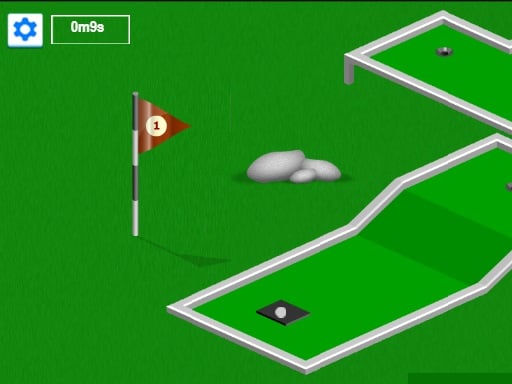
Minigolf is one of the sports games in the Diemakora collection. It loads in seconds and needs nothing installed. Sports games work because we already know the rules. Minigolf spends that familiarity wisely: you understand what to do immediately, and the challenge is doing it well. A few things the tags reveal: it is based on a real sport.
About Minigolf
Dive into the exciting world of online Minigolf, a delightful game you can enjoy on any device, whether it's a computer, tablet, or smartphone. With 19 uniquely designed levels awaiting your skills, you have the opportunity to challenge yourself and refine your technique. The objective is clear: complete each hole while adhering to the minimum number of strokes to achieve
The genre lives on a strong sense of momentum, familiar rules and tournaments, leagues or challenges. Minigolf understands that, and it shows in the first minute of play. Playing it works your rhythm and timing, which is a large part of why the "one more round" feeling is so strong.
How to play Minigolf
- Start by clicking the big play button. Minigolf loads inside the frame; give it a moment, especially on a slow connection.
- Follow the on-screen prompts. The developer describes the controls like this: Mouse for computers and notebooks and finger for touch devices
- Use the practice or the first easy match to find the timing sweet spot for shots, swings or jumps.
- Use the full-screen button under the frame for the best view, and keep an eye on the score, timer or health display so you know what the game is asking of you.
Controls
Here is how Minigolf is controlled, based on the developer's instructions and our own testing:
| Input | What it does |
|---|---|
| Mouse | Mouse for computers and notebooks and finger for touch devices. |
| Tap (touch) | Mouse for computers and notebooks and finger for touch devices. |
The controls are tap and drag based, which makes it comfortable on touch screens as well as with a mouse.
Tips and tricks
- Defend first when you are ahead, attack first when you are behind. It sounds obvious, and yet.
- Learn the special moves last. The fundamentals — passing, positioning, basic shots — win far more games than trick shots.
- Timing beats power. Almost every sports game has a "sweet spot" input; find it in practice mode before you play for real.
- Small, steady inputs. Over-steering, over-swinging and over-jumping are the most common mistakes in every sports game.
- Because this is a Sports game, timing beats power.
Who will enjoy it
Minigolf is a good fit for sports fans, casual competitors and anyone who likes a clear scoreboard. A typical session is a match in three to five minutes. The learning curve is easy to start, satisfying to master. The controls are tap and drag based, which makes it comfortable on touch screens as well as with a mouse.
Game details
| Category | Sports Games |
|---|---|
| Tags | 1 Player, Sports, Golf |
| Platform | Browser (desktop, tablet and mobile) |
| Controls | Touch and mouse |
| Technology | HTML5 — no download or plugin required |
| Frame | Landscape (900×450) |
| Added | 25 October 2024 |
| Plays | 0 |
| Price | Free to play |
Frequently asked questions
Is Minigolf free to play?
Yes. Minigolf is completely free to play on Diemakora. There is no download, no account and no payment — the game runs in your browser.
Can I play Minigolf on my phone?
Yes — the game supports touch input and adapts to smaller screens, so you can play Minigolf on a phone or tablet as well as on a computer.
What are the controls for Minigolf?
In short: Mouse — Mouse for computers and notebooks and finger for touch devices; Tap (touch) — Mouse for computers and notebooks and finger for touch devices. The full list is in the controls section above.
Does Minigolf save my progress?
Most browser games, including Minigolf, store progress locally in your browser. If you clear your cookies or switch devices, that progress may be lost, so finish sessions before clearing browser data.
How do I play Minigolf in full screen?
Click the expand icon under the game to switch Minigolf to full screen. Esc returns you to the normal view.
What kind of game is Minigolf?
It is a sports game with the tags 1 Player, Sports, Golf. Easy to start, satisfying to master, and a match in three to five minutes.
Games similar to Minigolf
You will find more games like Minigolf further down this page, chosen by matching tags and category.