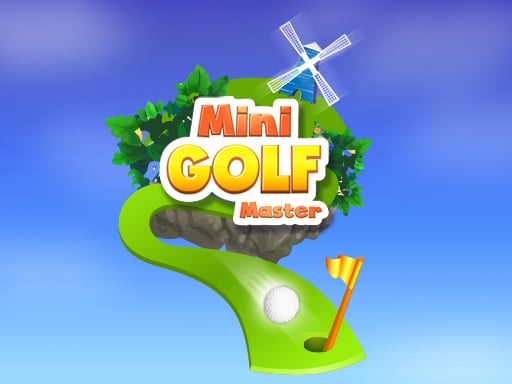
Play Minigolf Master for free — a sports game that runs directly in your browser on desktop, tablet or phone. Minigolf Master takes a real sport, strips it to its essential thrill and hands you the controls. Timing the shot, the tackle or the jump is everything.
About Minigolf Master
Experience the delight of Minigolf Master, a captivating minigolf game designed to bring joy and excitement to players of all ages. Navigate through a variety of creatively designed minigolf courses that present unique obstacles and challenges. With beautifully animated graphics and realistic simulated physics, every swing of the club provides an engaging and immersive experience. Your goal is to complete each
Judged as a sports game, Minigolf Master hits the notes you would hope for: familiar rules, quick matches and tournaments, leagues or challenges. Under the surface it is a test of timing and anticipation, dressed up in triumphant presentation.
How to play Minigolf Master
- Start by clicking the big play button. Minigolf Master loads inside the frame; give it a moment, especially on a slow connection.
- Follow the on-screen prompts. The developer describes the controls like this: Put the ball into the hole in as few strokes as possible Each hole has its optimum strokes limit - par It has a maximum strokes limit also Reach the par to get two stars reach under-the-par to get three stars Complete…
- Use the practice or the first easy match to find the timing sweet spot for shots, swings or jumps.
- Use the full-screen button under the frame for the best view, and keep an eye on the score, timer or health display so you know what the game is asking of you.
Controls
You will not need a manual for Minigolf Master, but knowing the inputs before you start saves the first minute of fumbling:
| Input | What it does |
|---|---|
| Mouse | Point and click to play; the game shows its own prompts on screen. |
| Keyboard | Some actions may use the arrow keys or space bar — check the in-game hints. |
It is designed for desktop play with a keyboard and mouse.
Tips and tricks
- Watch the opponent, not your player. Their movement tells you where the ball or the gap is going to be.
- Small, steady inputs. Over-steering, over-swinging and over-jumping are the most common mistakes in every sports game.
- If there is a power meter, release slightly earlier than feels natural; most meters are tuned so that "full" is too much.
- Learn the special moves last. The fundamentals — passing, positioning, basic shots — win far more games than trick shots.
Who will enjoy it
Minigolf Master is a good fit for sports fans, casual competitors and anyone who likes a clear scoreboard. In terms of time, think of a match in three to five minutes. How hard is it? Easy to start, satisfying to master. It is designed for desktop play with a keyboard and mouse.
Game details
| Category | Sports Games |
|---|---|
| Tags | Html5 Games For Your Site, Bmx Games, Html Games For Your Website, Dragon Ball Z, Obstacle, Golf |
| Platform | Browser (desktop) |
| Controls | Mouse |
| Technology | HTML5 — no download or plugin required |
| Frame | Landscape (800×600) |
| Added | 25 October 2024 |
| Plays | 1 |
| Price | Free to play |
Frequently asked questions
Is Minigolf Master free to play?
Yes. Minigolf Master is completely free to play on Diemakora. There is no download, no account and no payment — the game runs in your browser.
Can I play Minigolf Master on my phone?
This one is a desktop game. It expects a keyboard and mouse, so we recommend playing Minigolf Master on a computer for the intended experience.
What are the controls for Minigolf Master?
The developer did not publish detailed controls, but the game follows genre conventions: Mouse — Point and click to play; the game shows its own prompts on screen; Keyboard — Some actions may use the arrow keys or space bar — check the in-game hints. The full list is in the controls section above.
Does Minigolf Master save my progress?
Most browser games, including Minigolf Master, store progress locally in your browser. If you clear your cookies or switch devices, that progress may be lost, so finish sessions before clearing browser data.
What if Minigolf Master does not load?
If Minigolf Master does not load, refresh the page, make sure your browser is up to date and check that hardware acceleration is enabled. Ad blockers occasionally interfere with the game frame as well.
What kind of game is Minigolf Master?
It is a sports game with the tags Html5 Games For Your Site, Bmx Games, Html Games For Your Website, Dragon Ball Z. Easy to start, satisfying to master, and a match in three to five minutes.
Games similar to Minigolf Master
When you are done, scroll down for more sports games and titles that share tags with Minigolf Master.