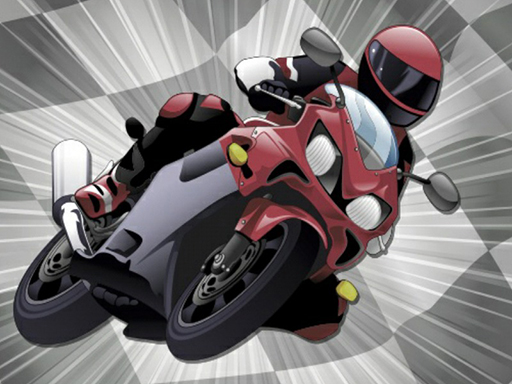
Moto Hot Wheels is one of the arcade games in the Diemakora collection. It loads in seconds and needs nothing installed. Moto Hot Wheels follows the oldest recipe in gaming: one clear rule, one clear score, and the urge to try just one more time. Its tags tell you what to expect: fast reactions and constant movement are the point; dodging obstacles is the core mechanic.
About Moto Hot Wheels
Welcome to Moto Hot Wheels, the Chinese edition of the well-loved Hot Wheels racing game! This engaging casual racing experience invites players of all skill levels to dive into the adrenaline-fueled world of racing. With a variety of car models to choose from, players can customize their racing experience by selecting different racetracks and competing against randomly matched opponents. As you
The genre lives on the "one more go" effect, difficulty that ramps steadily and instant restarts. Moto Hot Wheels understands that, and it shows in the first minute of play. Playing it works your timing and focus, which is a large part of why the "one more round" feeling is so strong.
How to play Moto Hot Wheels
- Press the play button above and wait for Moto Hot Wheels to finish loading. On first load this can take a few seconds while the game files are fetched.
- Follow the on-screen prompts. The developer describes the controls like this: 1 Paint the car with new paint change the parts and experience new racing challenges The extreme variety of scenarios allows you to drive freely and the difficulty of the choice is up to you 3 The more money you have…
- Play the first run purely to learn. Notice the rhythm of the obstacles, then start a fresh run and aim for a clean start.
- Use the full-screen button under the frame for the best view, and keep an eye on the score, timer or health display so you know what the game is asking of you.
Controls
The controls in Moto Hot Wheels are straightforward once you have seen them written down:
| Input | What it does |
|---|---|
| Mouse | Point and click to play; the game shows its own prompts on screen. |
| Keyboard | Some actions may use the arrow keys or space bar — check the in-game hints. |
It is designed for desktop play with a keyboard and mouse.
Tips and tricks
- Play in a quiet tab with nothing else running. Small frame drops cause missed timing that feels like bad luck but is not.
- Take a short break after three or four failed runs. Arcade games punish tired eyes more than any other genre.
- Restart early. If a run starts badly, do not grind it out; a fresh attempt costs nothing and saves your focus.
- Look one step ahead of your character. Reacting to what is under you is too late; reacting to what is coming is exactly on time.
- Because this is a Adventure game, explore side paths early; adventure games hide their best upgrades away from the main route.
Who will enjoy it
Who is Moto Hot Wheels for? In a word, anyone with a few minutes to spare and a competitive streak. In terms of time, think of runs of thirty seconds to a few minutes, endlessly repeatable. Difficulty-wise it is simple rules, high skill ceiling. It is designed for desktop play with a keyboard and mouse.
Game details
| Category | Arcade Games |
|---|---|
| Tags | 3d Games, Adventure, Action, Bmx Games, H5, Avoid, Arena, Motorcycle, Balance |
| Platform | Browser (desktop) |
| Controls | Mouse |
| Technology | HTML5 — no download or plugin required |
| Frame | Portrait (750×1334) |
| Added | 26 September 2024 |
| Plays | 2 |
| Price | Free to play |
Frequently asked questions
Is Moto Hot Wheels free to play?
It is free. Open the page, press play and the game loads in the browser. You do not need to install anything or register.
Can I play Moto Hot Wheels on my phone?
This one is a desktop game. It expects a keyboard and mouse, so we recommend playing Moto Hot Wheels on a computer for the intended experience.
What are the controls for Moto Hot Wheels?
The developer did not publish detailed controls, but the game follows genre conventions: Mouse — Point and click to play; the game shows its own prompts on screen; Keyboard — Some actions may use the arrow keys or space bar — check the in-game hints. The full list is in the controls section above.
Does Moto Hot Wheels save my progress?
Most browser games, including Moto Hot Wheels, store progress locally in your browser. If you clear your cookies or switch devices, that progress may be lost, so finish sessions before clearing browser data.
How do I play Moto Hot Wheels in full screen?
Use the full-screen button just below the game frame. Press Esc on your keyboard to leave full-screen mode again.
What kind of game is Moto Hot Wheels?
It is a arcade game with the tags 3d Games, Adventure, Action, Bmx Games. Simple rules, high skill ceiling, and runs of thirty seconds to a few minutes, endlessly repeatable.
Games similar to Moto Hot Wheels
You will find more games like Moto Hot Wheels further down this page, chosen by matching tags and category.