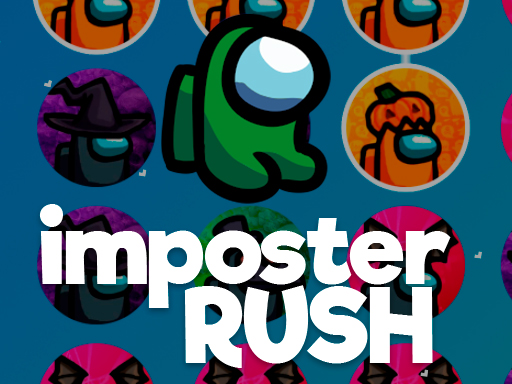
Welcome to ?mposter Rush, a browser-based action game. Click play, wait a moment for it to load, and you are in. If you like games that reward quick decisions over slow deliberation, ?mposter Rush was built for you. Every few seconds something changes and you have to answer it. Its tags tell you what to expect: the structure is classic arcade — quick rounds, rising difficulty and a score to beat; it follows the hyper-casual formula: one mechanic, instant play and very short rounds.
About ?mposter Rush
Introducing ?mposter Rush, an engaging twist on the popular Among Us gameplay, where you ll encounter five distinct gods in an exhilarating race against time and deception. In this vibrant online world, players must navigate various challenges while cleverly bluffing their way to victory. With each god possessing unique abilities and characteristics, your strategy and alliances will be put to
Judged as a action game, ?mposter Rush hits the notes you would hope for: escalating difficulty, tight controls and clear feedback on every hit or miss. Under the surface it is a test of staying calm under pressure and pattern recognition, dressed up in fast-paced presentation.
How to play ?mposter Rush
- Press the play button above and wait for ?mposter Rush to finish loading. On first load this can take a few seconds while the game files are fetched.
- Follow the on-screen prompts. The developer describes the controls like this: god rush very simple game controller drag drop
- Start slowly. Learn the movement and the first enemy pattern before you push for score; speed comes naturally once the inputs are automatic.
- Use the full-screen button under the frame for the best view, and keep an eye on the score, timer or health display so you know what the game is asking of you.
Controls
Here is how ?mposter Rush is controlled, based on the developer's instructions and our own testing:
| Input | What it does |
|---|---|
| Drag | god rush very simple game controller drag drop. |
The controls are tap and drag based, which makes it comfortable on touch screens as well as with a mouse.
Tips and tricks
- Learn the enemy or obstacle patterns before you try to go fast — most action games repeat a handful of behaviours, and once you recognise them the game slows down in your head.
- If there is a dash, jump or dodge move, treat it as a resource: use it to escape, not to attack, until you know the level.
- Watch the edges of the screen, not just your character. New threats almost always enter from the sides or the top, and spotting them early gives you a full second of extra time.
- Use short practice sessions. Ten focused minutes will improve your timing far more than an hour of frustrated retries.
- Because this is a Arcade game, restart early when a run goes wrong instead of grinding out a poor score.
Who will enjoy it
We would recommend ?mposter Rush to players who enjoy adrenaline, arcade-style progression and beating their own high score. In terms of time, think of rounds of two to five minutes, which makes it ideal for a quick break. The learning curve is easy to pick up but genuinely demanding to master. The controls are tap and drag based, which makes it comfortable on touch screens as well as with a mouse.
Game details
| Category | Action Games |
|---|---|
| Tags | Arcade, Hypercasual, 1 Player, 2d |
| Platform | Browser (desktop, tablet and mobile) |
| Controls | Touch and mouse |
| Technology | HTML5 — no download or plugin required |
| Frame | Landscape (800×600) |
| Added | 25 October 2024 |
| Plays | 2 |
| Price | Free to play |
Frequently asked questions
Is ?mposter Rush free to play?
Yes. ?mposter Rush is completely free to play on Diemakora. There is no download, no account and no payment — the game runs in your browser.
Can I play ?mposter Rush on my phone?
?mposter Rush works on mobile devices. Open this page on your phone or tablet and use the touch controls; rotating the device to landscape usually gives the best view.
What are the controls for ?mposter Rush?
In short: Drag — god rush very simple game controller drag drop. The full list is in the controls section above.
Does ?mposter Rush save my progress?
Most browser games, including ?mposter Rush, store progress locally in your browser. If you clear your cookies or switch devices, that progress may be lost, so finish sessions before clearing browser data.
How do I play ?mposter Rush in full screen?
Use the full-screen button just below the game frame. Press Esc on your keyboard to leave full-screen mode again.
What kind of game is ?mposter Rush?
It is a action game with the tags Arcade, Hypercasual, 1 Player, 2d. Easy to pick up but genuinely demanding to master, and rounds of two to five minutes, which makes it ideal for a quick break.
Games similar to ?mposter Rush
You will find more games like ?mposter Rush further down this page, chosen by matching tags and category.