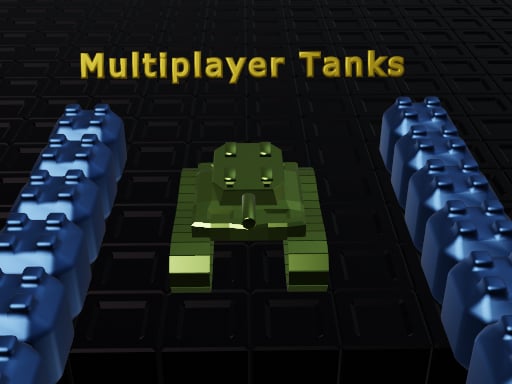
Play Multiplayer Tanks for free — a multiplayer game that runs directly in your browser on desktop, tablet or phone. Multiplayer Tanks is better with company. Whether you share a keyboard or meet other players online, the game is built around what people do to — and with — each other. A few things the tags reveal: other players are involved, either online or on the same device.
About Multiplayer Tanks
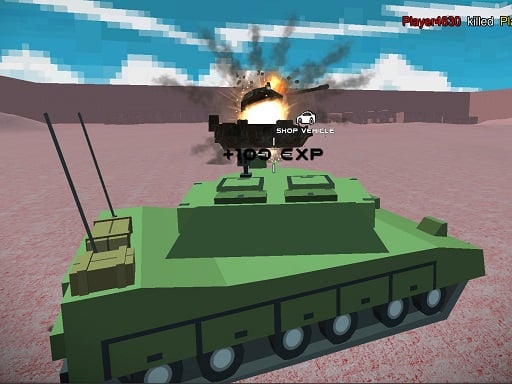
Experience the thrill of combat in Multiplayer Tanks, the groundbreaking HTML5 tank game that brings real-time multiplayer action to your screen! Dive into chaotic battles where you control your tank in a classic deathmatch setting, reminiscent of the retro games you love. Navigate through dynamic terrains, engage in intense tank warfare with players from around the world, and utilize various
Judged as a multiplayer game, Multiplayer Tanks hits the notes you would hope for: quick matchmaking or shared-screen setup, moments of comeback and reversal and head-to-head or cooperative play. Under the surface it is a test of reading opponents and adaptability, dressed up in competitive presentation.
How to play Multiplayer Tanks
- Start by clicking the big play button. Multiplayer Tanks loads inside the frame; give it a moment, especially on a slow connection.
- Follow the on-screen prompts. The developer describes the controls like this: - Create or join the server - Use WASD and mouse to control your tank - Destroy enemy tanks to win the deathmatch
- Try a round against the computer or alone first so the controls are familiar before you bring in another player.
- Use the full-screen button under the frame for the best view, and keep an eye on the score, timer or health display so you know what the game is asking of you.
Controls
Here is how Multiplayer Tanks is controlled, based on the developer's instructions and our own testing:
| Input | What it does |
|---|---|
| WASD keys | - Create or join the server - Use WASD and mouse to control your tank - Destroy enemy tanks to win the deathmatch. |
| Mouse | - Create or join the server - Use WASD and mouse to control your tank - Destroy enemy tanks to win the deathmatch. |
It is designed for desktop play with a keyboard and mouse.
Tips and tricks
- Play the opponent, not the game. Notice what your rival keeps doing and punish that habit.
- In shared-keyboard games, agree on who uses which keys before you start — hand collisions cause more losses than skill does.
- Be a good winner. Rematches are how multiplayer games stay fun, and nobody replays a gloater.
- Cooperative modes reward splitting roles: one player handles offence while the other covers, rather than both rushing.
- Because this is a Tanks game, angle your armour and fire while reversing.
Who will enjoy it
Who is Multiplayer Tanks for? In a word, friends on one screen, online competitors and anyone who finds bots boring. Expect matches of two to ten minutes, best played in a series. How hard is it? Entirely dependent on who you are playing against. It is designed for desktop play with a keyboard and mouse.
Game details
| Category | Multiplayer Games |
|---|---|
| Tags | .io Games, Violence, Multiplayer, Tanks, Mmo |
| Platform | Browser (desktop) |
| Controls | Keyboard and mouse |
| Technology | HTML5 — no download or plugin required |
| Frame | Landscape (1920×1080) |
| Added | 25 October 2024 |
| Plays | 1 |
| Price | Free to play |
Frequently asked questions
Is Multiplayer Tanks free to play?
Yes. Multiplayer Tanks is completely free to play on Diemakora. There is no download, no account and no payment — the game runs in your browser.
Can I play Multiplayer Tanks on my phone?
Multiplayer Tanks is best played on a desktop or laptop. It relies on keyboard and mouse input, and while it may load on a phone, the controls will not be comfortable.
What are the controls for Multiplayer Tanks?
In short: WASD keys — - Create or join the server - Use WASD and mouse to control your tank - Destroy enemy tanks to win the deathmatch; Mouse — - Create or join the server - Use WASD and mouse to control your tank - Destroy enemy tanks to win the deathmatch. The full list is in the controls section above.
Does Multiplayer Tanks save my progress?
Progress in Multiplayer Tanks is kept by the game itself inside your browser storage. It will normally be there when you come back on the same device and browser.
What if Multiplayer Tanks does not load?
A blank frame usually means the game is still loading or a browser extension blocked it. Wait a few seconds, then reload; if that fails, try another browser.
What kind of game is Multiplayer Tanks?
It is a multiplayer game with the tags .io Games, Violence, Multiplayer, Tanks. Entirely dependent on who you are playing against, and matches of two to ten minutes, best played in a series.
Games similar to Multiplayer Tanks
When you are done, scroll down for more multiplayer games and titles that share tags with Multiplayer Tanks.