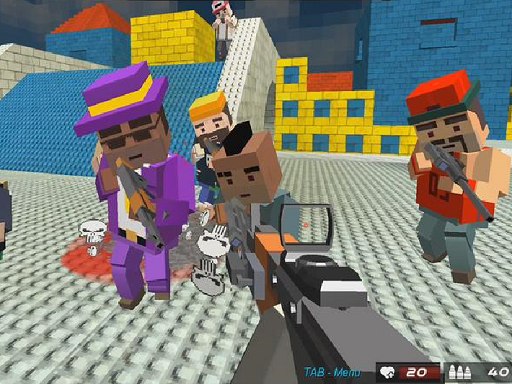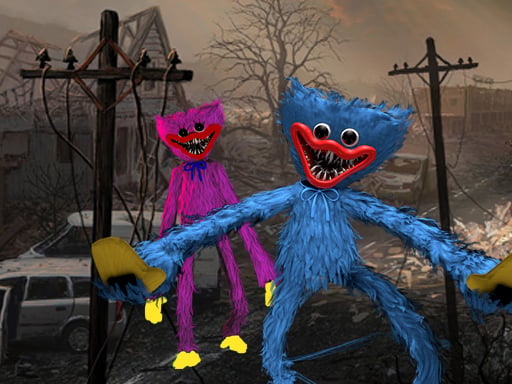
Looking for a shooting game that starts instantly? My Huggy Wuggy Nightmare runs in your browser and is completely free to play. The appeal of My Huggy Wuggy Nightmare is simple and old: line up the shot, take it, and watch the result. What makes it stick is the escalation that follows. Its tags tell you what to expect: the enemies are zombies, which usually means slow but relentless crowds; gathering items or collectibles is the goal.
About My Huggy Wuggy Nightmare
In the unsettling world of My Huggy Wuggy Nightmare, a seemingly tranquil neighborhood hides a dark secret. Newly relocated to this idyllic community, you discover whispers of a terrifying entity known as Huggy Wuggy, a man-monster responsible for a series of chilling murders. Despite the charm of your surroundings and the friendliness of your neighbors, unsettling tales of an unknown
Judged as a shooting game, My Huggy Wuggy Nightmare hits the notes you would hope for: ammunition or cooldown management, waves or levels that build up and precise aiming. Playing it works your resource management and aim, which is a large part of why the "one more round" feeling is so strong.
How to play My Huggy Wuggy Nightmare
- Start by clicking the big play button. My Huggy Wuggy Nightmare loads inside the frame; give it a moment, especially on a slow connection.
- Follow the on-screen prompts. The developer describes the controls like this: W A S D to walk around Mouse to Look around Left Mouse Button to Fire Right Mouse Button to Aim Mouse Wheel To Change Weapons G for Grenades R to Reload F to Pickup Items Left Shift to Run Left CTRL to Crouch X to…
- Take a few practice shots at the first targets to learn the aim speed, then move on to prioritising the dangerous enemies.
- When you are comfortable, set a target: a score to beat, a level to clear or a time to shave. Small goals are what make My Huggy Wuggy Nightmare stick.
Controls
The controls in My Huggy Wuggy Nightmare are straightforward once you have seen them written down:
| Input | What it does |
|---|---|
| Mouse | W A S D to walk around Mouse to Look around Left Mouse Button to Fire Right Mouse Button to Aim Mouse Wheel To Change Weapons G for Grenades R to Reload F to Pickup Items Left Shift to Run Left CTRL to Crouch X to Prone V. |
| Shift | W A S D to walk around Mouse to Look around Left Mouse Button to Fire Right Mouse Button to Aim Mouse Wheel To Change Weapons G for Grenades R to Reload F to Pickup Items Left Shift to Run Left CTRL to Crouch X to Prone V. |
| Ctrl | W A S D to walk around Mouse to Look around Left Mouse Button to Fire Right Mouse Button to Aim Mouse Wheel To Change Weapons G for Grenades R to Reload F to Pickup Items Left Shift to Run Left CTRL to Crouch X to Prone V. |
| W key | W A S D to walk around Mouse to Look around Left Mouse Button to Fire Right Mouse Button to Aim Mouse Wheel To Change Weapons G for Grenades R to Reload F to Pickup Items Left Shift to Run Left CTRL to Crouch X to Prone V. |
It works on phones and tablets with touch controls, and on desktop with a mouse or keyboard.
Tips and tricks
- Aim first, then shoot. Spraying costs time or ammo and rarely helps; a single well-placed shot almost always beats three rushed ones.
- Sound tells you where an enemy is before you can see it. Headphones help more than you would expect.
- Move between shots. Many shooters make you an easy target only when you stand in one place.
- Prioritise the threat that will hurt you soonest, not the one that is closest or biggest. Fast enemies before slow ones, shooters before melee.
- Because this is a Collecting game, plan a route that passes everything once.
- Because this is a Zombie game, never let yourself get surrounded — always keep an exit behind you.
Who will enjoy it
Who is My Huggy Wuggy Nightmare for? In a word, players who like precision, quick targeting and progressively tougher waves. A typical session is levels of a few minutes each, with longer runs in survival modes. Difficulty-wise it is approachable at first, with a steep climb in the later waves. It works on phones and tablets with touch controls, and on desktop with a mouse or keyboard.
Game details
| Category | Shooting Games |
|---|---|
| Tags | First Person Shooter, Collecting, Escape, Zombie, Weapons |
| Platform | Browser (desktop, tablet and mobile) |
| Controls | Mouse |
| Technology | HTML5 — no download or plugin required |
| Frame | Landscape (960×600) |
| Added | 26 September 2024 |
| Plays | 1 |
| Price | Free to play |
Frequently asked questions
Is My Huggy Wuggy Nightmare free to play?
Yes. My Huggy Wuggy Nightmare is completely free to play on Diemakora. There is no download, no account and no payment — the game runs in your browser.
Can I play My Huggy Wuggy Nightmare on my phone?
My Huggy Wuggy Nightmare works on mobile devices. Open this page on your phone or tablet and use the touch controls; rotating the device to landscape usually gives the best view.
What are the controls for My Huggy Wuggy Nightmare?
In short: Mouse — W A S D to walk around Mouse to Look around Left Mouse Button to Fire Right Mouse Button to Aim Mouse Wheel To Change Weapons G for Grenades R to Reload F to Pickup Items Left Shift to Run Left CTRL to Crouch X to Prone V; Shift — W A S D to walk around Mouse to Look around Left Mouse Button to Fire Right Mouse Button to Aim Mouse Wheel To Change Weapons G for Grenades R to Reload F to Pickup Items Left Shift to Run Left CTRL to Crouch X to Prone V; Ctrl — W A S D to walk around Mouse to Look around Left Mouse Button to Fire Right Mouse Button to Aim Mouse Wheel To Change Weapons G for Grenades R to Reload F to Pickup Items Left Shift to Run Left CTRL to Crouch X to Prone V. The full list is in the controls section above.
Does My Huggy Wuggy Nightmare save my progress?
Most browser games, including My Huggy Wuggy Nightmare, store progress locally in your browser. If you clear your cookies or switch devices, that progress may be lost, so finish sessions before clearing browser data.
What if My Huggy Wuggy Nightmare does not load?
A blank frame usually means the game is still loading or a browser extension blocked it. Wait a few seconds, then reload; if that fails, try another browser.
What kind of game is My Huggy Wuggy Nightmare?
It is a shooting game with the tags First Person Shooter, Collecting, Escape, Zombie. Approachable at first, with a steep climb in the later waves, and levels of a few minutes each, with longer runs in survival modes.
Games similar to My Huggy Wuggy Nightmare
You will find more games like My Huggy Wuggy Nightmare further down this page, chosen by matching tags and category.