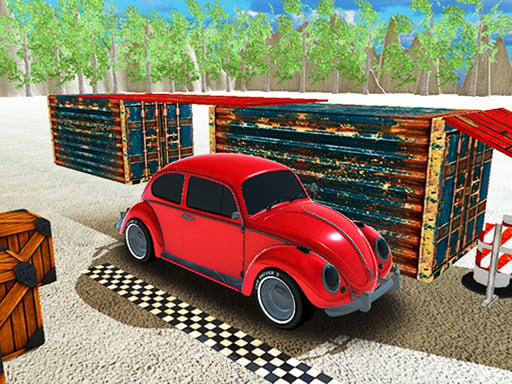
Never Fall is one of the hypercasual games in the Diemakora collection. It loads in seconds and needs nothing installed. Never Fall is a browser game in the classic sense: click play, understand the goal within a minute, and settle into a loop that is easy to enjoy and hard to put down. Its tags tell you what to expect: there is no final level; the game continues until you fail, and distance or score is the goal.
About Never Fall
Jump higher and climb forever in Never Fall! Leap from platform to platform, time your jumps perfectly, and rise through endless skies. One mistake sends you falling, so stay sharp and keep moving up. Easy to play but hard to master, Never Fall challenges your reflexes and focus with nonstop action and increasing difficulty. How far can you go before
The genre lives on a clear goal, controls that need no manual and progress you can feel. Never Fall understands that, and it shows in the first minute of play. The skills it leans on are a little patience and timing; both improve noticeably after a few sessions.
How to play Never Fall
- Start by clicking the big play button. Never Fall loads inside the frame; give it a moment, especially on a slow connection.
- Follow the on-screen prompts. The developer describes the controls like this: How to Play Tap the screen to make your character jump Land on platforms to keep climbing Avoid falling off or hitting obstacles Make sure to collect coins along the way Climb as high as you can to beat your score
- Explore. Click everything once, try each button, and let the game teach you its loop.
- When you are comfortable, set a target: a score to beat, a level to clear or a time to shave. Small goals are what make Never Fall stick.
Controls
You will not need a manual for Never Fall, but knowing the inputs before you start saves the first minute of fumbling:
| Input | What it does |
|---|---|
| Tap (touch) | How to Play Tap the screen to make your character jump Land on platforms to keep climbing Avoid falling off or hitting obstacles Make sure to collect coins along the way Climb as high as you can to beat your score. |
The controls are tap and drag based, which makes it comfortable on touch screens as well as with a mouse.
Tips and tricks
- Full-screen mode makes a real difference to precision. Use the button beneath the game.
- Set a small goal per session — one level, one upgrade, one new best — and stop when you hit it. It keeps the game fun.
- Read the on-screen prompts once. Most casual games explain their entire control scheme in the first ten seconds and never again.
- Do not compare your first hour to someone's hundredth. Casual games are built to be learned in public, one small improvement at a time.
- Because this is a Superhero game, powers usually have cooldowns — use them early so they recharge.
Who will enjoy it
We would recommend Never Fall to casual players of all ages looking for a quick, free game in the browser. In terms of time, think of anything from two minutes to an afternoon. The learning curve is friendly at first and steadily more demanding. The controls are tap and drag based, which makes it comfortable on touch screens as well as with a mouse.
Game details
| Category | Hypercasual Games |
|---|---|
| Tags | Hypercasual, Adventure, Best Games, Endless, 2026 Games, Highscore, Superhero, Amazing, Unity Games For Your Site, Sky, Bridge |
| Platform | Browser (desktop, tablet and mobile) |
| Controls | Touch and mouse |
| Technology | HTML5 — no download or plugin required |
| Frame | Landscape (800×600) |
| Added | 7 March 2026 |
| Plays | 1 |
| Price | Free to play |
Frequently asked questions
Is Never Fall free to play?
It is free. Open the page, press play and the game loads in the browser. You do not need to install anything or register.
Can I play Never Fall on my phone?
Never Fall works on mobile devices. Open this page on your phone or tablet and use the touch controls; rotating the device to landscape usually gives the best view.
What are the controls for Never Fall?
In short: Tap (touch) — How to Play Tap the screen to make your character jump Land on platforms to keep climbing Avoid falling off or hitting obstacles Make sure to collect coins along the way Climb as high as you can to beat your score. The full list is in the controls section above.
Does Never Fall save my progress?
Most browser games, including Never Fall, store progress locally in your browser. If you clear your cookies or switch devices, that progress may be lost, so finish sessions before clearing browser data.
What if Never Fall does not load?
If Never Fall does not load, refresh the page, make sure your browser is up to date and check that hardware acceleration is enabled. Ad blockers occasionally interfere with the game frame as well.
What kind of game is Never Fall?
It is a hypercasual game with the tags Hypercasual, Adventure, Best Games, Endless. Friendly at first and steadily more demanding, and anything from two minutes to an afternoon.
Games similar to Never Fall
You will find more games like Never Fall further down this page, chosen by matching tags and category.