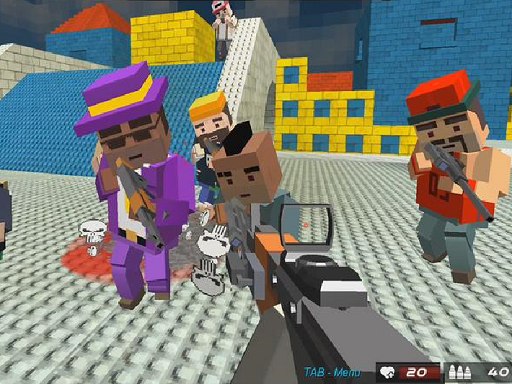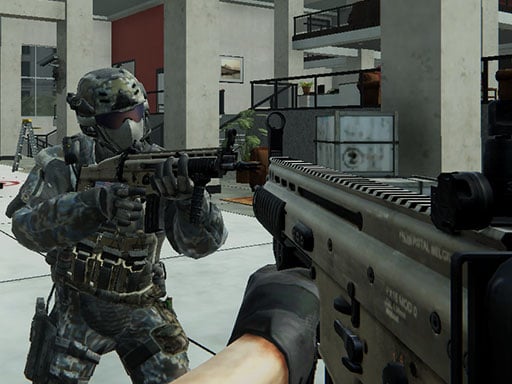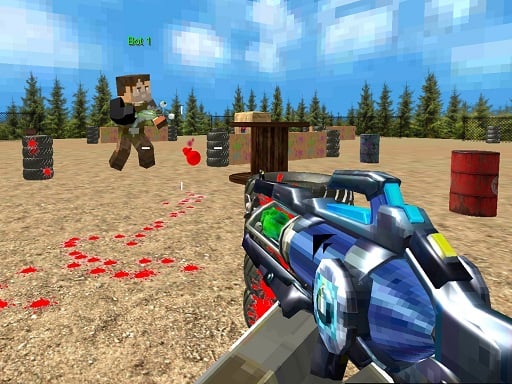
PaintBall Fun Shooting Multiplayer is a free online multiplayer game you can play right here in your browser, with no download and no sign-up. Solo games are predictable; other people are not. PaintBall Fun Shooting Multiplayer uses that unpredictability as its engine, and every match ends up telling a slightly different story. Its tags tell you what to expect: other players are involved, either online or on the same device; it features firearms and shooting mechanics.
About PaintBall Fun Shooting Multiplayer
Get ready for an exhilarating experience with PaintBall Fun Shooting Multiplayer, where you dive into a vibrant paintball arena filled with adrenaline and excitement! In this dynamic multiplayer game, players can engage in various thrilling modes that guarantee endless fun. Choose from five exhilarating game modes, with the default being Team Deathmatch (TDM), where you can team up with friends
What makes a good multiplayer game? Usually bragging rights, head-to-head or cooperative play and quick matchmaking or shared-screen setup — and PaintBall Fun Shooting Multiplayer has each of them in some measure. Under the surface it is a test of adaptability and reading opponents, dressed up in competitive presentation.
How to play PaintBall Fun Shooting Multiplayer
- Press the play button above and wait for PaintBall Fun Shooting Multiplayer to finish loading. On first load this can take a few seconds while the game files are fetched.
- Follow the on-screen prompts. The developer describes the controls like this: WASD - move Mouse - shooting aim look around change gun SPACE - jump TAB - menu SHIFT - run
- Try a round against the computer or alone first so the controls are familiar before you bring in another player.
- Use the full-screen button under the frame for the best view, and keep an eye on the score, timer or health display so you know what the game is asking of you.
Controls
You will not need a manual for PaintBall Fun Shooting Multiplayer, but knowing the inputs before you start saves the first minute of fumbling:
| Input | What it does |
|---|---|
| WASD keys | WASD - move Mouse - shooting aim look around change gun SPACE - jump TAB - menu SHIFT - run. |
| Space bar | WASD - move Mouse - shooting aim look around change gun SPACE - jump TAB - menu SHIFT - run. |
| Mouse | WASD - move Mouse - shooting aim look around change gun SPACE - jump TAB - menu SHIFT - run. |
| Shift | WASD - move Mouse - shooting aim look around change gun SPACE - jump TAB - menu SHIFT - run. |
| Tab | WASD - move Mouse - shooting aim look around change gun SPACE - jump TAB - menu SHIFT - run. |
It is designed for desktop play with a keyboard and mouse.
Tips and tricks
- Cooperative modes reward splitting roles: one player handles offence while the other covers, rather than both rushing.
- Play the opponent, not the game. Notice what your rival keeps doing and punish that habit.
- Be a good winner. Rematches are how multiplayer games stay fun, and nobody replays a gloater.
- Short, frequent matches build skill faster than marathon sessions.
- Because this is a Gun game, reload in quiet moments, never mid-wave.
Who will enjoy it
Who is PaintBall Fun Shooting Multiplayer for? In a word, friends on one screen, online competitors and anyone who finds bots boring. In terms of time, think of matches of two to ten minutes, best played in a series. How hard is it? Entirely dependent on who you are playing against. It is designed for desktop play with a keyboard and mouse.
Game details
| Category | Multiplayer Games |
|---|---|
| Tags | Funny, Multiplayer, Gun |
| Platform | Browser (desktop) |
| Controls | Keyboard and mouse |
| Technology | HTML5 — no download or plugin required |
| Frame | Landscape (800×600) |
| Added | 25 October 2024 |
| Plays | 1 |
| Price | Free to play |
Frequently asked questions
Is PaintBall Fun Shooting Multiplayer free to play?
Yes. PaintBall Fun Shooting Multiplayer is completely free to play on Diemakora. There is no download, no account and no payment — the game runs in your browser.
Can I play PaintBall Fun Shooting Multiplayer on my phone?
PaintBall Fun Shooting Multiplayer is best played on a desktop or laptop. It relies on keyboard and mouse input, and while it may load on a phone, the controls will not be comfortable.
What are the controls for PaintBall Fun Shooting Multiplayer?
In short: WASD keys — WASD - move Mouse - shooting aim look around change gun SPACE - jump TAB - menu SHIFT - run; Space bar — WASD - move Mouse - shooting aim look around change gun SPACE - jump TAB - menu SHIFT - run; Mouse — WASD - move Mouse - shooting aim look around change gun SPACE - jump TAB - menu SHIFT - run. The full list is in the controls section above.
Does PaintBall Fun Shooting Multiplayer save my progress?
Most browser games, including PaintBall Fun Shooting Multiplayer, store progress locally in your browser. If you clear your cookies or switch devices, that progress may be lost, so finish sessions before clearing browser data.
How do I play PaintBall Fun Shooting Multiplayer in full screen?
Click the expand icon under the game to switch PaintBall Fun Shooting Multiplayer to full screen. Esc returns you to the normal view.
What kind of game is PaintBall Fun Shooting Multiplayer?
It is a multiplayer game with the tags Funny, Multiplayer, Gun. Entirely dependent on who you are playing against, and matches of two to ten minutes, best played in a series.
Games similar to PaintBall Fun Shooting Multiplayer
You will find more games like PaintBall Fun Shooting Multiplayer further down this page, chosen by matching tags and category.