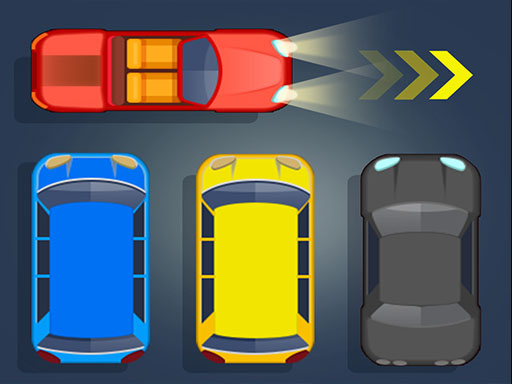
Parking is one of the hypercasual games in the Diemakora collection. It loads in seconds and needs nothing installed. You do not need a tutorial for Parking. The design explains itself as you go, and the difficulty grows exactly as fast as your confidence does. A few things the tags reveal: the content and difficulty are tuned for younger players.
About Parking
Test your logic through a hundred of levels that keep getting harder in this puzzle game. Move cars, bus and trailers and find the way to get your vehicle out of a totally crowded parking. An excellent game for the waiting times… in the rush hours! Parking Panic is an amusing game for the whole family! Only recommended for... everyone!
What makes a good hypercasual game? Usually progress you can feel, a clear goal and quick loading — and Parking has each of them in some measure. Under the surface it is a test of timing and coordination, dressed up in cheerful presentation.
How to play Parking
- Start by clicking the big play button. Parking loads inside the frame; give it a moment, especially on a slow connection.
- Follow the on-screen prompts. The developer describes the controls like this: Test your logic through a hundred of levels that keep getting harder in this puzzle game Move cars bus and trailers and find the way to get your vehicle out of a totally crowded parking An excellent game for the…
- Explore. Click everything once, try each button, and let the game teach you its loop.
- Use the full-screen button under the frame for the best view, and keep an eye on the score, timer or health display so you know what the game is asking of you.
Controls
Controls for Parking at a glance:
| Input | What it does |
|---|---|
| Mouse | Point and click to play; the game shows its own prompts on screen. |
| Keyboard | Some actions may use the arrow keys or space bar — check the in-game hints. |
It is designed for desktop play with a keyboard and mouse.
Tips and tricks
- Sound effects are feedback, not decoration. Play with the volume up at least until you know the game.
- Read the on-screen prompts once. Most casual games explain their entire control scheme in the first ten seconds and never again.
- Spend your first attempt learning, not winning. Poke at everything on screen; browser games hide small mechanics in plain sight.
- Full-screen mode makes a real difference to precision. Use the button beneath the game.
Who will enjoy it
Who is Parking for? In a word, casual players of all ages looking for a quick, free game in the browser. A typical session is anything from two minutes to an afternoon. How hard is it? Friendly at first and steadily more demanding. It is designed for desktop play with a keyboard and mouse.
Game details
| Category | Hypercasual Games |
|---|---|
| Tags | Kids, Puzzleblock, Funny, Fall Boys, Supercars, Baby Hazel, Classic, 2026 Games, Brainrot Sahuuur, Cargo |
| Platform | Browser (desktop) |
| Controls | Mouse |
| Technology | HTML5 — no download or plugin required |
| Frame | Landscape (800×600) |
| Added | 7 March 2026 |
| Plays | 2 |
| Price | Free to play |
Frequently asked questions
Is Parking free to play?
It is free. Open the page, press play and the game loads in the browser. You do not need to install anything or register.
Can I play Parking on my phone?
This one is a desktop game. It expects a keyboard and mouse, so we recommend playing Parking on a computer for the intended experience.
What are the controls for Parking?
The developer did not publish detailed controls, but the game follows genre conventions: Mouse — Point and click to play; the game shows its own prompts on screen; Keyboard — Some actions may use the arrow keys or space bar — check the in-game hints. The full list is in the controls section above.
Does Parking save my progress?
Most browser games, including Parking, store progress locally in your browser. If you clear your cookies or switch devices, that progress may be lost, so finish sessions before clearing browser data.
What if Parking does not load?
A blank frame usually means the game is still loading or a browser extension blocked it. Wait a few seconds, then reload; if that fails, try another browser.
Is Parking suitable for children?
It is tagged Kids, which usually indicates content aimed at younger players. As with any online game, we suggest a parent takes a quick look first.
Games similar to Parking
When you are done, scroll down for more hypercasual games and titles that share tags with Parking.














