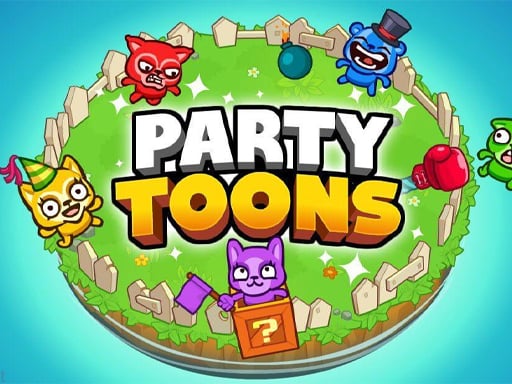
Looking for a multiplayer game that starts instantly? PartyToons runs in your browser and is completely free to play. PartyToons is better with company. Whether you share a keyboard or meet other players online, the game is built around what people do to — and with — each other.
About PartyToons
PartyToons is an exciting party game developed by TinyDobbins that allows players to dive into a series of fast-paced mini-games, either with friends or random players online. With a vibrant and engaging atmosphere, each match features four players competing in a variety of unique and entertaining challenges. The game's charm lies in its diverse gameplay styles: one moment you might
What makes a good multiplayer game? Usually bragging rights, quick matchmaking or shared-screen setup and head-to-head or cooperative play — and PartyToons has each of them in some measure. Playing it works your reading opponents and communication, which is a large part of why the "one more round" feeling is so strong.
How to play PartyToons
- Start by clicking the big play button. PartyToons loads inside the frame; give it a moment, especially on a slow connection.
- Follow the on-screen prompts. The developer describes the controls like this: Player 1 Action keys - Arrow keys Player 2 Action keys - WASD Player 3 Action keys - 8456 Player 4 Action keys - UHJK
- Try a round against the computer or alone first so the controls are familiar before you bring in another player.
- When you are comfortable, set a target: a score to beat, a level to clear or a time to shave. Small goals are what make PartyToons stick.
Controls
The controls in PartyToons are straightforward once you have seen them written down:
| Input | What it does |
|---|---|
| WASD keys | Player 1 Action keys - Arrow keys Player 2 Action keys - WASD Player 3 Action keys - 8456 Player 4 Action keys - UHJK. |
| Arrow keys | Player 1 Action keys - Arrow keys Player 2 Action keys - WASD Player 3 Action keys - 8456 Player 4 Action keys - UHJK. |
It is designed for desktop play with a keyboard and mouse.
Tips and tricks
- Play the opponent, not the game. Notice what your rival keeps doing and punish that habit.
- Learn the controls alone for two minutes before you invite a friend. Fumbling the basics is the fastest way to lose a match you should win.
- Be a good winner. Rematches are how multiplayer games stay fun, and nobody replays a gloater.
- Cooperative modes reward splitting roles: one player handles offence while the other covers, rather than both rushing.
- Because this is a Simulation game, learn the systems slowly — simulations reward understanding over speed.
Who will enjoy it
Who is PartyToons for? In a word, friends on one screen, online competitors and anyone who finds bots boring. A typical session is matches of two to ten minutes, best played in a series. How hard is it? Entirely dependent on who you are playing against. It is designed for desktop play with a keyboard and mouse.
Game details
| Category | Multiplayer Games |
|---|---|
| Tags | 1 Player, Action, Simulation, Cartoon Network, 2 Player Games, Multiplayer, Interactive Fiction |
| Platform | Browser (desktop) |
| Controls | Keyboard |
| Technology | HTML5 — no download or plugin required |
| Frame | Landscape (800×600) |
| Added | 25 October 2024 |
| Plays | 1 |
| Price | Free to play |
Frequently asked questions
Is PartyToons free to play?
It is free. Open the page, press play and the game loads in the browser. You do not need to install anything or register.
Can I play PartyToons on my phone?
PartyToons is best played on a desktop or laptop. It relies on keyboard and mouse input, and while it may load on a phone, the controls will not be comfortable.
What are the controls for PartyToons?
In short: WASD keys — Player 1 Action keys - Arrow keys Player 2 Action keys - WASD Player 3 Action keys - 8456 Player 4 Action keys - UHJK; Arrow keys — Player 1 Action keys - Arrow keys Player 2 Action keys - WASD Player 3 Action keys - 8456 Player 4 Action keys - UHJK. The full list is in the controls section above.
Does PartyToons save my progress?
Most browser games, including PartyToons, store progress locally in your browser. If you clear your cookies or switch devices, that progress may be lost, so finish sessions before clearing browser data.
How do I play PartyToons in full screen?
Use the full-screen button just below the game frame. Press Esc on your keyboard to leave full-screen mode again.
What kind of game is PartyToons?
It is a multiplayer game with the tags 1 Player, Action, Simulation, Cartoon Network. Entirely dependent on who you are playing against, and matches of two to ten minutes, best played in a series.
Games similar to PartyToons
Finished a session? The games listed below were picked because they share tags or a category with PartyToons.