Welcome to Poppy Smashers: Scary Playtime, a browser-based multiplayer game. Click play, wait a moment for it to load, and you are in. Solo games are predictable; other people are not. Poppy Smashers: Scary Playtime uses that unpredictability as its engine, and every match ends up telling a slightly different story. Its tags tell you what to expect: there is no final level; the game continues until you fail, and distance or score is the goal.
About Poppy Smashers: Scary Playtime
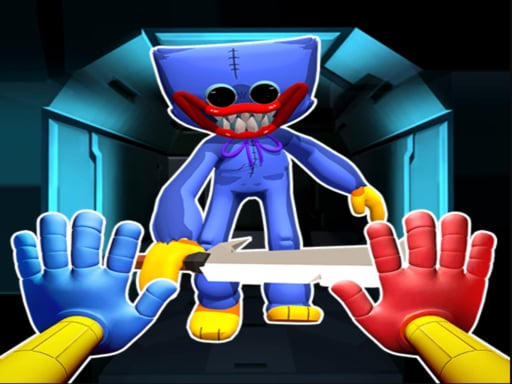
Prepare yourself for an adrenaline-fueled experience in Poppy Smashers: Scary Playtime! Dive headfirst into a thrilling io hide-and-seek arena where the stakes are high and the atmosphere is filled with nail-biting terror. Embrace your inner strength as you smash hard and grow bigger while encountering the eerie presence of Huggy Wuggy lurking around every corner. In this captivating multiplayer game, your
The genre lives on bragging rights, simple rules everyone can grasp fast and head-to-head or cooperative play. Poppy Smashers: Scary Playtime understands that, and it shows in the first minute of play. Playing it works your communication and composure, which is a large part of why the "one more round" feeling is so strong.
How to play Poppy Smashers: Scary Playtime
- Press the play button above and wait for Poppy Smashers: Scary Playtime to finish loading. On first load this can take a few seconds while the game files are fetched.
- Follow the on-screen prompts. The developer describes the controls like this: Keyboard left and right arrow
- Try a round against the computer or alone first so the controls are familiar before you bring in another player.
- When you are comfortable, set a target: a score to beat, a level to clear or a time to shave. Small goals are what make Poppy Smashers: Scary Playtime stick.
Controls
The controls in Poppy Smashers: Scary Playtime are straightforward once you have seen them written down:
| Input | What it does |
|---|---|
| Arrow keys / WASD | Move your character or vehicle. |
| Space | Jump, fire or confirm, depending on the level. |
It is designed for desktop play with a keyboard and mouse.
Tips and tricks
- In shared-keyboard games, agree on who uses which keys before you start — hand collisions cause more losses than skill does.
- Learn the controls alone for two minutes before you invite a friend. Fumbling the basics is the fastest way to lose a match you should win.
- Short, frequent matches build skill faster than marathon sessions.
- Be a good winner. Rematches are how multiplayer games stay fun, and nobody replays a gloater.
- Because this is a Escape game, click everything once, then think — escape games reward a full inventory of clues.
Who will enjoy it
Who is Poppy Smashers: Scary Playtime for? In a word, friends on one screen, online competitors and anyone who finds bots boring. Expect matches of two to ten minutes, best played in a series. Difficulty-wise it is entirely dependent on who you are playing against. It is designed for desktop play with a keyboard and mouse.
Game details
| Category | Multiplayer Games |
|---|---|
| Tags | 3d Games, Adventure, Action, 2d, Educational, 2 Player Games, Coloring, Escape, Baby Hazel, Endless, Adult, Dating |
| Platform | Browser (desktop) |
| Controls | Keyboard |
| Technology | HTML5 — no download or plugin required |
| Frame | Landscape (800×600) |
| Added | 26 September 2024 |
| Plays | 2 |
| Price | Free to play |
Frequently asked questions
Is Poppy Smashers: Scary Playtime free to play?
It is free. Open the page, press play and the game loads in the browser. You do not need to install anything or register.
Can I play Poppy Smashers: Scary Playtime on my phone?
Poppy Smashers: Scary Playtime is best played on a desktop or laptop. It relies on keyboard and mouse input, and while it may load on a phone, the controls will not be comfortable.
What are the controls for Poppy Smashers: Scary Playtime?
The developer did not publish detailed controls, but the game follows genre conventions: Arrow keys / WASD — Move your character or vehicle; Space — Jump, fire or confirm, depending on the level. The full list is in the controls section above.
Does Poppy Smashers: Scary Playtime save my progress?
Progress in Poppy Smashers: Scary Playtime is kept by the game itself inside your browser storage. It will normally be there when you come back on the same device and browser.
How do I play Poppy Smashers: Scary Playtime in full screen?
Click the expand icon under the game to switch Poppy Smashers: Scary Playtime to full screen. Esc returns you to the normal view.
Is Poppy Smashers: Scary Playtime suitable for children?
It is tagged Educational, Coloring, which usually indicates content aimed at younger players. As with any online game, we suggest a parent takes a quick look first.
Games similar to Poppy Smashers: Scary Playtime
If you enjoy Poppy Smashers: Scary Playtime, the related games below share its category or tags and are a natural next step.