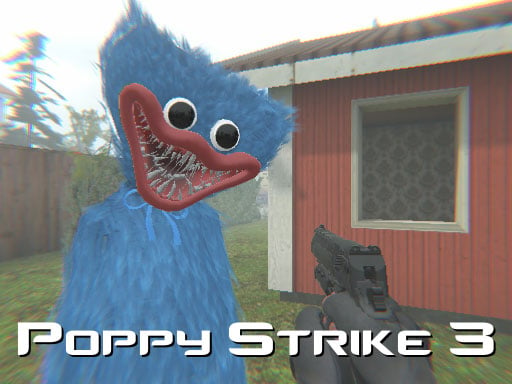
Play Poppy Strike 3 for free — a shooting game that runs directly in your browser on desktop, tablet or phone. Shooting games are really about attention: Poppy Strike 3 rewards the player who tracks several moving things at once and picks the right one to deal with first.
About Poppy Strike 3
Poppy Strike 3 is an exhilarating first-person shooter that immerses players in a thrilling world filled with terrifying encounters. Your primary objective is to survive against the ominous huggy wuggy, a creature that lurks in the shadows and challenges your skills. As you progress through the game, you must shoot a designated number of these eerie beings to secure victory
What makes a good shooting game? Usually ammunition or cooldown management, precise aiming and enemies with distinct behaviours — and Poppy Strike 3 has each of them in some measure. Under the surface it is a test of aim and situational awareness, dressed up in intense presentation.
How to play Poppy Strike 3
- Start by clicking the big play button. Poppy Strike 3 loads inside the frame; give it a moment, especially on a slow connection.
- Follow the on-screen prompts. The developer describes the controls like this: WASD - Move LMB - Shoot RMB - Aim R - Reload G - Grenade Space - Jump
- Take a few practice shots at the first targets to learn the aim speed, then move on to prioritising the dangerous enemies.
- Switch to full screen if precision matters, and remember that the game keeps its own progress — finish a level before you close the tab.
Controls
Controls for Poppy Strike 3 at a glance:
| Input | What it does |
|---|---|
| WASD keys | WASD - Move LMB - Shoot RMB - Aim R - Reload G - Grenade Space - Jump. |
| Space bar | WASD - Move LMB - Shoot RMB - Aim R - Reload G - Grenade Space - Jump. |
It is designed for desktop play with a keyboard and mouse.
Tips and tricks
- Prioritise the threat that will hurt you soonest, not the one that is closest or biggest. Fast enemies before slow ones, shooters before melee.
- Move between shots. Many shooters make you an easy target only when you stand in one place.
- If there is a reload, reload during quiet moments — never in the middle of a wave.
- Sound tells you where an enemy is before you can see it. Headphones help more than you would expect.
- Because this is a Survival game, plan for the late game early; what feels like plenty of resources will not be.
Who will enjoy it
Who is Poppy Strike 3 for? In a word, players who like precision, quick targeting and progressively tougher waves. In terms of time, think of levels of a few minutes each, with longer runs in survival modes. Difficulty-wise it is approachable at first, with a steep climb in the later waves. It is designed for desktop play with a keyboard and mouse.
Game details
| Category | Shooting Games |
|---|---|
| Tags | 3d Games, 1 Player, Action, Unity3d, First Person Shooter, Shooting, Gun, Shoot Em Up, Survival, Csgo, Huggy |
| Platform | Browser (desktop) |
| Controls | Keyboard |
| Technology | HTML5 — no download or plugin required |
| Frame | Landscape (960×600) |
| Added | 26 September 2024 |
| Plays | 1 |
| Price | Free to play |
Frequently asked questions
Is Poppy Strike 3 free to play?
Yes. Poppy Strike 3 is completely free to play on Diemakora. There is no download, no account and no payment — the game runs in your browser.
Can I play Poppy Strike 3 on my phone?
This one is a desktop game. It expects a keyboard and mouse, so we recommend playing Poppy Strike 3 on a computer for the intended experience.
What are the controls for Poppy Strike 3?
In short: WASD keys — WASD - Move LMB - Shoot RMB - Aim R - Reload G - Grenade Space - Jump; Space bar — WASD - Move LMB - Shoot RMB - Aim R - Reload G - Grenade Space - Jump. The full list is in the controls section above.
Does Poppy Strike 3 save my progress?
Progress in Poppy Strike 3 is kept by the game itself inside your browser storage. It will normally be there when you come back on the same device and browser.
How do I play Poppy Strike 3 in full screen?
Use the full-screen button just below the game frame. Press Esc on your keyboard to leave full-screen mode again.
What kind of game is Poppy Strike 3?
It is a shooting game with the tags 3d Games, 1 Player, Action, Unity3d. Approachable at first, with a steep climb in the later waves, and levels of a few minutes each, with longer runs in survival modes.
Games similar to Poppy Strike 3
When you are done, scroll down for more shooting games and titles that share tags with Poppy Strike 3.