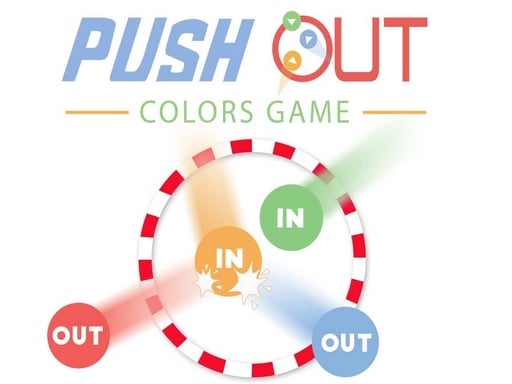
Push out : colors game is one of the multiplayer games in the Diemakora collection. It loads in seconds and needs nothing installed. Push out : colors game is better with company. Whether you share a keyboard or meet other players online, the game is built around what people do to — and with — each other. Its tags tell you what to expect: it follows the hyper-casual formula: one mechanic, instant play and very short rounds; other players are involved, either online or on the same device.
About Push out : colors game
Step into the thrilling world of Push Out: Colors Game, a captivating multiplayer challenge designed for up to four players! In this fast-paced action game, your mission is straightforward yet exhilarating: push your opponents out of the arena to score points. Imagine a vibrant battlefield filled with colorful dots, where strategy meets skill as you attempt to dominate the space
Judged as a multiplayer game, Push out : colors game hits the notes you would hope for: quick matchmaking or shared-screen setup, moments of comeback and reversal and bragging rights. The skills it leans on are composure and composure; both improve noticeably after a few sessions.
How to play Push out : colors game
- Start by clicking the big play button. Push out : colors game loads inside the frame; give it a moment, especially on a slow connection.
- Follow the on-screen prompts. The developer describes the controls like this: You must push others players out of the arena
- Try a round against the computer or alone first so the controls are familiar before you bring in another player.
- Switch to full screen if precision matters, and remember that the game keeps its own progress — finish a level before you close the tab.
Controls
Controls for Push out : colors game at a glance:
| Input | What it does |
|---|---|
| Mouse / Tap | Click or tap to interact with the game. |
| Drag | Hold and move to aim, steer or drag objects where the game asks for it. |
The controls are tap and drag based, which makes it comfortable on touch screens as well as with a mouse.
Tips and tricks
- In shared-keyboard games, agree on who uses which keys before you start — hand collisions cause more losses than skill does.
- Play the opponent, not the game. Notice what your rival keeps doing and punish that habit.
- Use the first round to test. Try something unusual and see how the opponent reacts; the information is worth more than the round.
- Learn the controls alone for two minutes before you invite a friend. Fumbling the basics is the fastest way to lose a match you should win.
- Because this is a Multiplayer game, expect surprises — real opponents do not follow the patterns bots do.
- Because this is a Hypercasual game, find the rhythm of the single mechanic — that is the entire skill.
Who will enjoy it
Push out : colors game is a good fit for friends on one screen, online competitors and anyone who finds bots boring. In terms of time, think of matches of two to ten minutes, best played in a series. How hard is it? Entirely dependent on who you are playing against. The controls are tap and drag based, which makes it comfortable on touch screens as well as with a mouse.
Game details
| Category | Multiplayer Games |
|---|---|
| Tags | Hypercasual, Street Fighting, Multiplayer |
| Platform | Browser (desktop, tablet and mobile) |
| Controls | Touch and mouse |
| Technology | HTML5 — no download or plugin required |
| Frame | Landscape (800×600) |
| Added | 26 September 2024 |
| Plays | 1 |
| Price | Free to play |
Frequently asked questions
Is Push out : colors game free to play?
It is free. Open the page, press play and the game loads in the browser. You do not need to install anything or register.
Can I play Push out : colors game on my phone?
Yes — the game supports touch input and adapts to smaller screens, so you can play Push out : colors game on a phone or tablet as well as on a computer.
What are the controls for Push out : colors game?
The developer did not publish detailed controls, but the game follows genre conventions: Mouse / Tap — Click or tap to interact with the game; Drag — Hold and move to aim, steer or drag objects where the game asks for it. The full list is in the controls section above.
Does Push out : colors game save my progress?
Most browser games, including Push out : colors game, store progress locally in your browser. If you clear your cookies or switch devices, that progress may be lost, so finish sessions before clearing browser data.
How do I play Push out : colors game in full screen?
Use the full-screen button just below the game frame. Press Esc on your keyboard to leave full-screen mode again.
What kind of game is Push out : colors game?
It is a multiplayer game with the tags Hypercasual, Street Fighting, Multiplayer. Entirely dependent on who you are playing against, and matches of two to ten minutes, best played in a series.
Games similar to Push out : colors game
When you are done, scroll down for more multiplayer games and titles that share tags with Push out : colors game.