Looking for a sports game that starts instantly? Relative Velocity Casual Physics runs in your browser and is completely free to play. Relative Velocity Casual Physics takes a real sport, strips it to its essential thrill and hands you the controls. Timing the shot, the tackle or the jump is everything. From the tags you can already tell that it teaches or practises a skill — often maths, reading or logic — while you play.
About Relative Velocity Casual Physics
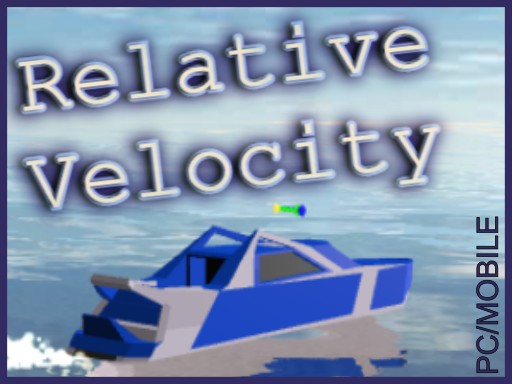
Relative Velocity is a casual 3D navigation game where you control a boat in an environment with waves and currents. The objective is to adjust the relative velocity vector to navigate a path to the finish line while collecting coins along the way. The boats movement physics has been carefully implemented manually to simulate the interaction with waves and currents,
Judged as a sports game, Relative Velocity Casual Physics hits the notes you would hope for: quick matches, skill-based timing and tournaments, leagues or challenges. The skills it leans on are aim and timing; both improve noticeably after a few sessions.
How to play Relative Velocity Casual Physics
- Start by clicking the big play button. Relative Velocity Casual Physics loads inside the frame; give it a moment, especially on a slow connection.
- Follow the on-screen prompts. The developer describes the controls like this: How to Play Control the boats relative velocity vector using the on-screen joystick Follow the path to the finish line Collect coins along the way Complete levels as quickly as possible to achieve the highest score
- Use the practice or the first easy match to find the timing sweet spot for shots, swings or jumps.
- Use the full-screen button under the frame for the best view, and keep an eye on the score, timer or health display so you know what the game is asking of you.
Controls
You will not need a manual for Relative Velocity Casual Physics, but knowing the inputs before you start saves the first minute of fumbling:
| Input | What it does |
|---|---|
| Mouse / Tap | Click or tap to interact with the game. |
| Drag | Hold and move to aim, steer or drag objects where the game asks for it. |
The controls are tap and drag based, which makes it comfortable on touch screens as well as with a mouse.
Tips and tricks
- Defend first when you are ahead, attack first when you are behind. It sounds obvious, and yet.
- Use the whole field, court or track. Players who hug one side become predictable.
- If there is a power meter, release slightly earlier than feels natural; most meters are tuned so that "full" is too much.
- Watch the opponent, not your player. Their movement tells you where the ball or the gap is going to be.
Who will enjoy it
We would recommend Relative Velocity Casual Physics to sports fans, casual competitors and anyone who likes a clear scoreboard. A typical session is a match in three to five minutes. The learning curve is easy to start, satisfying to master. The controls are tap and drag based, which makes it comfortable on touch screens as well as with a mouse.
Game details
| Category | Sports Games |
|---|---|
| Tags | Html5 Games For Your Site, Hypercasual, 3d Games, 1 Player, Simulation, Educational, Simulator, Physics, Science, Summer, Onetouch, Ships |
| Platform | Browser (desktop, tablet and mobile) |
| Controls | Touch and mouse |
| Technology | HTML5 — no download or plugin required |
| Frame | Portrait (333×594) |
| Added | 26 January 2025 |
| Plays | 2 |
| Price | Free to play |
Frequently asked questions
Is Relative Velocity Casual Physics free to play?
It is free. Open the page, press play and the game loads in the browser. You do not need to install anything or register.
Can I play Relative Velocity Casual Physics on my phone?
Yes — the game supports touch input and adapts to smaller screens, so you can play Relative Velocity Casual Physics on a phone or tablet as well as on a computer.
What are the controls for Relative Velocity Casual Physics?
The developer did not publish detailed controls, but the game follows genre conventions: Mouse / Tap — Click or tap to interact with the game; Drag — Hold and move to aim, steer or drag objects where the game asks for it. The full list is in the controls section above.
Does Relative Velocity Casual Physics save my progress?
Most browser games, including Relative Velocity Casual Physics, store progress locally in your browser. If you clear your cookies or switch devices, that progress may be lost, so finish sessions before clearing browser data.
How do I play Relative Velocity Casual Physics in full screen?
Click the expand icon under the game to switch Relative Velocity Casual Physics to full screen. Esc returns you to the normal view.
Is Relative Velocity Casual Physics suitable for children?
It is tagged Educational, which usually indicates content aimed at younger players. As with any online game, we suggest a parent takes a quick look first.
Games similar to Relative Velocity Casual Physics
When you are done, scroll down for more sports games and titles that share tags with Relative Velocity Casual Physics.