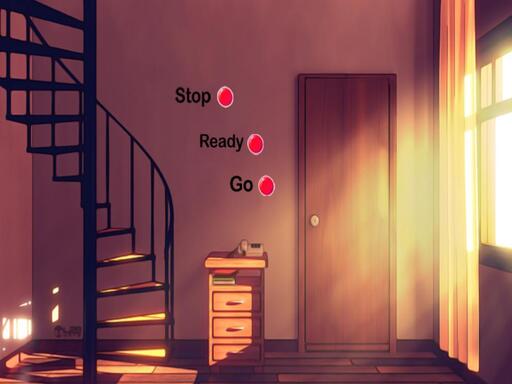
Rescue The Rabbit 2 is a free online puzzle game you can play right here in your browser, with no download and no sign-up. Rescue The Rabbit 2 asks you to think before you act. There is no clock chasing you in most levels — only a board, a set of rules, and the pleasure of the solution clicking into place. A few things the tags reveal: you are locked in a room or place and must find clues to get out.
About Rescue The Rabbit 2
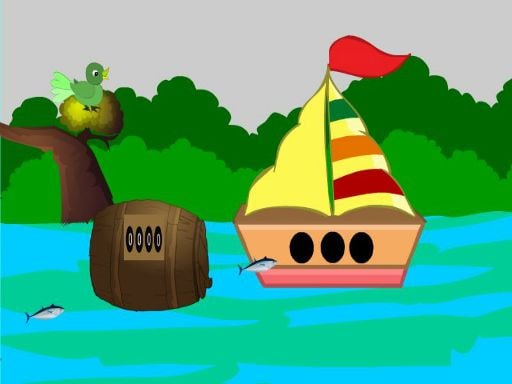
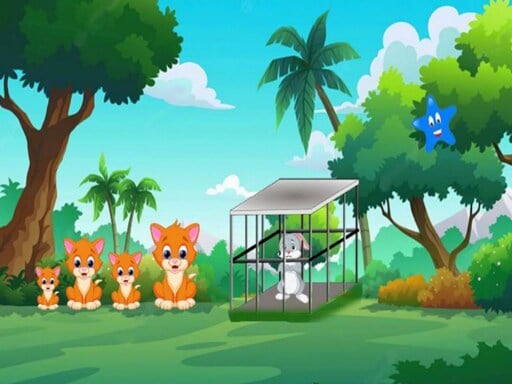
Rescue The Rabbit 2 is an engaging point-and-click adventure game crafted by 8B Games/Games2mad. In this colorful and imaginative world, players are thrust into a captivating storyline where they must aid a trapped rabbit within the depths of a lush forest. As you explore your surroundings, you'll encounter a series of intriguing puzzles and hidden objects that challenge your problem-solving
What makes a good puzzle game? Usually a gentle but real difficulty curve, clear rules that never change unfairly and levels that teach one idea at a time — and Rescue The Rabbit 2 has each of them in some measure. The skills it leans on are pattern recognition and planning; both improve noticeably after a few sessions.
How to play Rescue The Rabbit 2
- Press the play button above and wait for Rescue The Rabbit 2 to finish loading. On first load this can take a few seconds while the game files are fetched.
- Follow the on-screen prompts. The developer describes the controls like this: Mouse Interact
- Read the whole level before your first move. Identify the goal, then look for the forced moves that must happen regardless.
- Switch to full screen if precision matters, and remember that the game keeps its own progress — finish a level before you close the tab.
Controls
You will not need a manual for Rescue The Rabbit 2, but knowing the inputs before you start saves the first minute of fumbling:
| Input | What it does |
|---|---|
| Mouse | Mouse Interact. |
It works on phones and tablets with touch controls, and on desktop with a mouse or keyboard.
Tips and tricks
- Play with sound on if the game has it; audio cues often confirm a correct move before the animation finishes.
- Use undo or restart freely. Experimenting is how you learn the mechanics; there is no penalty for trying an idea.
- Look for forced moves — places where only one option is legal. Solving those first shrinks the problem.
- If you are stuck for more than a couple of minutes, step away and come back. Puzzle solutions often arrive when you stop forcing them.
- Because this is a Escape game, click everything once, then think — escape games reward a full inventory of clues.
Who will enjoy it
We would recommend Rescue The Rabbit 2 to players who prefer thinking to twitching, from casual brain-teaser fans to dedicated solvers. A typical session is a level or two in five minutes, or a long relaxed session. The learning curve is gentle at the start and genuinely tricky later. It works on phones and tablets with touch controls, and on desktop with a mouse or keyboard.
Game details
| Category | Puzzle Games |
|---|---|
| Tags | Escape, Point And Click |
| Platform | Browser (desktop, tablet and mobile) |
| Controls | Mouse |
| Technology | HTML5 — no download or plugin required |
| Frame | Landscape (800×480) |
| Added | 26 September 2024 |
| Plays | 1 |
| Price | Free to play |
Frequently asked questions
Is Rescue The Rabbit 2 free to play?
It is free. Open the page, press play and the game loads in the browser. You do not need to install anything or register.
Can I play Rescue The Rabbit 2 on my phone?
Rescue The Rabbit 2 works on mobile devices. Open this page on your phone or tablet and use the touch controls; rotating the device to landscape usually gives the best view.
What are the controls for Rescue The Rabbit 2?
In short: Mouse — Mouse Interact. The full list is in the controls section above.
Does Rescue The Rabbit 2 save my progress?
Progress in Rescue The Rabbit 2 is kept by the game itself inside your browser storage. It will normally be there when you come back on the same device and browser.
How do I play Rescue The Rabbit 2 in full screen?
Click the expand icon under the game to switch Rescue The Rabbit 2 to full screen. Esc returns you to the normal view.
What kind of game is Rescue The Rabbit 2?
It is a puzzle game with the tags Escape, Point And Click. Gentle at the start and genuinely tricky later, and a level or two in five minutes, or a long relaxed session.
Games similar to Rescue The Rabbit 2
You will find more games like Rescue The Rabbit 2 further down this page, chosen by matching tags and category.