RGB Shooter is a free online shooting game you can play right here in your browser, with no download and no sign-up. RGB Shooter puts a target in front of you and a weapon in your hands. Aim, timing and knowing when not to fire are the whole game. A few things the tags reveal: fast reactions and constant movement are the point.
About RGB Shooter
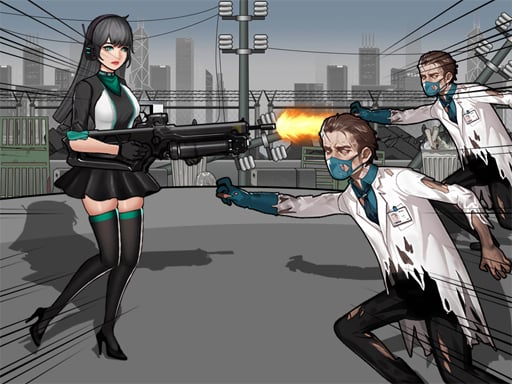
RGB Shooter is a fast-paced 2D action shooting game where color-matching meets arcade chaos! Switch between red, green, and blue bullets to destroy enemies of the same color. Use your reflexes to survive endless waves of colorful attackers. As you level up, the game becomes faster and more challenging. Activate your Ulti ability to fire random-colored bullets and turn the
Judged as a shooting game, RGB Shooter hits the notes you would hope for: enemies with distinct behaviours, satisfying hit feedback and precise aiming. Under the surface it is a test of target prioritisation and aim, dressed up in intense presentation.
How to play RGB Shooter
- Press the play button above and wait for RGB Shooter to finish loading. On first load this can take a few seconds while the game files are fetched.
- Follow the on-screen prompts. The developer describes the controls like this: A ndash Krmz mermiyle ate et S ndash Yeil mermiyle ate et D ndash Mavi mermiyle ate et W ndash Ultiyi Aktif Et rastgele renkli mermi atar Bu kontroller ekrandaki butonlara tklanarak da kullanlabilir
- Take a few practice shots at the first targets to learn the aim speed, then move on to prioritising the dangerous enemies.
- Use the full-screen button under the frame for the best view, and keep an eye on the score, timer or health display so you know what the game is asking of you.
Controls
Here is how RGB Shooter is controlled, based on the developer's instructions and our own testing:
| Input | What it does |
|---|---|
| Mouse | Point and click to play; the game shows its own prompts on screen. |
| Keyboard | Some actions may use the arrow keys or space bar — check the in-game hints. |
It is designed for desktop play with a keyboard and mouse.
Tips and tricks
- Move between shots. Many shooters make you an easy target only when you stand in one place.
- Sound tells you where an enemy is before you can see it. Headphones help more than you would expect.
- Prioritise the threat that will hurt you soonest, not the one that is closest or biggest. Fast enemies before slow ones, shooters before melee.
- Learn the spawn points. Most levels reuse the same few entry points, and knowing them turns panic into routine.
- Because this is a Coloring game, zoom in for the small areas.
Who will enjoy it
Who is RGB Shooter for? In a word, players who like precision, quick targeting and progressively tougher waves. In terms of time, think of levels of a few minutes each, with longer runs in survival modes. Difficulty-wise it is approachable at first, with a steep climb in the later waves. It is designed for desktop play with a keyboard and mouse.
Game details
| Category | Shooting Games |
|---|---|
| Tags | 1 Player, Action, 2d, Coloring, Battleship, Arena |
| Platform | Browser (desktop) |
| Controls | Mouse |
| Technology | HTML5 — no download or plugin required |
| Frame | Landscape (800×600) |
| Added | 7 March 2026 |
| Plays | 2 |
| Price | Free to play |
Frequently asked questions
Is RGB Shooter free to play?
Yes. RGB Shooter is completely free to play on Diemakora. There is no download, no account and no payment — the game runs in your browser.
Can I play RGB Shooter on my phone?
This one is a desktop game. It expects a keyboard and mouse, so we recommend playing RGB Shooter on a computer for the intended experience.
What are the controls for RGB Shooter?
The developer did not publish detailed controls, but the game follows genre conventions: Mouse — Point and click to play; the game shows its own prompts on screen; Keyboard — Some actions may use the arrow keys or space bar — check the in-game hints. The full list is in the controls section above.
Does RGB Shooter save my progress?
Most browser games, including RGB Shooter, store progress locally in your browser. If you clear your cookies or switch devices, that progress may be lost, so finish sessions before clearing browser data.
How do I play RGB Shooter in full screen?
Click the expand icon under the game to switch RGB Shooter to full screen. Esc returns you to the normal view.
Is RGB Shooter suitable for children?
It is tagged Coloring, which usually indicates content aimed at younger players. As with any online game, we suggest a parent takes a quick look first.
Games similar to RGB Shooter
When you are done, scroll down for more shooting games and titles that share tags with RGB Shooter.