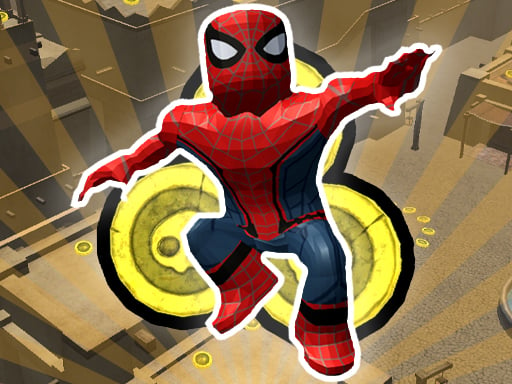
Roblox: Spiderman Upgrade is one of the arcade games in the Diemakora collection. It loads in seconds and needs nothing installed. Arcade games are designed around the loop, and Roblox: Spiderman Upgrade has a good one — short attempts, instant restarts and a score that begs to be beaten. From the tags you can already tell that it follows the hyper-casual formula: one mechanic, instant play and very short rounds.
About Roblox: Spiderman Upgrade
Experience the thrill of web-slinging in Roblox: Spiderman Upgrade! If you aspire to enhance your speed or boost your jumping abilities, this game offers the perfect opportunity. By collecting gold coins scattered throughout the game, you can unlock a range of upgrades. Each time you accumulate 100 coins, you are presented with two upgrade options: either enhance your jumping power
Judged as a arcade game, Roblox: Spiderman Upgrade hits the notes you would hope for: difficulty that ramps steadily, instant restarts and a single, easy-to-read score. The skills it leans on are timing and rhythm; both improve noticeably after a few sessions.
How to play Roblox: Spiderman Upgrade
- Press the play button above and wait for Roblox: Spiderman Upgrade to finish loading. On first load this can take a few seconds while the game files are fetched.
- Follow the on-screen prompts. The developer describes the controls like this: Control WASD - Movement Mouse - Camera view Space - Jump Shift - Run You can increase or decrease your viewing angle with mouse scrolling
- Play the first run purely to learn. Notice the rhythm of the obstacles, then start a fresh run and aim for a clean start.
- When you are comfortable, set a target: a score to beat, a level to clear or a time to shave. Small goals are what make Roblox: Spiderman Upgrade stick.
Controls
Controls for Roblox: Spiderman Upgrade at a glance:
| Input | What it does |
|---|---|
| WASD keys | Control WASD - Movement Mouse - Camera view Space - Jump Shift - Run You can increase or decrease your viewing angle with mouse scrolling. |
| Space bar | Control WASD - Movement Mouse - Camera view Space - Jump Shift - Run You can increase or decrease your viewing angle with mouse scrolling. |
| Mouse | Control WASD - Movement Mouse - Camera view Space - Jump Shift - Run You can increase or decrease your viewing angle with mouse scrolling. |
| Shift | Control WASD - Movement Mouse - Camera view Space - Jump Shift - Run You can increase or decrease your viewing angle with mouse scrolling. |
The controls are tap and drag based, which makes it comfortable on touch screens as well as with a mouse.
Tips and tricks
- Play in a quiet tab with nothing else running. Small frame drops cause missed timing that feels like bad luck but is not.
- Find the rhythm. Most arcade games have an underlying beat — taps, jumps or moves that fall on a regular interval — and once you feel it, your accuracy jumps.
- Take a short break after three or four failed runs. Arcade games punish tired eyes more than any other genre.
- Combo systems reward patience: keep the chain alive with safe moves rather than reaching for risky bonuses.
- Because this is a Collecting game, plan a route that passes everything once.
Who will enjoy it
Roblox: Spiderman Upgrade is a good fit for anyone with a few minutes to spare and a competitive streak. In terms of time, think of runs of thirty seconds to a few minutes, endlessly repeatable. How hard is it? Simple rules, high skill ceiling. The controls are tap and drag based, which makes it comfortable on touch screens as well as with a mouse.
Game details
| Category | Arcade Games |
|---|---|
| Tags | Arcade, Hypercasual, 3d Games, 1 Player, Adventure, Best Games, Jumping, Collecting, Stunts, Spiderman |
| Platform | Browser (desktop, tablet and mobile) |
| Controls | Keyboard and mouse |
| Technology | HTML5 — no download or plugin required |
| Frame | Landscape (800×450) |
| Added | 26 September 2024 |
| Plays | 2 |
| Price | Free to play |
Frequently asked questions
Is Roblox: Spiderman Upgrade free to play?
It is free. Open the page, press play and the game loads in the browser. You do not need to install anything or register.
Can I play Roblox: Spiderman Upgrade on my phone?
Yes — the game supports touch input and adapts to smaller screens, so you can play Roblox: Spiderman Upgrade on a phone or tablet as well as on a computer.
What are the controls for Roblox: Spiderman Upgrade?
In short: WASD keys — Control WASD - Movement Mouse - Camera view Space - Jump Shift - Run You can increase or decrease your viewing angle with mouse scrolling; Space bar — Control WASD - Movement Mouse - Camera view Space - Jump Shift - Run You can increase or decrease your viewing angle with mouse scrolling; Mouse — Control WASD - Movement Mouse - Camera view Space - Jump Shift - Run You can increase or decrease your viewing angle with mouse scrolling. The full list is in the controls section above.
Does Roblox: Spiderman Upgrade save my progress?
Most browser games, including Roblox: Spiderman Upgrade, store progress locally in your browser. If you clear your cookies or switch devices, that progress may be lost, so finish sessions before clearing browser data.
What if Roblox: Spiderman Upgrade does not load?
A blank frame usually means the game is still loading or a browser extension blocked it. Wait a few seconds, then reload; if that fails, try another browser.
What kind of game is Roblox: Spiderman Upgrade?
It is a arcade game with the tags Arcade, Hypercasual, 3d Games, 1 Player. Simple rules, high skill ceiling, and runs of thirty seconds to a few minutes, endlessly repeatable.
Games similar to Roblox: Spiderman Upgrade
When you are done, scroll down for more arcade games and titles that share tags with Roblox: Spiderman Upgrade.