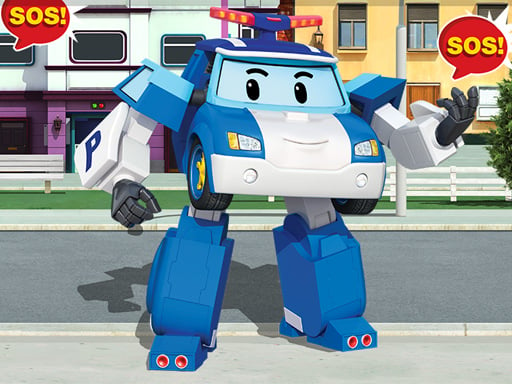
Robot Car Emergency Rescue 3 is one of the shooting games in the Diemakora collection. It loads in seconds and needs nothing installed. The appeal of Robot Car Emergency Rescue 3 is simple and old: line up the shot, take it, and watch the result. What makes it stick is the escalation that follows.
About Robot Car Emergency Rescue 3
Welcome to the thrilling world of Robot Car Emergency Rescue 3, where players get to experience the adrenaline-pumping action of saving a city in distress. Step into the shoes of fantastic robot cars as they tackle various emergencies that threaten to disrupt the peace in town. In these exciting games designed for boys and girls, join forces with other rescue
What makes a good shooting game? Usually precise aiming, enemies with distinct behaviours and ammunition or cooldown management — and Robot Car Emergency Rescue 3 has each of them in some measure. The skills it leans on are situational awareness and resource management; both improve noticeably after a few sessions.
How to play Robot Car Emergency Rescue 3
- Press the play button above and wait for Robot Car Emergency Rescue 3 to finish loading. On first load this can take a few seconds while the game files are fetched.
- Follow the on-screen prompts. The developer describes the controls like this: Mouse or tap to play
- Take a few practice shots at the first targets to learn the aim speed, then move on to prioritising the dangerous enemies.
- Use the full-screen button under the frame for the best view, and keep an eye on the score, timer or health display so you know what the game is asking of you.
Controls
The controls in Robot Car Emergency Rescue 3 are straightforward once you have seen them written down:
| Input | What it does |
|---|---|
| Mouse | Mouse or tap to play. |
| Tap (touch) | Mouse or tap to play. |
The controls are tap and drag based, which makes it comfortable on touch screens as well as with a mouse.
Tips and tricks
- Prioritise the threat that will hurt you soonest, not the one that is closest or biggest. Fast enemies before slow ones, shooters before melee.
- Sound tells you where an enemy is before you can see it. Headphones help more than you would expect.
- Learn the spawn points. Most levels reuse the same few entry points, and knowing them turns panic into routine.
- If there is a reload, reload during quiet moments — never in the middle of a wave.
Who will enjoy it
Who is Robot Car Emergency Rescue 3 for? In a word, players who like precision, quick targeting and progressively tougher waves. A typical session is levels of a few minutes each, with longer runs in survival modes. How hard is it? Approachable at first, with a steep climb in the later waves. The controls are tap and drag based, which makes it comfortable on touch screens as well as with a mouse.
Game details
| Category | Shooting Games |
|---|---|
| Tags | Html5 Games For Your Site, Kids, Puzzleblock, Funny, Mobile, Girls, Trial Car, Cartoon Network, Cleaning, Robot, Rescue |
| Platform | Browser (desktop, tablet and mobile) |
| Controls | Touch and mouse |
| Technology | HTML5 — no download or plugin required |
| Frame | Landscape (800×504) |
| Added | 25 October 2024 |
| Plays | 2 |
| Price | Free to play |
Frequently asked questions
Is Robot Car Emergency Rescue 3 free to play?
Yes. Robot Car Emergency Rescue 3 is completely free to play on Diemakora. There is no download, no account and no payment — the game runs in your browser.
Can I play Robot Car Emergency Rescue 3 on my phone?
Yes — the game supports touch input and adapts to smaller screens, so you can play Robot Car Emergency Rescue 3 on a phone or tablet as well as on a computer.
What are the controls for Robot Car Emergency Rescue 3?
In short: Mouse — Mouse or tap to play; Tap (touch) — Mouse or tap to play. The full list is in the controls section above.
Does Robot Car Emergency Rescue 3 save my progress?
Most browser games, including Robot Car Emergency Rescue 3, store progress locally in your browser. If you clear your cookies or switch devices, that progress may be lost, so finish sessions before clearing browser data.
What if Robot Car Emergency Rescue 3 does not load?
If Robot Car Emergency Rescue 3 does not load, refresh the page, make sure your browser is up to date and check that hardware acceleration is enabled. Ad blockers occasionally interfere with the game frame as well.
Is Robot Car Emergency Rescue 3 suitable for children?
It is tagged Kids, Girls, which usually indicates content aimed at younger players. As with any online game, we suggest a parent takes a quick look first.
Games similar to Robot Car Emergency Rescue 3
When you are done, scroll down for more shooting games and titles that share tags with Robot Car Emergency Rescue 3.