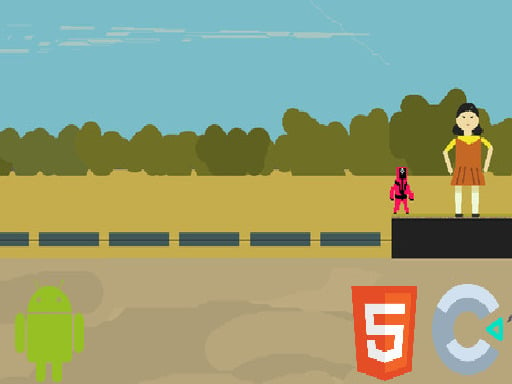
Welcome to Robox, a browser-based puzzle game. Click play, wait a moment for it to load, and you are in. Puzzle games such as Robox are about the moment of insight: you stare, you try, you notice the thing you missed, and suddenly the level is done. Its tags tell you what to expect: the content and difficulty are tuned for younger players; timing your jumps is the main mechanic; it has retro pixel-art visuals.
About Robox
Robox is an exciting puzzle platformer where players take on the role of a resourceful robot navigating through a series of challenging levels. Your main objective is to find the exit door while cleverly avoiding various enemies and hazardous traps. As you progress through each stage, you'll encounter a multitude of obstacles that require both quick thinking and agile movements
Judged as a puzzle game, Robox hits the notes you would hope for: clear rules that never change unfairly, levels that teach one idea at a time and hints or undo options. Under the surface it is a test of patience and planning, dressed up in calm presentation.
How to play Robox
- Press the play button above and wait for Robox to finish loading. On first load this can take a few seconds while the game files are fetched.
- Follow the on-screen prompts. The developer describes the controls like this: A left arrow key move left D right arrow key move right W Z jump E J shoot R reset Esc B back
- Read the whole level before your first move. Identify the goal, then look for the forced moves that must happen regardless.
- When you are comfortable, set a target: a score to beat, a level to clear or a time to shave. Small goals are what make Robox stick.
Controls
You will not need a manual for Robox, but knowing the inputs before you start saves the first minute of fumbling:
| Input | What it does |
|---|---|
| Arrow keys | A left arrow key move left D right arrow key move right W Z jump E J shoot R reset Esc B back. |
| Esc | A left arrow key move left D right arrow key move right W Z jump E J shoot R reset Esc B back. |
It is designed for desktop play with a keyboard and mouse.
Tips and tricks
- Read the whole board before your first move. In most puzzle games the first move is the most important one, and it deserves ten seconds of looking.
- Work backwards from the goal. Ask what the final state has to look like, then ask what the state before that must be.
- Count. Tiles, moves, colours, matches — many puzzles are secretly arithmetic, and a quick count reveals the plan.
- Play with sound on if the game has it; audio cues often confirm a correct move before the animation finishes.
- Because this is a Platform game, jump from the very edge of a platform for maximum distance.
Who will enjoy it
Robox is a good fit for players who prefer thinking to twitching, from casual brain-teaser fans to dedicated solvers. Expect a level or two in five minutes, or a long relaxed session. How hard is it? Gentle at the start and genuinely tricky later. It is designed for desktop play with a keyboard and mouse.
Game details
| Category | Puzzle Games |
|---|---|
| Tags | Kids, Fall Boys, Jumping, Platform, Pixel |
| Platform | Browser (desktop) |
| Controls | Keyboard |
| Technology | HTML5 — no download or plugin required |
| Frame | Landscape (800×450) |
| Added | 26 September 2024 |
| Plays | 1 |
| Price | Free to play |
Frequently asked questions
Is Robox free to play?
It is free. Open the page, press play and the game loads in the browser. You do not need to install anything or register.
Can I play Robox on my phone?
Robox is best played on a desktop or laptop. It relies on keyboard and mouse input, and while it may load on a phone, the controls will not be comfortable.
What are the controls for Robox?
In short: Arrow keys — A left arrow key move left D right arrow key move right W Z jump E J shoot R reset Esc B back; Esc — A left arrow key move left D right arrow key move right W Z jump E J shoot R reset Esc B back. The full list is in the controls section above.
Does Robox save my progress?
Progress in Robox is kept by the game itself inside your browser storage. It will normally be there when you come back on the same device and browser.
What if Robox does not load?
A blank frame usually means the game is still loading or a browser extension blocked it. Wait a few seconds, then reload; if that fails, try another browser.
Is Robox suitable for children?
It is tagged Kids, which usually indicates content aimed at younger players. As with any online game, we suggest a parent takes a quick look first.
Games similar to Robox
If you enjoy Robox, the related games below share its category or tags and are a natural next step.