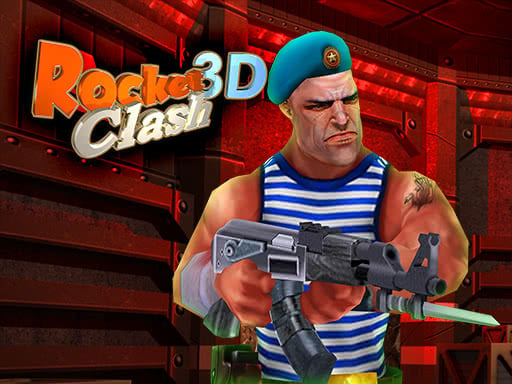
Welcome to Rocket Clash 3D, a browser-based shooting game. Click play, wait a moment for it to load, and you are in. Shooting games are really about attention: Rocket Clash 3D rewards the player who tracks several moving things at once and picks the right one to deal with first. Its tags tell you what to expect: other players are involved, either online or on the same device.
About Rocket Clash 3D
Step into the heart of danger in Rocket Clash 3D, where you command a dedicated resistance squad of elite special forces to thwart the insidious plans of enemy intelligence agents. Their objective? To seize control of a crucial missile base. This high-stakes battle requires your skills, strategy, and ability to adapt, as each moment counts and the stakes are higher
The genre lives on waves or levels that build up, satisfying hit feedback and ammunition or cooldown management. Rocket Clash 3D understands that, and it shows in the first minute of play. The skills it leans on are aim and situational awareness; both improve noticeably after a few sessions.
How to play Rocket Clash 3D
- Start by clicking the big play button. Rocket Clash 3D loads inside the frame; give it a moment, especially on a slow connection.
- Follow the on-screen prompts. The developer describes the controls like this: WASD - movement C - crouch SPACE - jump
- Take a few practice shots at the first targets to learn the aim speed, then move on to prioritising the dangerous enemies.
- Use the full-screen button under the frame for the best view, and keep an eye on the score, timer or health display so you know what the game is asking of you.
Controls
Controls for Rocket Clash 3D at a glance:
| Input | What it does |
|---|---|
| WASD keys | WASD - movement C - crouch SPACE - jump. |
| Space bar | WASD - movement C - crouch SPACE - jump. |
It is designed for desktop play with a keyboard and mouse.
Tips and tricks
- Headshots, weak points and combo multipliers are where high scores live; once survival is comfortable, start hunting for them.
- Prioritise the threat that will hurt you soonest, not the one that is closest or biggest. Fast enemies before slow ones, shooters before melee.
- Aim first, then shoot. Spraying costs time or ammo and rarely helps; a single well-placed shot almost always beats three rushed ones.
- Learn the spawn points. Most levels reuse the same few entry points, and knowing them turns panic into routine.
- Because this is a Multiplayer game, expect surprises — real opponents do not follow the patterns bots do.
Who will enjoy it
Who is Rocket Clash 3D for? In a word, players who like precision, quick targeting and progressively tougher waves. In terms of time, think of levels of a few minutes each, with longer runs in survival modes. How hard is it? Approachable at first, with a steep climb in the later waves. It is designed for desktop play with a keyboard and mouse.
Game details
| Category | Shooting Games |
|---|---|
| Tags | 3d Games, Fall Boys, First Person Shooter, Multiplayer |
| Platform | Browser (desktop) |
| Controls | Keyboard |
| Technology | HTML5 — no download or plugin required |
| Frame | Landscape (1000×562) |
| Added | 25 October 2024 |
| Plays | 1 |
| Price | Free to play |
Frequently asked questions
Is Rocket Clash 3D free to play?
Yes. Rocket Clash 3D is completely free to play on Diemakora. There is no download, no account and no payment — the game runs in your browser.
Can I play Rocket Clash 3D on my phone?
This one is a desktop game. It expects a keyboard and mouse, so we recommend playing Rocket Clash 3D on a computer for the intended experience.
What are the controls for Rocket Clash 3D?
In short: WASD keys — WASD - movement C - crouch SPACE - jump; Space bar — WASD - movement C - crouch SPACE - jump. The full list is in the controls section above.
Does Rocket Clash 3D save my progress?
Progress in Rocket Clash 3D is kept by the game itself inside your browser storage. It will normally be there when you come back on the same device and browser.
How do I play Rocket Clash 3D in full screen?
Use the full-screen button just below the game frame. Press Esc on your keyboard to leave full-screen mode again.
What kind of game is Rocket Clash 3D?
It is a shooting game with the tags 3d Games, Fall Boys, First Person Shooter, Multiplayer. Approachable at first, with a steep climb in the later waves, and levels of a few minutes each, with longer runs in survival modes.
Games similar to Rocket Clash 3D
You will find more games like Rocket Clash 3D further down this page, chosen by matching tags and category.