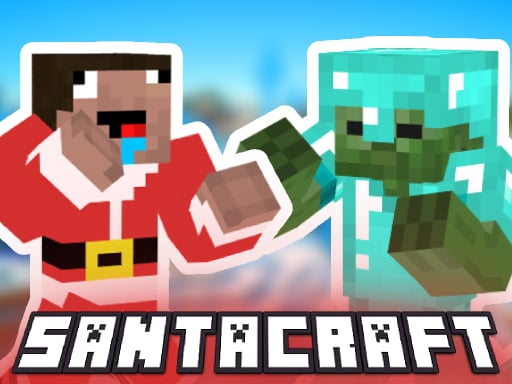
Play SantaCraft for free — a action game that runs directly in your browser on desktop, tablet or phone. SantaCraft belongs to the action family, which means the fun comes from momentum — moving, dodging, striking and recovering before the next wave arrives. Its tags tell you what to expect: it uses a block-world style of building and exploring.
About SantaCraft
SantaCraft is an exhilarating third-person shooter that thrusts you into a vibrant 3D environment filled with challenges and excitement. Set against a backdrop reminiscent of a blocky universe, you'll find yourself as the last survivor in a relentless zombie apocalypse. Your ultimate goal? To construct a mystical portal while combating waves of relentless undead hordes determined to take you down.
What makes a good action game? Usually a satisfying rhythm once you learn the patterns, escalating difficulty and clear feedback on every hit or miss — and SantaCraft has each of them in some measure. The skills it leans on are staying calm under pressure and pattern recognition; both improve noticeably after a few sessions.
How to play SantaCraft
- Start by clicking the big play button. SantaCraft loads inside the frame; give it a moment, especially on a slow connection.
- Follow the on-screen prompts. The developer describes the controls like this: WASD to move LMB to shoot RMB to aim Space to jump Left shift to run
- Start slowly. Learn the movement and the first enemy pattern before you push for score; speed comes naturally once the inputs are automatic.
- When you are comfortable, set a target: a score to beat, a level to clear or a time to shave. Small goals are what make SantaCraft stick.
Controls
Here is how SantaCraft is controlled, based on the developer's instructions and our own testing:
| Input | What it does |
|---|---|
| WASD keys | WASD to move LMB to shoot RMB to aim Space to jump Left shift to run. |
| Space bar | WASD to move LMB to shoot RMB to aim Space to jump Left shift to run. |
| Shift | WASD to move LMB to shoot RMB to aim Space to jump Left shift to run. |
It is designed for desktop play with a keyboard and mouse.
Tips and tricks
- Keep moving. Standing still is the most common way to lose an action round, because the game is designed to punish hesitation.
- Use short practice sessions. Ten focused minutes will improve your timing far more than an hour of frustrated retries.
- Learn the enemy or obstacle patterns before you try to go fast — most action games repeat a handful of behaviours, and once you recognise them the game slows down in your head.
- Sound is a cue. Many action games telegraph attacks with an audio effect a moment before the visual one — play with sound on when you are learning.
- Because this is a Zombie game, never let yourself get surrounded — always keep an exit behind you.
Who will enjoy it
SantaCraft is a good fit for players who enjoy adrenaline, arcade-style progression and beating their own high score. Expect rounds of two to five minutes, which makes it ideal for a quick break. How hard is it? Easy to pick up but genuinely demanding to master. It is designed for desktop play with a keyboard and mouse.
Game details
| Category | Action Games |
|---|---|
| Tags | 3d Games, 1 Player, Adventure, Action, Zombie, Christmas, Minecraft, Snow |
| Platform | Browser (desktop) |
| Controls | Keyboard |
| Technology | HTML5 — no download or plugin required |
| Frame | Landscape (800×600) |
| Added | 26 September 2024 |
| Plays | 1 |
| Price | Free to play |
Frequently asked questions
Is SantaCraft free to play?
Yes. SantaCraft is completely free to play on Diemakora. There is no download, no account and no payment — the game runs in your browser.
Can I play SantaCraft on my phone?
SantaCraft is best played on a desktop or laptop. It relies on keyboard and mouse input, and while it may load on a phone, the controls will not be comfortable.
What are the controls for SantaCraft?
In short: WASD keys — WASD to move LMB to shoot RMB to aim Space to jump Left shift to run; Space bar — WASD to move LMB to shoot RMB to aim Space to jump Left shift to run; Shift — WASD to move LMB to shoot RMB to aim Space to jump Left shift to run. The full list is in the controls section above.
Does SantaCraft save my progress?
Progress in SantaCraft is kept by the game itself inside your browser storage. It will normally be there when you come back on the same device and browser.
How do I play SantaCraft in full screen?
Click the expand icon under the game to switch SantaCraft to full screen. Esc returns you to the normal view.
What kind of game is SantaCraft?
It is a action game with the tags 3d Games, 1 Player, Adventure, Action. Easy to pick up but genuinely demanding to master, and rounds of two to five minutes, which makes it ideal for a quick break.
Games similar to SantaCraft
If you enjoy SantaCraft, the related games below share its category or tags and are a natural next step.