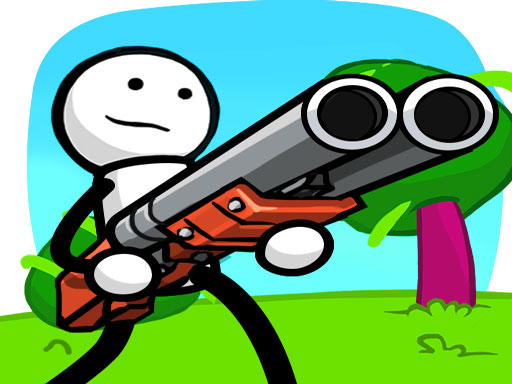
Scary Rainbow is a free online arcade game you can play right here in your browser, with no download and no sign-up. Scary Rainbow follows the oldest recipe in gaming: one clear rule, one clear score, and the urge to try just one more time. A few things the tags reveal: the characters are stickmen, which usually means fast, exaggerated animation and slapstick; the enemies are zombies, which usually means slow but relentless crowds.
About Scary Rainbow
Enter the thrilling universe of Scary Rainbow, the ultimate RPG action game that seamlessly blends the intensity of fighting games with the excitement of shooting games. Prepare yourself to embark on a captivating adventure where you'll encounter a diverse array of formidable foes including zombies, monsters, and powerful opponents. Each battle challenges your skills as you strategize to defeat your
What makes a good arcade game? Usually difficulty that ramps steadily, a single, easy-to-read score and the "one more go" effect — and Scary Rainbow has each of them in some measure. The skills it leans on are focus and timing; both improve noticeably after a few sessions.
How to play Scary Rainbow
- Press the play button above and wait for Scary Rainbow to finish loading. On first load this can take a few seconds while the game files are fetched.
- Follow the on-screen prompts. The developer describes the controls like this: NICE DESIGN EFFECT GRAPHICS You will be stunned with the graphic sound effects of One Gun Stickman Be a stickman hero do some crazy powerful magic and burn the darkness world Smartly utilize the controls to fight with…
- Play the first run purely to learn. Notice the rhythm of the obstacles, then start a fresh run and aim for a clean start.
- Use the full-screen button under the frame for the best view, and keep an eye on the score, timer or health display so you know what the game is asking of you.
Controls
Here is how Scary Rainbow is controlled, based on the developer's instructions and our own testing:
| Input | What it does |
|---|---|
| Mouse | Point and click to play; the game shows its own prompts on screen. |
| Keyboard | Some actions may use the arrow keys or space bar — check the in-game hints. |
It is designed for desktop play with a keyboard and mouse.
Tips and tricks
- Restart early. If a run starts badly, do not grind it out; a fresh attempt costs nothing and saves your focus.
- Look one step ahead of your character. Reacting to what is under you is too late; reacting to what is coming is exactly on time.
- Find the rhythm. Most arcade games have an underlying beat — taps, jumps or moves that fall on a regular interval — and once you feel it, your accuracy jumps.
- Learn the first thirty seconds perfectly. The opening is the same every time, so it should never be where you lose.
- Because this is a Stickman game, stickman games are forgiving about looks and strict about timing.
Who will enjoy it
Scary Rainbow is a good fit for anyone with a few minutes to spare and a competitive streak. In terms of time, think of runs of thirty seconds to a few minutes, endlessly repeatable. The learning curve is simple rules, high skill ceiling. It is designed for desktop play with a keyboard and mouse.
Game details
| Category | Arcade Games |
|---|---|
| Tags | 2d, Zombie, Stickman |
| Platform | Browser (desktop) |
| Controls | Mouse |
| Technology | HTML5 — no download or plugin required |
| Frame | Landscape (800×600) |
| Added | 26 September 2024 |
| Plays | 1 |
| Price | Free to play |
Frequently asked questions
Is Scary Rainbow free to play?
Yes. Scary Rainbow is completely free to play on Diemakora. There is no download, no account and no payment — the game runs in your browser.
Can I play Scary Rainbow on my phone?
Scary Rainbow is best played on a desktop or laptop. It relies on keyboard and mouse input, and while it may load on a phone, the controls will not be comfortable.
What are the controls for Scary Rainbow?
The developer did not publish detailed controls, but the game follows genre conventions: Mouse — Point and click to play; the game shows its own prompts on screen; Keyboard — Some actions may use the arrow keys or space bar — check the in-game hints. The full list is in the controls section above.
Does Scary Rainbow save my progress?
Progress in Scary Rainbow is kept by the game itself inside your browser storage. It will normally be there when you come back on the same device and browser.
What if Scary Rainbow does not load?
A blank frame usually means the game is still loading or a browser extension blocked it. Wait a few seconds, then reload; if that fails, try another browser.
What kind of game is Scary Rainbow?
It is a arcade game with the tags 2d, Zombie, Stickman. Simple rules, high skill ceiling, and runs of thirty seconds to a few minutes, endlessly repeatable.
Games similar to Scary Rainbow
Finished a session? The games listed below were picked because they share tags or a category with Scary Rainbow.