Shootout 3D is a free online action game you can play right here in your browser, with no download and no sign-up. If you like games that reward quick decisions over slow deliberation, Shootout 3D was built for you. Every few seconds something changes and you have to answer it. From the tags you can already tell that fast reactions and constant movement are the point.
About Shootout 3D
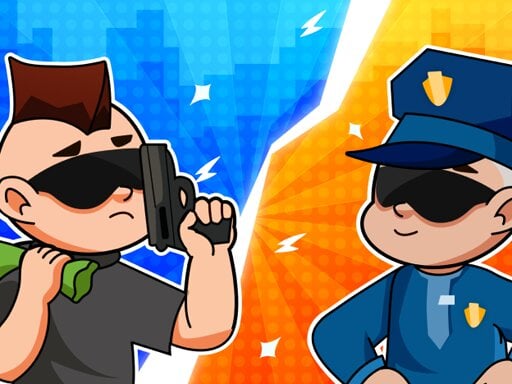
Step into the thrilling world of Shootout 3D, where you are the hero tasked with saving innocent lives from chaos and destruction. In this action-packed adventure, your objective is to eliminate enemies and formidable bosses while ensuring the safety of civilians caught in the crossfire. Your decisions will have significant consequences as you maneuver through various challenging levels filled with
The genre lives on escalating difficulty, short, intense rounds and clear feedback on every hit or miss. Shootout 3D understands that, and it shows in the first minute of play. Playing it works your hand-eye coordination and hand-eye coordination, which is a large part of why the "one more round" feeling is so strong.
How to play Shootout 3D
- Start by clicking the big play button. Shootout 3D loads inside the frame; give it a moment, especially on a slow connection.
- Look for the in-game tutorial or hints on the first screen; most browser games explain their controls in the opening seconds.
- Start slowly. Learn the movement and the first enemy pattern before you push for score; speed comes naturally once the inputs are automatic.
- When you are comfortable, set a target: a score to beat, a level to clear or a time to shave. Small goals are what make Shootout 3D stick.
Controls
The controls in Shootout 3D are straightforward once you have seen them written down:
| Input | What it does |
|---|---|
| Mouse | Point and click to play; the game shows its own prompts on screen. |
| Keyboard | Some actions may use the arrow keys or space bar — check the in-game hints. |
It is designed for desktop play with a keyboard and mouse.
Tips and tricks
- If there is a dash, jump or dodge move, treat it as a resource: use it to escape, not to attack, until you know the level.
- Keep moving. Standing still is the most common way to lose an action round, because the game is designed to punish hesitation.
- Sound is a cue. Many action games telegraph attacks with an audio effect a moment before the visual one — play with sound on when you are learning.
- When you die, note exactly what killed you. The answer is usually one specific pattern, and fixing that one thing is worth more than "trying harder".
- Because this is a Action game, keep moving.
Who will enjoy it
Who is Shootout 3D for? In a word, players who enjoy adrenaline, arcade-style progression and beating their own high score. A typical session is rounds of two to five minutes, which makes it ideal for a quick break. Difficulty-wise it is easy to pick up but genuinely demanding to master. It is designed for desktop play with a keyboard and mouse.
Game details
| Category | Action Games |
|---|---|
| Tags | Action |
| Platform | Browser (desktop) |
| Controls | Mouse |
| Technology | HTML5 — no download or plugin required |
| Frame | Landscape (800×600) |
| Added | 26 September 2024 |
| Plays | 1 |
| Price | Free to play |
Frequently asked questions
Is Shootout 3D free to play?
Yes. Shootout 3D is completely free to play on Diemakora. There is no download, no account and no payment — the game runs in your browser.
Can I play Shootout 3D on my phone?
This one is a desktop game. It expects a keyboard and mouse, so we recommend playing Shootout 3D on a computer for the intended experience.
What are the controls for Shootout 3D?
The developer did not publish detailed controls, but the game follows genre conventions: Mouse — Point and click to play; the game shows its own prompts on screen; Keyboard — Some actions may use the arrow keys or space bar — check the in-game hints. The full list is in the controls section above.
Does Shootout 3D save my progress?
Most browser games, including Shootout 3D, store progress locally in your browser. If you clear your cookies or switch devices, that progress may be lost, so finish sessions before clearing browser data.
How do I play Shootout 3D in full screen?
Click the expand icon under the game to switch Shootout 3D to full screen. Esc returns you to the normal view.
What kind of game is Shootout 3D?
It is a action game with the tags Action. Easy to pick up but genuinely demanding to master, and rounds of two to five minutes, which makes it ideal for a quick break.
Games similar to Shootout 3D
You will find more games like Shootout 3D further down this page, chosen by matching tags and category.