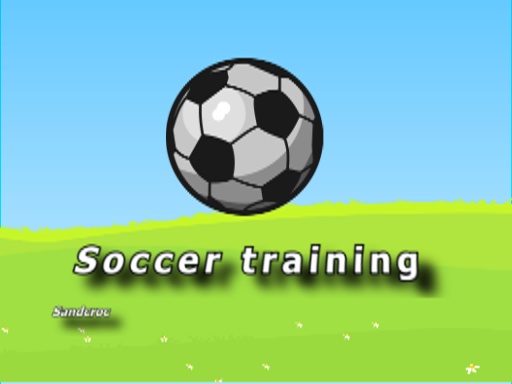
Play Soccer training for free — a sports game that runs directly in your browser on desktop, tablet or phone. Sports games work because we already know the rules. Soccer training spends that familiarity wisely: you understand what to do immediately, and the challenge is doing it well. Its tags tell you what to expect: it is based on a real sport; progress comes from clicks or taps that snowball through upgrades.
About Soccer training
Welcome to soccer training! This is your ultimate platform to hone your dribbling skills and elevate your game to the next level. Are you ready to put your abilities to the test? In this engaging training exercise, you'll practice bouncing the ball into the air while trying to catch as many points as you can before it drops to the
What makes a good sports game? Usually a strong sense of momentum, familiar rules and quick matches — and Soccer training has each of them in some measure. Playing it works your rhythm and rhythm, which is a large part of why the "one more round" feeling is so strong.
How to play Soccer training
- Press the play button above and wait for Soccer training to finish loading. On first load this can take a few seconds while the game files are fetched.
- Follow the on-screen prompts. The developer describes the controls like this: Mouse click or tap to play dont let the ball touch the ground
- Use the practice or the first easy match to find the timing sweet spot for shots, swings or jumps.
- Switch to full screen if precision matters, and remember that the game keeps its own progress — finish a level before you close the tab.
Controls
Controls for Soccer training at a glance:
| Input | What it does |
|---|---|
| Mouse | Mouse click or tap to play dont let the ball touch the ground. |
| Tap (touch) | Mouse click or tap to play dont let the ball touch the ground. |
The controls are tap and drag based, which makes it comfortable on touch screens as well as with a mouse.
Tips and tricks
- Small, steady inputs. Over-steering, over-swinging and over-jumping are the most common mistakes in every sports game.
- Defend first when you are ahead, attack first when you are behind. It sounds obvious, and yet.
- Timing beats power. Almost every sports game has a "sweet spot" input; find it in practice mode before you play for real.
- Use the whole field, court or track. Players who hug one side become predictable.
- Because this is a Clicker game, buy the cheapest upgrade that multiplies output rather than the flashiest one.
- Because this is a Sports game, timing beats power.
Who will enjoy it
Who is Soccer training for? In a word, sports fans, casual competitors and anyone who likes a clear scoreboard. A typical session is a match in three to five minutes. The learning curve is easy to start, satisfying to master. The controls are tap and drag based, which makes it comfortable on touch screens as well as with a mouse.
Game details
| Category | Sports Games |
|---|---|
| Tags | Clicker, Sports |
| Platform | Browser (desktop, tablet and mobile) |
| Controls | Touch and mouse |
| Technology | HTML5 — no download or plugin required |
| Frame | Landscape (800×600) |
| Added | 26 September 2024 |
| Plays | 1 |
| Price | Free to play |
Frequently asked questions
Is Soccer training free to play?
Yes. Soccer training is completely free to play on Diemakora. There is no download, no account and no payment — the game runs in your browser.
Can I play Soccer training on my phone?
Soccer training works on mobile devices. Open this page on your phone or tablet and use the touch controls; rotating the device to landscape usually gives the best view.
What are the controls for Soccer training?
In short: Mouse — Mouse click or tap to play dont let the ball touch the ground; Tap (touch) — Mouse click or tap to play dont let the ball touch the ground. The full list is in the controls section above.
Does Soccer training save my progress?
Most browser games, including Soccer training, store progress locally in your browser. If you clear your cookies or switch devices, that progress may be lost, so finish sessions before clearing browser data.
How do I play Soccer training in full screen?
Use the full-screen button just below the game frame. Press Esc on your keyboard to leave full-screen mode again.
What kind of game is Soccer training?
It is a sports game with the tags Clicker, Sports. Easy to start, satisfying to master, and a match in three to five minutes.
Games similar to Soccer training
You will find more games like Soccer training further down this page, chosen by matching tags and category.