Spiderman Commander - Shooting Game is one of the arcade games in the Diemakora collection. It loads in seconds and needs nothing installed. You will understand Spiderman Commander - Shooting Game in about ten seconds and still be improving at it a week later. That is the arcade formula done right. Its tags tell you what to expect: fast reactions and constant movement are the point.
About Spiderman Commander - Shooting Game
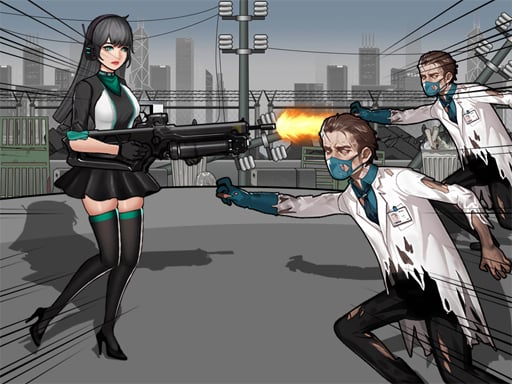
Welcome to the thrilling universe of Spiderman Commander - Shooting Game, where you play as a daring ranger, taking on hordes of zombies both in the air and on the ground. As you navigate through challenging landscapes, you will utilize an impressive shotgun alongside a variety of special abilities. Unleash the power of firestorms, summoning lightning strikes, and freezing your
Judged as a arcade game, Spiderman Commander - Shooting Game hits the notes you would hope for: the "one more go" effect, bright, readable visuals and a single, easy-to-read score. Under the surface it is a test of rhythm and rhythm, dressed up in addictive presentation.
How to play Spiderman Commander - Shooting Game
- Press the play button above and wait for Spiderman Commander - Shooting Game to finish loading. On first load this can take a few seconds while the game files are fetched.
- Follow the on-screen prompts. The developer describes the controls like this: Space to shoot up arrow to jump or use virtual button on screen
- Play the first run purely to learn. Notice the rhythm of the obstacles, then start a fresh run and aim for a clean start.
- When you are comfortable, set a target: a score to beat, a level to clear or a time to shave. Small goals are what make Spiderman Commander - Shooting Game stick.
Controls
Controls for Spiderman Commander - Shooting Game at a glance:
| Input | What it does |
|---|---|
| Space bar | Space to shoot up arrow to jump or use virtual button on screen. |
It is designed for desktop play with a keyboard and mouse.
Tips and tricks
- Find the rhythm. Most arcade games have an underlying beat — taps, jumps or moves that fall on a regular interval — and once you feel it, your accuracy jumps.
- Look one step ahead of your character. Reacting to what is under you is too late; reacting to what is coming is exactly on time.
- Combo systems reward patience: keep the chain alive with safe moves rather than reaching for risky bonuses.
- Aim for consistency before you aim for records. A steady run that avoids mistakes usually scores higher than a flashy one that ends early.
- Because this is a Shooting game, aim before you fire, and fire in short bursts.
Who will enjoy it
Who is Spiderman Commander - Shooting Game for? In a word, anyone with a few minutes to spare and a competitive streak. In terms of time, think of runs of thirty seconds to a few minutes, endlessly repeatable. The learning curve is simple rules, high skill ceiling. It is designed for desktop play with a keyboard and mouse.
Game details
| Category | Arcade Games |
|---|---|
| Tags | Arcade, Action, First Person Shooter, Shooting, Shoot Em Up, Superhero |
| Platform | Browser (desktop) |
| Controls | Keyboard |
| Technology | HTML5 — no download or plugin required |
| Frame | Landscape (1920×600) |
| Added | 25 October 2024 |
| Plays | 1 |
| Price | Free to play |
Frequently asked questions
Is Spiderman Commander - Shooting Game free to play?
Yes. Spiderman Commander - Shooting Game is completely free to play on Diemakora. There is no download, no account and no payment — the game runs in your browser.
Can I play Spiderman Commander - Shooting Game on my phone?
Spiderman Commander - Shooting Game is best played on a desktop or laptop. It relies on keyboard and mouse input, and while it may load on a phone, the controls will not be comfortable.
What are the controls for Spiderman Commander - Shooting Game?
In short: Space bar — Space to shoot up arrow to jump or use virtual button on screen. The full list is in the controls section above.
Does Spiderman Commander - Shooting Game save my progress?
Progress in Spiderman Commander - Shooting Game is kept by the game itself inside your browser storage. It will normally be there when you come back on the same device and browser.
What if Spiderman Commander - Shooting Game does not load?
A blank frame usually means the game is still loading or a browser extension blocked it. Wait a few seconds, then reload; if that fails, try another browser.
What kind of game is Spiderman Commander - Shooting Game?
It is a arcade game with the tags Arcade, Action, First Person Shooter, Shooting. Simple rules, high skill ceiling, and runs of thirty seconds to a few minutes, endlessly repeatable.
Games similar to Spiderman Commander - Shooting Game
You will find more games like Spiderman Commander - Shooting Game further down this page, chosen by matching tags and category.