spongebob 2021 is a free online arcade game you can play right here in your browser, with no download and no sign-up. Arcade games are designed around the loop, and spongebob 2021 has a good one — short attempts, instant restarts and a score that begs to be beaten.
About spongebob 2021
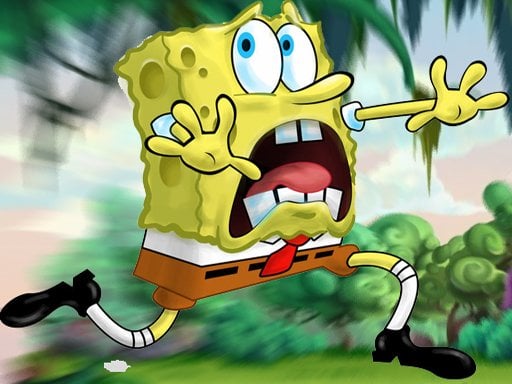
Join SpongeBob SquarePants for a delightful and hilarious culinary escapade across the vibrant restaurants and kitchens of Bikini Bottom! When Mr. Krabs realizes the lucrative potential of the fast-food industry, he decides to expand his restaurant empire starting with a breakfast stand located right outside SpongeBob s house. Who better to assist him than our beloved SpongeBob himself? Prepare to create
What makes a good arcade game? Usually difficulty that ramps steadily, a single, easy-to-read score and bright, readable visuals — and spongebob 2021 has each of them in some measure. Playing it works your consistency and focus, which is a large part of why the "one more round" feeling is so strong.
How to play spongebob 2021
- Start by clicking the big play button. spongebob 2021 loads inside the frame; give it a moment, especially on a slow connection.
- Follow the on-screen prompts. The developer describes the controls like this: Join SpongeBob SquarePants on a hilarious culinary adventure through the restaurants and kitchens of Bikini Bottom When Mr Krabs realizes there s more money to be earned in the fast-food business the penny-pinching…
- Play the first run purely to learn. Notice the rhythm of the obstacles, then start a fresh run and aim for a clean start.
- Use the full-screen button under the frame for the best view, and keep an eye on the score, timer or health display so you know what the game is asking of you.
Controls
Here is how spongebob 2021 is controlled, based on the developer's instructions and our own testing:
| Input | What it does |
|---|---|
| Mouse | Point and click to play; the game shows its own prompts on screen. |
| Keyboard | Some actions may use the arrow keys or space bar — check the in-game hints. |
It is designed for desktop play with a keyboard and mouse.
Tips and tricks
- Play in a quiet tab with nothing else running. Small frame drops cause missed timing that feels like bad luck but is not.
- Look one step ahead of your character. Reacting to what is under you is too late; reacting to what is coming is exactly on time.
- Aim for consistency before you aim for records. A steady run that avoids mistakes usually scores higher than a flashy one that ends early.
- Restart early. If a run starts badly, do not grind it out; a fresh attempt costs nothing and saves your focus.
Who will enjoy it
Who is spongebob 2021 for? In a word, anyone with a few minutes to spare and a competitive streak. A typical session is runs of thirty seconds to a few minutes, endlessly repeatable. Difficulty-wise it is simple rules, high skill ceiling. It is designed for desktop play with a keyboard and mouse.
Game details
| Category | Arcade Games |
|---|---|
| Tags | Spongebob |
| Platform | Browser (desktop) |
| Controls | Mouse |
| Technology | HTML5 — no download or plugin required |
| Frame | Landscape (960×600) |
| Added | 25 October 2024 |
| Plays | 2 |
| Price | Free to play |
Frequently asked questions
Is spongebob 2021 free to play?
Yes. spongebob 2021 is completely free to play on Diemakora. There is no download, no account and no payment — the game runs in your browser.
Can I play spongebob 2021 on my phone?
This one is a desktop game. It expects a keyboard and mouse, so we recommend playing spongebob 2021 on a computer for the intended experience.
What are the controls for spongebob 2021?
The developer did not publish detailed controls, but the game follows genre conventions: Mouse — Point and click to play; the game shows its own prompts on screen; Keyboard — Some actions may use the arrow keys or space bar — check the in-game hints. The full list is in the controls section above.
Does spongebob 2021 save my progress?
Progress in spongebob 2021 is kept by the game itself inside your browser storage. It will normally be there when you come back on the same device and browser.
How do I play spongebob 2021 in full screen?
Use the full-screen button just below the game frame. Press Esc on your keyboard to leave full-screen mode again.
What kind of game is spongebob 2021?
It is a arcade game with the tags Spongebob. Simple rules, high skill ceiling, and runs of thirty seconds to a few minutes, endlessly repeatable.
Games similar to spongebob 2021
If you enjoy spongebob 2021, the related games below share its category or tags and are a natural next step.
 Jewel Classic Block Puzzle Tetrix
 poppy playtime huggy wuggy color
 Spongebob Sponge On The Run Jigsaw Game
 SpongeBob Tasty Pastry Party
 SpobgeBob Halloween Coloring Book
 Supermarket Grocery Shopping Game
 Homerun Clash
 Pop it Superstars
 SpongeBob Find The Differences
 Reef Rumble
 Destruction Truck Derby
 Spongebob DressUp