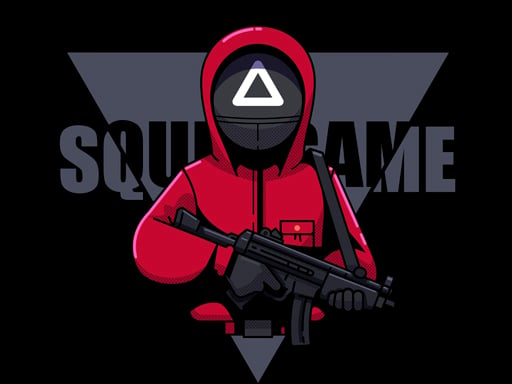
Welcome to Squid Games Red Light, a browser-based arcade game. Click play, wait a moment for it to load, and you are in. Arcade games are designed around the loop, and Squid Games Red Light has a good one — short attempts, instant restarts and a score that begs to be beaten. From the tags you can already tell that it has touch controls and layouts made for phones and tablets.
About Squid Games Red Light
Welcome to the thrilling world of Squid Games Red Light, where each challenge is deceptively difficult and time-sensitive. Participants are put to the test as they navigate through various tasks designed to push their limits. With strict time constraints, players must complete their objectives before the clock runs out or face elimination leaving them with no chance to participate again.
Judged as a arcade game, Squid Games Red Light hits the notes you would hope for: instant restarts, difficulty that ramps steadily and bright, readable visuals. Playing it works your focus and rhythm, which is a large part of why the "one more round" feeling is so strong.
How to play Squid Games Red Light
- Start by clicking the big play button. Squid Games Red Light loads inside the frame; give it a moment, especially on a slow connection.
- Follow the on-screen prompts. The developer describes the controls like this: Use mouse to control click button left mouse to run and move to direction
- Play the first run purely to learn. Notice the rhythm of the obstacles, then start a fresh run and aim for a clean start.
- When you are comfortable, set a target: a score to beat, a level to clear or a time to shave. Small goals are what make Squid Games Red Light stick.
Controls
The controls in Squid Games Red Light are straightforward once you have seen them written down:
| Input | What it does |
|---|---|
| Mouse | Use mouse to control click button left mouse to run and move to direction. |
The controls are tap and drag based, which makes it comfortable on touch screens as well as with a mouse.
Tips and tricks
- Play in a quiet tab with nothing else running. Small frame drops cause missed timing that feels like bad luck but is not.
- Aim for consistency before you aim for records. A steady run that avoids mistakes usually scores higher than a flashy one that ends early.
- Learn the first thirty seconds perfectly. The opening is the same every time, so it should never be where you lose.
- Find the rhythm. Most arcade games have an underlying beat — taps, jumps or moves that fall on a regular interval — and once you feel it, your accuracy jumps.
- Because this is a Running game, look at the middle distance rather than right in front of you.
Who will enjoy it
We would recommend Squid Games Red Light to anyone with a few minutes to spare and a competitive streak. A typical session is runs of thirty seconds to a few minutes, endlessly repeatable. Difficulty-wise it is simple rules, high skill ceiling. The controls are tap and drag based, which makes it comfortable on touch screens as well as with a mouse.
Game details
| Category | Arcade Games |
|---|---|
| Tags | 3d Games, Mobile, Skills, Best Games, Android, Html Games For Your Website, Running |
| Platform | Browser (desktop, tablet and mobile) |
| Controls | Touch and mouse |
| Technology | HTML5 — no download or plugin required |
| Frame | Landscape (960×600) |
| Added | 26 September 2024 |
| Plays | 2 |
| Price | Free to play |
Frequently asked questions
Is Squid Games Red Light free to play?
It is free. Open the page, press play and the game loads in the browser. You do not need to install anything or register.
Can I play Squid Games Red Light on my phone?
Yes — the game supports touch input and adapts to smaller screens, so you can play Squid Games Red Light on a phone or tablet as well as on a computer.
What are the controls for Squid Games Red Light?
In short: Mouse — Use mouse to control click button left mouse to run and move to direction. The full list is in the controls section above.
Does Squid Games Red Light save my progress?
Progress in Squid Games Red Light is kept by the game itself inside your browser storage. It will normally be there when you come back on the same device and browser.
What if Squid Games Red Light does not load?
If Squid Games Red Light does not load, refresh the page, make sure your browser is up to date and check that hardware acceleration is enabled. Ad blockers occasionally interfere with the game frame as well.
What kind of game is Squid Games Red Light?
It is a arcade game with the tags 3d Games, Mobile, Skills, Best Games. Simple rules, high skill ceiling, and runs of thirty seconds to a few minutes, endlessly repeatable.
Games similar to Squid Games Red Light
You will find more games like Squid Games Red Light further down this page, chosen by matching tags and category.