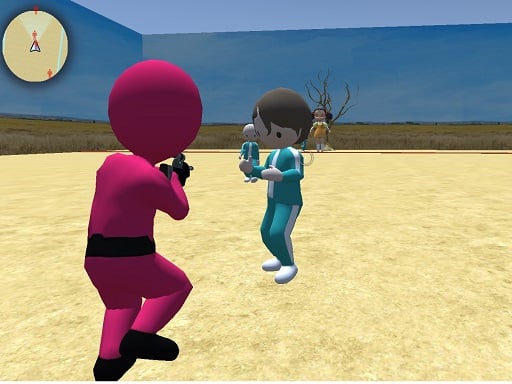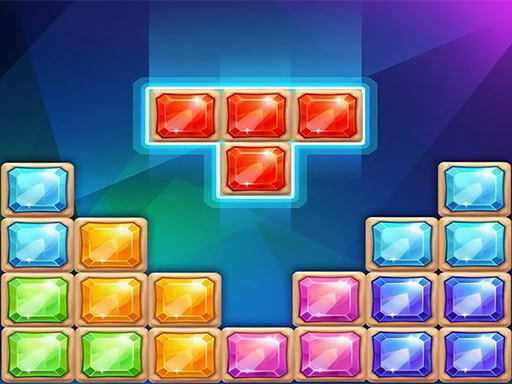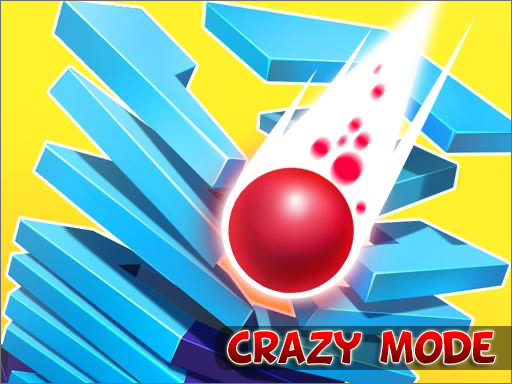
Stack Fall 3D: Crazy Mode is a free online arcade game you can play right here in your browser, with no download and no sign-up. You will understand Stack Fall 3D: Crazy Mode in about ten seconds and still be improving at it a week later. That is the arcade formula done right. A few things the tags reveal: you stack objects and balance is the challenge; expect over-the-top, unpredictable gameplay.
About Stack Fall 3D: Crazy Mode
Embark on a thrilling journey with Stack Fall 3D: Crazy Mode, where endless excitement and unexpected challenges await at every turn! In this vibrant and dynamic game, you will navigate through a series of increasingly difficult levels, all while trying to make your way to the bottom of a collapsing tower. The stakes are higher than ever, as you will
The genre lives on difficulty that ramps steadily, the "one more go" effect and a single, easy-to-read score. Stack Fall 3D: Crazy Mode understands that, and it shows in the first minute of play. The skills it leans on are rhythm and consistency; both improve noticeably after a few sessions.
How to play Stack Fall 3D: Crazy Mode
- Press the play button above and wait for Stack Fall 3D: Crazy Mode to finish loading. On first load this can take a few seconds while the game files are fetched.
- Follow the on-screen prompts. The developer describes the controls like this: Use mouse to play
- Play the first run purely to learn. Notice the rhythm of the obstacles, then start a fresh run and aim for a clean start.
- When you are comfortable, set a target: a score to beat, a level to clear or a time to shave. Small goals are what make Stack Fall 3D: Crazy Mode stick.
Controls
Controls for Stack Fall 3D: Crazy Mode at a glance:
| Input | What it does |
|---|---|
| Mouse | Use mouse to play. |
It works on phones and tablets with touch controls, and on desktop with a mouse or keyboard.
Tips and tricks
- Look one step ahead of your character. Reacting to what is under you is too late; reacting to what is coming is exactly on time.
- Restart early. If a run starts badly, do not grind it out; a fresh attempt costs nothing and saves your focus.
- Combo systems reward patience: keep the chain alive with safe moves rather than reaching for risky bonuses.
- Find the rhythm. Most arcade games have an underlying beat — taps, jumps or moves that fall on a regular interval — and once you feel it, your accuracy jumps.
- Because this is a Crazy game, embrace the chaos — precision matters less than persistence.
Who will enjoy it
Who is Stack Fall 3D: Crazy Mode for? In a word, anyone with a few minutes to spare and a competitive streak. A typical session is runs of thirty seconds to a few minutes, endlessly repeatable. The learning curve is simple rules, high skill ceiling. It works on phones and tablets with touch controls, and on desktop with a mouse or keyboard.
Game details
| Category | Arcade Games |
|---|---|
| Tags | Dragon Ball Z, Crazy, Stack |
| Platform | Browser (desktop, tablet and mobile) |
| Controls | Mouse |
| Technology | HTML5 — no download or plugin required |
| Frame | Portrait (480×600) |
| Added | 25 October 2024 |
| Plays | 1 |
| Price | Free to play |
Frequently asked questions
Is Stack Fall 3D: Crazy Mode free to play?
Yes. Stack Fall 3D: Crazy Mode is completely free to play on Diemakora. There is no download, no account and no payment — the game runs in your browser.
Can I play Stack Fall 3D: Crazy Mode on my phone?
Yes — the game supports touch input and adapts to smaller screens, so you can play Stack Fall 3D: Crazy Mode on a phone or tablet as well as on a computer.
What are the controls for Stack Fall 3D: Crazy Mode?
In short: Mouse — Use mouse to play. The full list is in the controls section above.
Does Stack Fall 3D: Crazy Mode save my progress?
Progress in Stack Fall 3D: Crazy Mode is kept by the game itself inside your browser storage. It will normally be there when you come back on the same device and browser.
How do I play Stack Fall 3D: Crazy Mode in full screen?
Use the full-screen button just below the game frame. Press Esc on your keyboard to leave full-screen mode again.
What kind of game is Stack Fall 3D: Crazy Mode?
It is a arcade game with the tags Dragon Ball Z, Crazy, Stack. Simple rules, high skill ceiling, and runs of thirty seconds to a few minutes, endlessly repeatable.
Games similar to Stack Fall 3D: Crazy Mode
You will find more games like Stack Fall 3D: Crazy Mode further down this page, chosen by matching tags and category.