Looking for a arcade game that starts instantly? Stack Tower Pro runs in your browser and is completely free to play. Stack Tower Pro follows the oldest recipe in gaming: one clear rule, one clear score, and the urge to try just one more time. Its tags tell you what to expect: you run and jump across platforms, and precise movement is the core skill.
About Stack Tower Pro
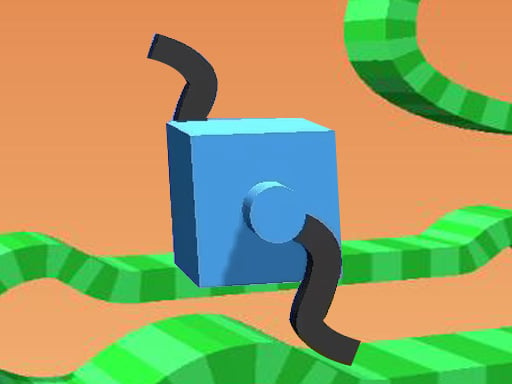
Test your precision in this addictive 3D block stacking game! Build the tallest skyscraper, unlock stunning themes, and master the art of balance. Can you reach the stars?
What makes a good arcade game? Usually a single, easy-to-read score, instant restarts and difficulty that ramps steadily — and Stack Tower Pro has each of them in some measure. Under the surface it is a test of timing and focus, dressed up in playful presentation.
How to play Stack Tower Pro
- Press the play button above and wait for Stack Tower Pro to finish loading. On first load this can take a few seconds while the game files are fetched.
- Follow the on-screen prompts. The developer describes the controls like this: Tap Click Drop the block at the perfect moment Navigate Menus Use mouse or touch to access the Shop Settings and Power-ups
- Play the first run purely to learn. Notice the rhythm of the obstacles, then start a fresh run and aim for a clean start.
- When you are comfortable, set a target: a score to beat, a level to clear or a time to shave. Small goals are what make Stack Tower Pro stick.
Controls
You will not need a manual for Stack Tower Pro, but knowing the inputs before you start saves the first minute of fumbling:
| Input | What it does |
|---|---|
| Mouse | Tap Click Drop the block at the perfect moment Navigate Menus Use mouse or touch to access the Shop Settings. |
| Tap (touch) | Tap Click Drop the block at the perfect moment Navigate Menus Use mouse or touch to access the Shop Settings. |
The controls are tap and drag based, which makes it comfortable on touch screens as well as with a mouse.
Tips and tricks
- Aim for consistency before you aim for records. A steady run that avoids mistakes usually scores higher than a flashy one that ends early.
- Play in a quiet tab with nothing else running. Small frame drops cause missed timing that feels like bad luck but is not.
- Look one step ahead of your character. Reacting to what is under you is too late; reacting to what is coming is exactly on time.
- Combo systems reward patience: keep the chain alive with safe moves rather than reaching for risky bonuses.
- Because this is a Arcade game, restart early when a run goes wrong instead of grinding out a poor score.
Who will enjoy it
Who is Stack Tower Pro for? In a word, anyone with a few minutes to spare and a competitive streak. In terms of time, think of runs of thirty seconds to a few minutes, endlessly repeatable. How hard is it? Simple rules, high skill ceiling. The controls are tap and drag based, which makes it comfortable on touch screens as well as with a mouse.
Game details
| Category | Arcade Games |
|---|---|
| Tags | Arcade, 3d Games, 1 Player, Best Games, Clicker, Platform, Avoid, Point And Click, Crazygamesunblocked, Shopping |
| Platform | Browser (desktop, tablet and mobile) |
| Controls | Touch and mouse |
| Technology | HTML5 — no download or plugin required |
| Frame | Landscape (800×600) |
| Added | 7 March 2026 |
| Plays | 2 |
| Price | Free to play |
Frequently asked questions
Is Stack Tower Pro free to play?
It is free. Open the page, press play and the game loads in the browser. You do not need to install anything or register.
Can I play Stack Tower Pro on my phone?
Yes — the game supports touch input and adapts to smaller screens, so you can play Stack Tower Pro on a phone or tablet as well as on a computer.
What are the controls for Stack Tower Pro?
In short: Mouse — Tap Click Drop the block at the perfect moment Navigate Menus Use mouse or touch to access the Shop Settings; Tap (touch) — Tap Click Drop the block at the perfect moment Navigate Menus Use mouse or touch to access the Shop Settings. The full list is in the controls section above.
Does Stack Tower Pro save my progress?
Most browser games, including Stack Tower Pro, store progress locally in your browser. If you clear your cookies or switch devices, that progress may be lost, so finish sessions before clearing browser data.
What if Stack Tower Pro does not load?
If Stack Tower Pro does not load, refresh the page, make sure your browser is up to date and check that hardware acceleration is enabled. Ad blockers occasionally interfere with the game frame as well.
What kind of game is Stack Tower Pro?
It is a arcade game with the tags Arcade, 3d Games, 1 Player, Best Games. Simple rules, high skill ceiling, and runs of thirty seconds to a few minutes, endlessly repeatable.
Games similar to Stack Tower Pro
Finished a session? The games listed below were picked because they share tags or a category with Stack Tower Pro.