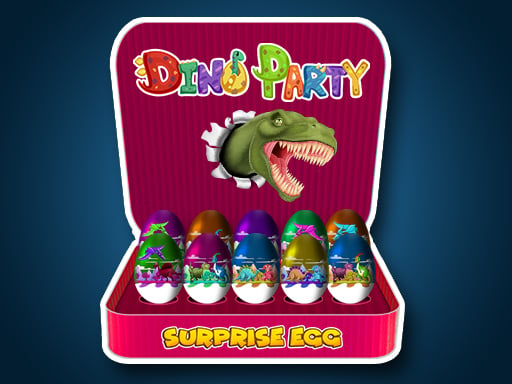
Welcome to Surprise Egg: Dino Party, a browser-based arcade game. Click play, wait a moment for it to load, and you are in. You will understand Surprise Egg: Dino Party in about ten seconds and still be improving at it a week later. That is the arcade formula done right. From the tags you can already tell that gathering items or collectibles is the goal; dinosaurs are the theme.
About Surprise Egg: Dino Party
Step into a vibrant world where dinosaurs come alive in "Surprise Egg: Dino Party"! Although these magnificent creatures roamed the Earth centuries ago, this game brings them back in a fun and engaging way. Through stunning visuals and an entertaining format, you'll be introduced to a variety of dinosaurs that will surely capture your imagination. Their colorful skins and unique
What makes a good arcade game? Usually instant restarts, the "one more go" effect and a single, easy-to-read score — and Surprise Egg: Dino Party has each of them in some measure. Under the surface it is a test of consistency and rhythm, dressed up in playful presentation.
How to play Surprise Egg: Dino Party
- Start by clicking the big play button. Surprise Egg: Dino Party loads inside the frame; give it a moment, especially on a slow connection.
- Follow the on-screen prompts. The developer describes the controls like this: Game Controls LEFT CLICK
- Play the first run purely to learn. Notice the rhythm of the obstacles, then start a fresh run and aim for a clean start.
- Switch to full screen if precision matters, and remember that the game keeps its own progress — finish a level before you close the tab.
Controls
Here is how Surprise Egg: Dino Party is controlled, based on the developer's instructions and our own testing:
| Input | What it does |
|---|---|
| Left mouse click | Game Controls LEFT CLICK. |
| Mouse | Game Controls LEFT CLICK. |
It works on phones and tablets with touch controls, and on desktop with a mouse or keyboard.
Tips and tricks
- Restart early. If a run starts badly, do not grind it out; a fresh attempt costs nothing and saves your focus.
- Learn the first thirty seconds perfectly. The opening is the same every time, so it should never be where you lose.
- Play in a quiet tab with nothing else running. Small frame drops cause missed timing that feels like bad luck but is not.
- Look one step ahead of your character. Reacting to what is under you is too late; reacting to what is coming is exactly on time.
- Because this is a Dinosaur game, big creatures mean slow turns — plan your path.
Who will enjoy it
Who is Surprise Egg: Dino Party for? In a word, anyone with a few minutes to spare and a competitive streak. A typical session is runs of thirty seconds to a few minutes, endlessly repeatable. The learning curve is simple rules, high skill ceiling. It works on phones and tablets with touch controls, and on desktop with a mouse or keyboard.
Game details
| Category | Arcade Games |
|---|---|
| Tags | Html5 Games For Your Site, Kids, Funny, Girls, Adventure, 2d, Fall Boys, Html Games For Your Website, Clicker, Collecting, Collection, New, Dinosaur |
| Platform | Browser (desktop, tablet and mobile) |
| Controls | Mouse |
| Technology | HTML5 — no download or plugin required |
| Frame | Landscape (800×600) |
| Added | 25 October 2024 |
| Plays | 1 |
| Price | Free to play |
Frequently asked questions
Is Surprise Egg: Dino Party free to play?
Yes. Surprise Egg: Dino Party is completely free to play on Diemakora. There is no download, no account and no payment — the game runs in your browser.
Can I play Surprise Egg: Dino Party on my phone?
Yes — the game supports touch input and adapts to smaller screens, so you can play Surprise Egg: Dino Party on a phone or tablet as well as on a computer.
What are the controls for Surprise Egg: Dino Party?
In short: Left mouse click — Game Controls LEFT CLICK; Mouse — Game Controls LEFT CLICK. The full list is in the controls section above.
Does Surprise Egg: Dino Party save my progress?
Most browser games, including Surprise Egg: Dino Party, store progress locally in your browser. If you clear your cookies or switch devices, that progress may be lost, so finish sessions before clearing browser data.
How do I play Surprise Egg: Dino Party in full screen?
Click the expand icon under the game to switch Surprise Egg: Dino Party to full screen. Esc returns you to the normal view.
Is Surprise Egg: Dino Party suitable for children?
It is tagged Kids, Girls, which usually indicates content aimed at younger players. As with any online game, we suggest a parent takes a quick look first.
Games similar to Surprise Egg: Dino Party
Finished a session? The games listed below were picked because they share tags or a category with Surprise Egg: Dino Party.