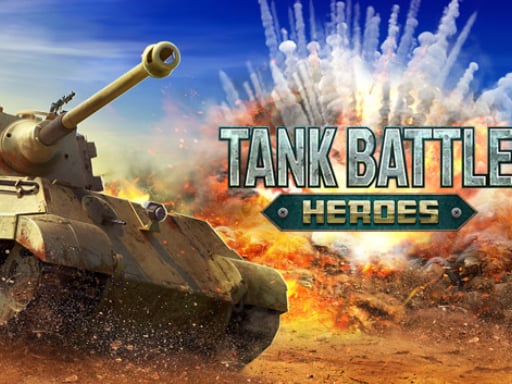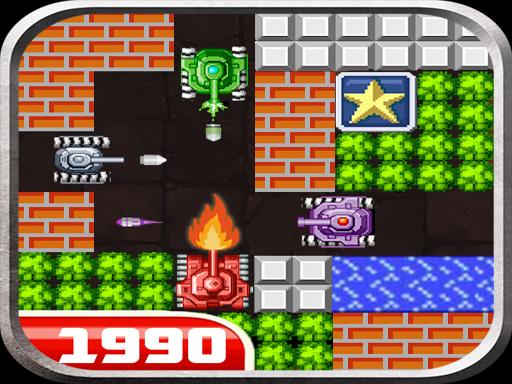
Welcome to Tank Wars Classic, a browser-based shooting game. Click play, wait a moment for it to load, and you are in. Shooting games are really about attention: Tank Wars Classic rewards the player who tracks several moving things at once and picks the right one to deal with first. From the tags you can already tell that it revives a classic gameplay formula; aiming and firing at targets is the primary action; you control an armoured vehicle with slow turning and heavy fire.
About Tank Wars Classic
Step into the nostalgic universe of Tank Wars Classic, a thrilling battle that takes you back to the golden days of 8-bit pixel art gaming. In "Tank 1990: Stars Battle Defense War Ace Hero," you become an invincible super pocket tank pilot, navigating through an array of challenging levels filled with diverse terrains and formidable enemies. Each level presents its
The genre lives on precise aiming, waves or levels that build up and ammunition or cooldown management. Tank Wars Classic understands that, and it shows in the first minute of play. The skills it leans on are target prioritisation and aim; both improve noticeably after a few sessions.
How to play Tank Wars Classic
- Start by clicking the big play button. Tank Wars Classic loads inside the frame; give it a moment, especially on a slow connection.
- Follow the on-screen prompts. The developer describes the controls like this: Your mission is control a rookie tank destroy the enemy pacman tank in each level which enters the playfield from the top of the screen Keep your lives defense and protect Eagle s base You can collect random super ace…
- Take a few practice shots at the first targets to learn the aim speed, then move on to prioritising the dangerous enemies.
- Switch to full screen if precision matters, and remember that the game keeps its own progress — finish a level before you close the tab.
Controls
Controls for Tank Wars Classic at a glance:
| Input | What it does |
|---|---|
| Mouse | Point and click to play; the game shows its own prompts on screen. |
| Keyboard | Some actions may use the arrow keys or space bar — check the in-game hints. |
It is designed for desktop play with a keyboard and mouse.
Tips and tricks
- Learn the spawn points. Most levels reuse the same few entry points, and knowing them turns panic into routine.
- Sound tells you where an enemy is before you can see it. Headphones help more than you would expect.
- Aim first, then shoot. Spraying costs time or ammo and rarely helps; a single well-placed shot almost always beats three rushed ones.
- Prioritise the threat that will hurt you soonest, not the one that is closest or biggest. Fast enemies before slow ones, shooters before melee.
- Because this is a Classic game, the old rules still apply.
Who will enjoy it
We would recommend Tank Wars Classic to players who like precision, quick targeting and progressively tougher waves. In terms of time, think of levels of a few minutes each, with longer runs in survival modes. The learning curve is approachable at first, with a steep climb in the later waves. It is designed for desktop play with a keyboard and mouse.
Game details
| Category | Shooting Games |
|---|---|
| Tags | Adventure, First Person Shooter, Shooting, Warrior, Classic, Tanks |
| Platform | Browser (desktop) |
| Controls | Mouse |
| Technology | HTML5 — no download or plugin required |
| Frame | Landscape (1920×1080) |
| Added | 25 October 2024 |
| Plays | 1 |
| Price | Free to play |
Frequently asked questions
Is Tank Wars Classic free to play?
Yes. Tank Wars Classic is completely free to play on Diemakora. There is no download, no account and no payment — the game runs in your browser.
Can I play Tank Wars Classic on my phone?
This one is a desktop game. It expects a keyboard and mouse, so we recommend playing Tank Wars Classic on a computer for the intended experience.
What are the controls for Tank Wars Classic?
The developer did not publish detailed controls, but the game follows genre conventions: Mouse — Point and click to play; the game shows its own prompts on screen; Keyboard — Some actions may use the arrow keys or space bar — check the in-game hints. The full list is in the controls section above.
Does Tank Wars Classic save my progress?
Most browser games, including Tank Wars Classic, store progress locally in your browser. If you clear your cookies or switch devices, that progress may be lost, so finish sessions before clearing browser data.
What if Tank Wars Classic does not load?
A blank frame usually means the game is still loading or a browser extension blocked it. Wait a few seconds, then reload; if that fails, try another browser.
What kind of game is Tank Wars Classic?
It is a shooting game with the tags Adventure, First Person Shooter, Shooting, Warrior. Approachable at first, with a steep climb in the later waves, and levels of a few minutes each, with longer runs in survival modes.
Games similar to Tank Wars Classic
You will find more games like Tank Wars Classic further down this page, chosen by matching tags and category.