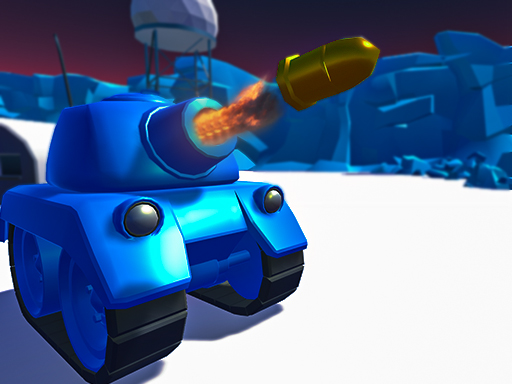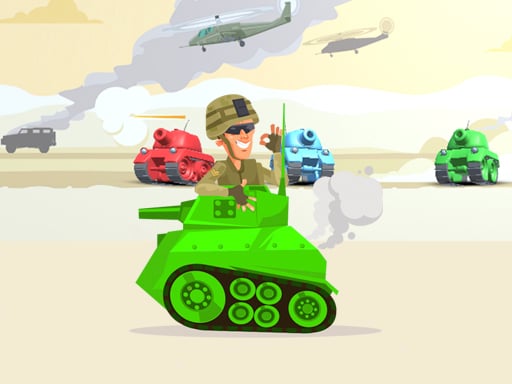
Play Tank Wars Multiplayer for free — a multiplayer game that runs directly in your browser on desktop, tablet or phone. Solo games are predictable; other people are not. Tank Wars Multiplayer uses that unpredictability as its engine, and every match ends up telling a slightly different story. From the tags you can already tell that other players are involved, either online or on the same device; you control an armoured vehicle with slow turning and heavy fire.
About Tank Wars Multiplayer
Tank Wars Multiplayer is an exhilarating and engaging action IO game that is perfect for those looking to compete with friends and players from around the world. The game's premise revolves around teamwork, strategy, and explosive combat as players engage in thrilling tank battles. In this highly addictive multiplayer experience, your main objective is to destroy the enemy team's base
What makes a good multiplayer game? Usually head-to-head or cooperative play, simple rules everyone can grasp fast and moments of comeback and reversal — and Tank Wars Multiplayer has each of them in some measure. Under the surface it is a test of reading opponents and adaptability, dressed up in social presentation.
How to play Tank Wars Multiplayer
- Press the play button above and wait for Tank Wars Multiplayer to finish loading. On first load this can take a few seconds while the game files are fetched.
- Follow the on-screen prompts. The developer describes the controls like this: Use Arrow keys to move the tank Left Mouse click - Shoot
- Try a round against the computer or alone first so the controls are familiar before you bring in another player.
- Use the full-screen button under the frame for the best view, and keep an eye on the score, timer or health display so you know what the game is asking of you.
Controls
You will not need a manual for Tank Wars Multiplayer, but knowing the inputs before you start saves the first minute of fumbling:
| Input | What it does |
|---|---|
| Arrow keys | Use Arrow keys to move the tank Left Mouse click - Shoot. |
| Mouse | Use Arrow keys to move the tank Left Mouse click - Shoot. |
It is designed for desktop play with a keyboard and mouse.
Tips and tricks
- Short, frequent matches build skill faster than marathon sessions.
- In shared-keyboard games, agree on who uses which keys before you start — hand collisions cause more losses than skill does.
- Play the opponent, not the game. Notice what your rival keeps doing and punish that habit.
- Learn the controls alone for two minutes before you invite a friend. Fumbling the basics is the fastest way to lose a match you should win.
- Because this is a Tanks game, angle your armour and fire while reversing.
Who will enjoy it
We would recommend Tank Wars Multiplayer to friends on one screen, online competitors and anyone who finds bots boring. Expect matches of two to ten minutes, best played in a series. Difficulty-wise it is entirely dependent on who you are playing against. It is designed for desktop play with a keyboard and mouse.
Game details
| Category | Multiplayer Games |
|---|---|
| Tags | Action, .io Games, Multiplayer, Tanks |
| Platform | Browser (desktop) |
| Controls | Keyboard and mouse |
| Technology | HTML5 — no download or plugin required |
| Frame | Landscape (960×600) |
| Added | 25 October 2024 |
| Plays | 2 |
| Price | Free to play |
Frequently asked questions
Is Tank Wars Multiplayer free to play?
Yes. Tank Wars Multiplayer is completely free to play on Diemakora. There is no download, no account and no payment — the game runs in your browser.
Can I play Tank Wars Multiplayer on my phone?
Tank Wars Multiplayer is best played on a desktop or laptop. It relies on keyboard and mouse input, and while it may load on a phone, the controls will not be comfortable.
What are the controls for Tank Wars Multiplayer?
In short: Arrow keys — Use Arrow keys to move the tank Left Mouse click - Shoot; Mouse — Use Arrow keys to move the tank Left Mouse click - Shoot. The full list is in the controls section above.
Does Tank Wars Multiplayer save my progress?
Most browser games, including Tank Wars Multiplayer, store progress locally in your browser. If you clear your cookies or switch devices, that progress may be lost, so finish sessions before clearing browser data.
How do I play Tank Wars Multiplayer in full screen?
Use the full-screen button just below the game frame. Press Esc on your keyboard to leave full-screen mode again.
What kind of game is Tank Wars Multiplayer?
It is a multiplayer game with the tags Action, .io Games, Multiplayer, Tanks. Entirely dependent on who you are playing against, and matches of two to ten minutes, best played in a series.
Games similar to Tank Wars Multiplayer
You will find more games like Tank Wars Multiplayer further down this page, chosen by matching tags and category.