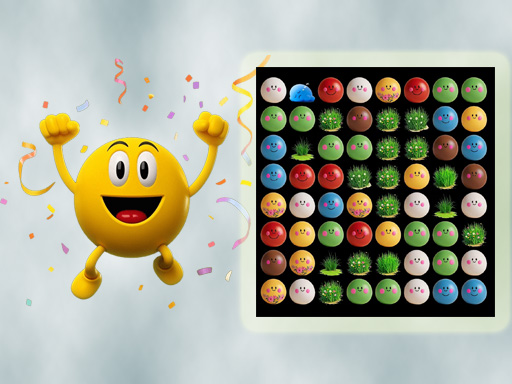
Tap To Color: Painting Book is one of the hypercasual games in the Diemakora collection. It loads in seconds and needs nothing installed. You do not need a tutorial for Tap To Color: Painting Book. The design explains itself as you go, and the difficulty grows exactly as fast as your confidence does. Its tags tell you what to expect: you colour pictures at your own pace.
About Tap To Color: Painting Book
Unleash your inner artist and paint your stress away with Tap to Color: Painting Book Game! Dive into a vibrant world of color where creating a masterpiece is as simple as a single tap. Forget the mess of crayons and paints; this is the ultimate digital coloring book for all ages. Find your calm and enter a state of flow
What makes a good hypercasual game? Usually a friendly difficulty curve, a clear goal and controls that need no manual — and Tap To Color: Painting Book has each of them in some measure. The skills it leans on are focus and focus; both improve noticeably after a few sessions.
How to play Tap To Color: Painting Book
- Press the play button above and wait for Tap To Color: Painting Book to finish loading. On first load this can take a few seconds while the game files are fetched.
- Follow the on-screen prompts. The developer describes the controls like this: Look at the palette of colors at the bottom of your screen Tap on a color to select it Simply tap on the areas to fill them with color Youll see the black-and-white sketch magically transform with every tap Continue…
- Explore. Click everything once, try each button, and let the game teach you its loop.
- When you are comfortable, set a target: a score to beat, a level to clear or a time to shave. Small goals are what make Tap To Color: Painting Book stick.
Controls
You will not need a manual for Tap To Color: Painting Book, but knowing the inputs before you start saves the first minute of fumbling:
| Input | What it does |
|---|---|
| Tap (touch) | Look at the palette of colors at the bottom of your screen Tap on a color to select it Simply tap on the areas to fill them with color Youll see the black-and-white sketch magically transform with every tap Continue selecting colors and coloring matc. |
The controls are tap and drag based, which makes it comfortable on touch screens as well as with a mouse.
Tips and tricks
- Full-screen mode makes a real difference to precision. Use the button beneath the game.
- If a level frustrates you, the game usually has a way around it: a different approach, a power-up you skipped or simply more practice on the previous level.
- Set a small goal per session — one level, one upgrade, one new best — and stop when you hit it. It keeps the game fun.
- Sound effects are feedback, not decoration. Play with the volume up at least until you know the game.
- Because this is a Coloring game, zoom in for the small areas.
Who will enjoy it
Tap To Color: Painting Book is a good fit for casual players of all ages looking for a quick, free game in the browser. Expect anything from two minutes to an afternoon. Difficulty-wise it is friendly at first and steadily more demanding. The controls are tap and drag based, which makes it comfortable on touch screens as well as with a mouse.
Game details
| Category | Hypercasual Games |
|---|---|
| Tags | Puzzleblock, Coloring |
| Platform | Browser (desktop, tablet and mobile) |
| Controls | Touch and mouse |
| Technology | HTML5 — no download or plugin required |
| Frame | Portrait (1080×1920) |
| Added | 17 July 2025 |
| Plays | 1 |
| Price | Free to play |
Frequently asked questions
Is Tap To Color: Painting Book free to play?
It is free. Open the page, press play and the game loads in the browser. You do not need to install anything or register.
Can I play Tap To Color: Painting Book on my phone?
Tap To Color: Painting Book works on mobile devices. Open this page on your phone or tablet and use the touch controls; rotating the device to landscape usually gives the best view.
What are the controls for Tap To Color: Painting Book?
In short: Tap (touch) — Look at the palette of colors at the bottom of your screen Tap on a color to select it Simply tap on the areas to fill them with color Youll see the black-and-white sketch magically transform with every tap Continue selecting colors and coloring matc. The full list is in the controls section above.
Does Tap To Color: Painting Book save my progress?
Most browser games, including Tap To Color: Painting Book, store progress locally in your browser. If you clear your cookies or switch devices, that progress may be lost, so finish sessions before clearing browser data.
What if Tap To Color: Painting Book does not load?
A blank frame usually means the game is still loading or a browser extension blocked it. Wait a few seconds, then reload; if that fails, try another browser.
Is Tap To Color: Painting Book suitable for children?
It is tagged Coloring, which usually indicates content aimed at younger players. As with any online game, we suggest a parent takes a quick look first.
Games similar to Tap To Color: Painting Book
Finished a session? The games listed below were picked because they share tags or a category with Tap To Color: Painting Book.