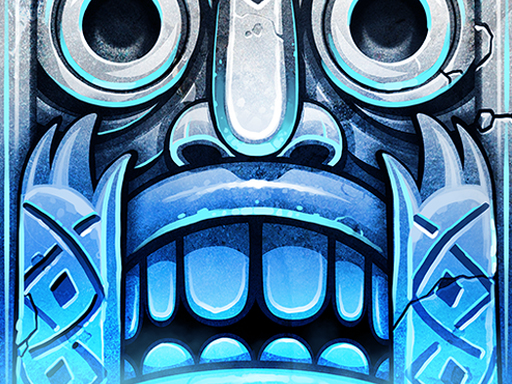
Play Temple Run 2: Frozen Shadows for free — a arcade game that runs directly in your browser on desktop, tablet or phone. Temple Run 2: Frozen Shadows follows the oldest recipe in gaming: one clear rule, one clear score, and the urge to try just one more time. A few things the tags reveal: you compete against the clock or other racers to finish first; there is a journey with a beginning and an end rather than an endless score chase; the structure is classic arcade — quick rounds, rising difficulty and a score to beat.
About Temple Run 2: Frozen Shadows
Immerse yourself in the enchanting world of Temple Run 2: Frozen Shadows, where your thrill-seeking adventure takes a frosty twist! As you evade the menacing forces chasing you, navigate through treacherous cliffs, glide along zip lines, and delve into the depths of eerie mines and lush forests all in pursuit of escaping with the coveted, yet cursed, idol.
Judged as a arcade game, Temple Run 2: Frozen Shadows hits the notes you would hope for: a single, easy-to-read score, difficulty that ramps steadily and bright, readable visuals. The skills it leans on are rhythm and consistency; both improve noticeably after a few sessions.
How to play Temple Run 2: Frozen Shadows
- Start by clicking the big play button. Temple Run 2: Frozen Shadows loads inside the frame; give it a moment, especially on a slow connection.
- Look for the in-game tutorial or hints on the first screen; most browser games explain their controls in the opening seconds.
- Play the first run purely to learn. Notice the rhythm of the obstacles, then start a fresh run and aim for a clean start.
- Switch to full screen if precision matters, and remember that the game keeps its own progress — finish a level before you close the tab.
Controls
Here is how Temple Run 2: Frozen Shadows is controlled, based on the developer's instructions and our own testing:
| Input | What it does |
|---|---|
| Mouse | Point and click to play; the game shows its own prompts on screen. |
| Keyboard | Some actions may use the arrow keys or space bar — check the in-game hints. |
It is designed for desktop play with a keyboard and mouse.
Tips and tricks
- Learn the first thirty seconds perfectly. The opening is the same every time, so it should never be where you lose.
- Find the rhythm. Most arcade games have an underlying beat — taps, jumps or moves that fall on a regular interval — and once you feel it, your accuracy jumps.
- Look one step ahead of your character. Reacting to what is under you is too late; reacting to what is coming is exactly on time.
- Combo systems reward patience: keep the chain alive with safe moves rather than reaching for risky bonuses.
- Because this is a Arcade game, restart early when a run goes wrong instead of grinding out a poor score.
- Because this is a Racing game, learn one track thoroughly — the skills transfer to every other track.
Who will enjoy it
Temple Run 2: Frozen Shadows is a good fit for anyone with a few minutes to spare and a competitive streak. In terms of time, think of runs of thirty seconds to a few minutes, endlessly repeatable. Difficulty-wise it is simple rules, high skill ceiling. It is designed for desktop play with a keyboard and mouse.
Game details
| Category | Arcade Games |
|---|---|
| Tags | Arcade, Adventure, Racing |
| Platform | Browser (desktop) |
| Controls | Mouse |
| Technology | HTML5 — no download or plugin required |
| Frame | Landscape (800×600) |
| Added | 26 September 2024 |
| Plays | 0 |
| Price | Free to play |
Frequently asked questions
Is Temple Run 2: Frozen Shadows free to play?
It is free. Open the page, press play and the game loads in the browser. You do not need to install anything or register.
Can I play Temple Run 2: Frozen Shadows on my phone?
Temple Run 2: Frozen Shadows is best played on a desktop or laptop. It relies on keyboard and mouse input, and while it may load on a phone, the controls will not be comfortable.
What are the controls for Temple Run 2: Frozen Shadows?
The developer did not publish detailed controls, but the game follows genre conventions: Mouse — Point and click to play; the game shows its own prompts on screen; Keyboard — Some actions may use the arrow keys or space bar — check the in-game hints. The full list is in the controls section above.
Does Temple Run 2: Frozen Shadows save my progress?
Most browser games, including Temple Run 2: Frozen Shadows, store progress locally in your browser. If you clear your cookies or switch devices, that progress may be lost, so finish sessions before clearing browser data.
What if Temple Run 2: Frozen Shadows does not load?
A blank frame usually means the game is still loading or a browser extension blocked it. Wait a few seconds, then reload; if that fails, try another browser.
What kind of game is Temple Run 2: Frozen Shadows?
It is a arcade game with the tags Arcade, Adventure, Racing. Simple rules, high skill ceiling, and runs of thirty seconds to a few minutes, endlessly repeatable.
Games similar to Temple Run 2: Frozen Shadows
When you are done, scroll down for more arcade games and titles that share tags with Temple Run 2: Frozen Shadows.