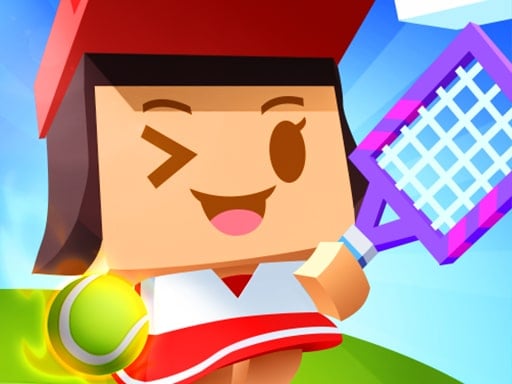
Looking for a sports game that starts instantly? Tennis Game runs in your browser and is completely free to play. Tennis Game takes a real sport, strips it to its essential thrill and hands you the controls. Timing the shot, the tackle or the jump is everything. From the tags you can already tell that the structure is classic arcade — quick rounds, rising difficulty and a score to beat; it is based on a real sport.
About Tennis Game
Step onto the virtual court and showcase your tennis skills in this engaging Tennis Game. Challenge yourself as you face off against a variety of computer-generated opponent characters that will test your reflexes and strategic thinking. With intuitive controls, you ll be able to serve, volley, and smash your way to victory, proving your prowess and determination in each match.
What makes a good sports game? Usually a strong sense of momentum, tournaments, leagues or challenges and quick matches — and Tennis Game has each of them in some measure. The skills it leans on are anticipation and timing; both improve noticeably after a few sessions.
How to play Tennis Game
- Press the play button above and wait for Tennis Game to finish loading. On first load this can take a few seconds while the game files are fetched.
- Follow the on-screen prompts. The developer describes the controls like this: Tap touch mouse or cursor keys to swing at the ball One button play - timing is everything
- Use the practice or the first easy match to find the timing sweet spot for shots, swings or jumps.
- When you are comfortable, set a target: a score to beat, a level to clear or a time to shave. Small goals are what make Tennis Game stick.
Controls
The controls in Tennis Game are straightforward once you have seen them written down:
| Input | What it does |
|---|---|
| Mouse | Tap touch mouse or cursor keys to swing at the ball One button play - timing is everything. |
| Tap (touch) | Tap touch mouse or cursor keys to swing at the ball One button play - timing is everything. |
The controls are tap and drag based, which makes it comfortable on touch screens as well as with a mouse.
Tips and tricks
- Watch the opponent, not your player. Their movement tells you where the ball or the gap is going to be.
- Timing beats power. Almost every sports game has a "sweet spot" input; find it in practice mode before you play for real.
- Defend first when you are ahead, attack first when you are behind. It sounds obvious, and yet.
- Play a full season or tournament rather than single matches; the progression makes each match matter more.
- Because this is a Arcade game, restart early when a run goes wrong instead of grinding out a poor score.
Who will enjoy it
Tennis Game is a good fit for sports fans, casual competitors and anyone who likes a clear scoreboard. In terms of time, think of a match in three to five minutes. The learning curve is easy to start, satisfying to master. The controls are tap and drag based, which makes it comfortable on touch screens as well as with a mouse.
Game details
| Category | Sports Games |
|---|---|
| Tags | Arcade, Funny, Sports, Tennis |
| Platform | Browser (desktop, tablet and mobile) |
| Controls | Touch and mouse |
| Technology | HTML5 — no download or plugin required |
| Frame | Landscape (800×600) |
| Added | 26 September 2024 |
| Plays | 1 |
| Price | Free to play |
Frequently asked questions
Is Tennis Game free to play?
Yes. Tennis Game is completely free to play on Diemakora. There is no download, no account and no payment — the game runs in your browser.
Can I play Tennis Game on my phone?
Yes — the game supports touch input and adapts to smaller screens, so you can play Tennis Game on a phone or tablet as well as on a computer.
What are the controls for Tennis Game?
In short: Mouse — Tap touch mouse or cursor keys to swing at the ball One button play - timing is everything; Tap (touch) — Tap touch mouse or cursor keys to swing at the ball One button play - timing is everything. The full list is in the controls section above.
Does Tennis Game save my progress?
Progress in Tennis Game is kept by the game itself inside your browser storage. It will normally be there when you come back on the same device and browser.
How do I play Tennis Game in full screen?
Use the full-screen button just below the game frame. Press Esc on your keyboard to leave full-screen mode again.
What kind of game is Tennis Game?
It is a sports game with the tags Arcade, Funny, Sports, Tennis. Easy to start, satisfying to master, and a match in three to five minutes.
Games similar to Tennis Game
When you are done, scroll down for more sports games and titles that share tags with Tennis Game.