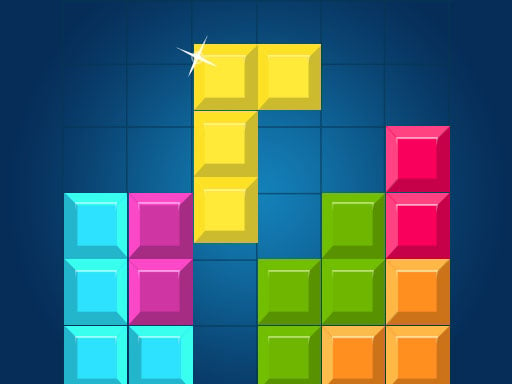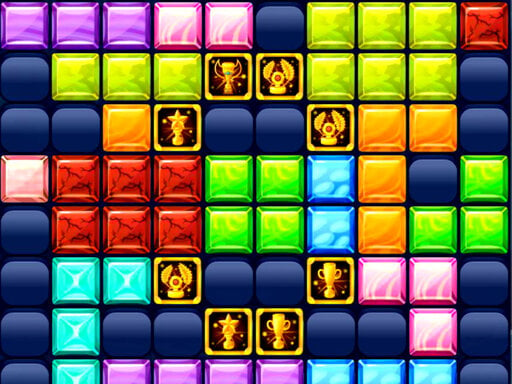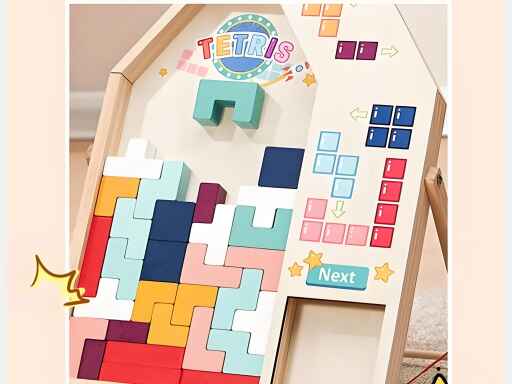
Welcome to Tetris Lite, a browser-based hypercasual game. Click play, wait a moment for it to load, and you are in. Tetris Lite is a browser game in the classic sense: click play, understand the goal within a minute, and settle into a loop that is easy to enjoy and hard to put down.
About Tetris Lite
Tetris Lite,Once you start it, you wont stop ! Classic tetris game! The classic retro Tetris game that we all love! Play on mobile and PC.This game gives quick thinking skills. Fun puzzle game.
Judged as a hypercasual game, Tetris Lite hits the notes you would hope for: a clear goal, progress you can feel and quick loading. The skills it leans on are focus and timing; both improve noticeably after a few sessions.
How to play Tetris Lite
- Press the play button above and wait for Tetris Lite to finish loading. On first load this can take a few seconds while the game files are fetched.
- Follow the on-screen prompts. The developer describes the controls like this: Use the keyboard arrow keys to rotate each piece or to make them descend quicker
- Explore. Click everything once, try each button, and let the game teach you its loop.
- When you are comfortable, set a target: a score to beat, a level to clear or a time to shave. Small goals are what make Tetris Lite stick.
Controls
You will not need a manual for Tetris Lite, but knowing the inputs before you start saves the first minute of fumbling:
| Input | What it does |
|---|---|
| Arrow keys | Use the keyboard arrow keys to rotate each piece or to make them descend quicker. |
It is designed for desktop play with a keyboard and mouse.
Tips and tricks
- If a level frustrates you, the game usually has a way around it: a different approach, a power-up you skipped or simply more practice on the previous level.
- Spend your first attempt learning, not winning. Poke at everything on screen; browser games hide small mechanics in plain sight.
- Set a small goal per session — one level, one upgrade, one new best — and stop when you hit it. It keeps the game fun.
- Do not compare your first hour to someone's hundredth. Casual games are built to be learned in public, one small improvement at a time.
Who will enjoy it
We would recommend Tetris Lite to casual players of all ages looking for a quick, free game in the browser. A typical session is anything from two minutes to an afternoon. How hard is it? Friendly at first and steadily more demanding. It is designed for desktop play with a keyboard and mouse.
Game details
| Category | Hypercasual Games |
|---|---|
| Tags | Tetris |
| Platform | Browser (desktop) |
| Controls | Keyboard |
| Technology | HTML5 — no download or plugin required |
| Frame | Portrait (300×600) |
| Added | 27 March 2025 |
| Plays | 1 |
| Price | Free to play |
Frequently asked questions
Is Tetris Lite free to play?
Yes. Tetris Lite is completely free to play on Diemakora. There is no download, no account and no payment — the game runs in your browser.
Can I play Tetris Lite on my phone?
Tetris Lite is best played on a desktop or laptop. It relies on keyboard and mouse input, and while it may load on a phone, the controls will not be comfortable.
What are the controls for Tetris Lite?
In short: Arrow keys — Use the keyboard arrow keys to rotate each piece or to make them descend quicker. The full list is in the controls section above.
Does Tetris Lite save my progress?
Most browser games, including Tetris Lite, store progress locally in your browser. If you clear your cookies or switch devices, that progress may be lost, so finish sessions before clearing browser data.
What if Tetris Lite does not load?
A blank frame usually means the game is still loading or a browser extension blocked it. Wait a few seconds, then reload; if that fails, try another browser.
What kind of game is Tetris Lite?
It is a hypercasual game with the tags Tetris. Friendly at first and steadily more demanding, and anything from two minutes to an afternoon.
Games similar to Tetris Lite
Finished a session? The games listed below were picked because they share tags or a category with Tetris Lite.