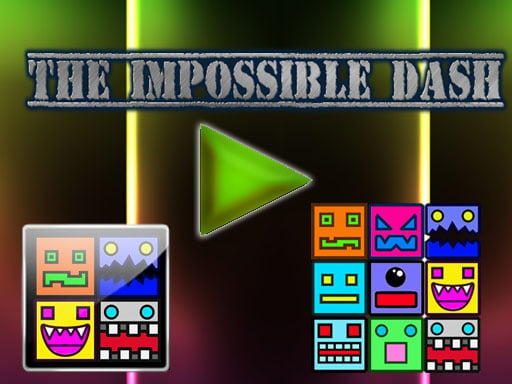
The Impossible Dash is one of the arcade games in the Diemakora collection. It loads in seconds and needs nothing installed. You will understand The Impossible Dash in about ten seconds and still be improving at it a week later. That is the arcade formula done right. A few things the tags reveal: progress comes from clicks or taps that snowball through upgrades; success depends on precision and timing rather than luck; the content and difficulty are tuned for younger players.
About The Impossible Dash
The Impossible Dash is an exhilarating click-moving game that challenges your agility and reflexes. The game comprises seven distinct levels, each packed with unique obstacles designed to test your skills. As you navigate through these vibrant, animated environments, your primary task is to click at just the right moment to guide your character forward, avoiding a variety of barriers that
The genre lives on bright, readable visuals, the "one more go" effect and difficulty that ramps steadily. The Impossible Dash understands that, and it shows in the first minute of play. Playing it works your focus and timing, which is a large part of why the "one more round" feeling is so strong.
How to play The Impossible Dash
- Press the play button above and wait for The Impossible Dash to finish loading. On first load this can take a few seconds while the game files are fetched.
- Follow the on-screen prompts. The developer describes the controls like this: Mouse click or Touch tap
- Play the first run purely to learn. Notice the rhythm of the obstacles, then start a fresh run and aim for a clean start.
- Switch to full screen if precision matters, and remember that the game keeps its own progress — finish a level before you close the tab.
Controls
The controls in The Impossible Dash are straightforward once you have seen them written down:
| Input | What it does |
|---|---|
| Mouse | Mouse click or Touch tap. |
| Tap (touch) | Mouse click or Touch tap. |
The controls are tap and drag based, which makes it comfortable on touch screens as well as with a mouse.
Tips and tricks
- Restart early. If a run starts badly, do not grind it out; a fresh attempt costs nothing and saves your focus.
- Take a short break after three or four failed runs. Arcade games punish tired eyes more than any other genre.
- Learn the first thirty seconds perfectly. The opening is the same every time, so it should never be where you lose.
- Combo systems reward patience: keep the chain alive with safe moves rather than reaching for risky bonuses.
- Because this is a Clicker game, buy the cheapest upgrade that multiplies output rather than the flashiest one.
- Because this is a Kids game, younger children do better with a mouse or touch screen than with keyboard combinations.
Who will enjoy it
We would recommend The Impossible Dash to anyone with a few minutes to spare and a competitive streak. In terms of time, think of runs of thirty seconds to a few minutes, endlessly repeatable. The learning curve is simple rules, high skill ceiling. The controls are tap and drag based, which makes it comfortable on touch screens as well as with a mouse.
Game details
| Category | Arcade Games |
|---|---|
| Tags | Kids, Skills, Clicker |
| Platform | Browser (desktop, tablet and mobile) |
| Controls | Touch and mouse |
| Technology | HTML5 — no download or plugin required |
| Frame | Landscape (800×600) |
| Added | 25 October 2024 |
| Plays | 1 |
| Price | Free to play |
Frequently asked questions
Is The Impossible Dash free to play?
Yes. The Impossible Dash is completely free to play on Diemakora. There is no download, no account and no payment — the game runs in your browser.
Can I play The Impossible Dash on my phone?
Yes — the game supports touch input and adapts to smaller screens, so you can play The Impossible Dash on a phone or tablet as well as on a computer.
What are the controls for The Impossible Dash?
In short: Mouse — Mouse click or Touch tap; Tap (touch) — Mouse click or Touch tap. The full list is in the controls section above.
Does The Impossible Dash save my progress?
Progress in The Impossible Dash is kept by the game itself inside your browser storage. It will normally be there when you come back on the same device and browser.
How do I play The Impossible Dash in full screen?
Use the full-screen button just below the game frame. Press Esc on your keyboard to leave full-screen mode again.
Is The Impossible Dash suitable for children?
It is tagged Kids, which usually indicates content aimed at younger players. As with any online game, we suggest a parent takes a quick look first.
Games similar to The Impossible Dash
You will find more games like The Impossible Dash further down this page, chosen by matching tags and category.