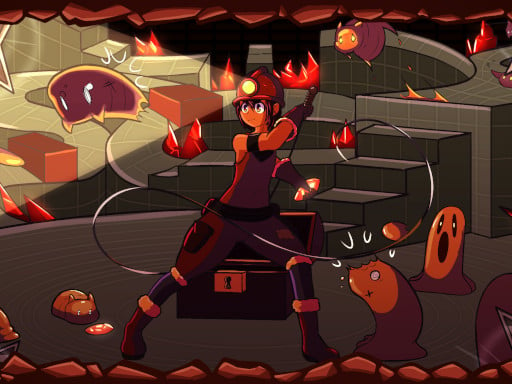
Tiny Explorer is one of the arcade games in the Diemakora collection. It loads in seconds and needs nothing installed. Tiny Explorer follows the oldest recipe in gaming: one clear rule, one clear score, and the urge to try just one more time. From the tags you can already tell that you run and jump across platforms, and precise movement is the core skill; it has retro pixel-art visuals; the structure is classic arcade — quick rounds, rising difficulty and a score to beat.
About Tiny Explorer
Tiny Explorer is a charming retro arcade-platformer that invites players to dive into an adventurous journey filled with excitement and challenges. Set against the backdrop of an ancient temple, players take on the role of a small explorer determined to uncover a legendary treasure hidden deep within its walls. With 27 intricately designed levels, each presenting unique obstacles and puzzles,
The genre lives on the "one more go" effect, instant restarts and a single, easy-to-read score. Tiny Explorer understands that, and it shows in the first minute of play. The skills it leans on are timing and rhythm; both improve noticeably after a few sessions.
How to play Tiny Explorer
- Press the play button above and wait for Tiny Explorer to finish loading. On first load this can take a few seconds while the game files are fetched.
- Follow the on-screen prompts. The developer describes the controls like this: Desktop -A D or Left and Right Arrow Keys to Move -W I or Up Arrow Key to Jump -Space U C or O to use Whip Mobile -Ingame Controls
- Play the first run purely to learn. Notice the rhythm of the obstacles, then start a fresh run and aim for a clean start.
- Use the full-screen button under the frame for the best view, and keep an eye on the score, timer or health display so you know what the game is asking of you.
Controls
Controls for Tiny Explorer at a glance:
| Input | What it does |
|---|---|
| Arrow keys | Right Arrow Keys to Move -W I or Up Arrow Key to Jump -Space U C or O to use Whip Mobile -Ingame Controls. |
| Space bar | Right Arrow Keys to Move -W I or Up Arrow Key to Jump -Space U C or O to use Whip Mobile -Ingame Controls. |
It is designed for desktop play with a keyboard and mouse.
Tips and tricks
- Aim for consistency before you aim for records. A steady run that avoids mistakes usually scores higher than a flashy one that ends early.
- Restart early. If a run starts badly, do not grind it out; a fresh attempt costs nothing and saves your focus.
- Learn the first thirty seconds perfectly. The opening is the same every time, so it should never be where you lose.
- Play in a quiet tab with nothing else running. Small frame drops cause missed timing that feels like bad luck but is not.
- Because this is a Arcade game, restart early when a run goes wrong instead of grinding out a poor score.
- Because this is a Pixel game, pixel games often have very precise hitboxes — trust the sprite edges.
Who will enjoy it
Who is Tiny Explorer for? In a word, anyone with a few minutes to spare and a competitive streak. Expect runs of thirty seconds to a few minutes, endlessly repeatable. How hard is it? Simple rules, high skill ceiling. It is designed for desktop play with a keyboard and mouse.
Game details
| Category | Arcade Games |
|---|---|
| Tags | Arcade, Action, Platform, Pixel, Retro |
| Platform | Browser (desktop) |
| Controls | Keyboard |
| Technology | HTML5 — no download or plugin required |
| Frame | Landscape (800×600) |
| Added | 26 September 2024 |
| Plays | 2 |
| Price | Free to play |
Frequently asked questions
Is Tiny Explorer free to play?
It is free. Open the page, press play and the game loads in the browser. You do not need to install anything or register.
Can I play Tiny Explorer on my phone?
This one is a desktop game. It expects a keyboard and mouse, so we recommend playing Tiny Explorer on a computer for the intended experience.
What are the controls for Tiny Explorer?
In short: Arrow keys — Right Arrow Keys to Move -W I or Up Arrow Key to Jump -Space U C or O to use Whip Mobile -Ingame Controls; Space bar — Right Arrow Keys to Move -W I or Up Arrow Key to Jump -Space U C or O to use Whip Mobile -Ingame Controls. The full list is in the controls section above.
Does Tiny Explorer save my progress?
Progress in Tiny Explorer is kept by the game itself inside your browser storage. It will normally be there when you come back on the same device and browser.
What if Tiny Explorer does not load?
A blank frame usually means the game is still loading or a browser extension blocked it. Wait a few seconds, then reload; if that fails, try another browser.
What kind of game is Tiny Explorer?
It is a arcade game with the tags Arcade, Action, Platform, Pixel. Simple rules, high skill ceiling, and runs of thirty seconds to a few minutes, endlessly repeatable.
Games similar to Tiny Explorer
You will find more games like Tiny Explorer further down this page, chosen by matching tags and category.