Looking for a shooting game that starts instantly? TopDown Zombie Survival Shooting runs in your browser and is completely free to play. The appeal of TopDown Zombie Survival Shooting is simple and old: line up the shot, take it, and watch the result. What makes it stick is the escalation that follows. A few things the tags reveal: it models a real activity or system with some fidelity; aiming and firing at targets is the primary action; it uses hardware-accelerated graphics in the browser.
About TopDown Zombie Survival Shooting
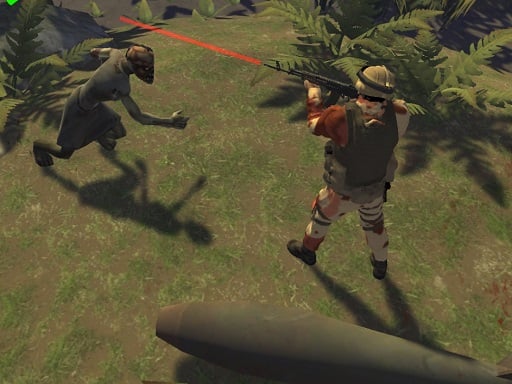
Immerse yourself in the thrilling action of TopDown Zombie Survival Shooting, a captivating game that places you in the role of a lone warrior in a world plagued by a zombie outbreak. As you navigate this compact yet intense environment, you face relentless waves of the undead along with other terrifying creatures, such as vampires and mummies. Your primary mission
The genre lives on precise aiming, satisfying hit feedback and waves or levels that build up. TopDown Zombie Survival Shooting understands that, and it shows in the first minute of play. Playing it works your resource management and aim, which is a large part of why the "one more round" feeling is so strong.
How to play TopDown Zombie Survival Shooting
- Press the play button above and wait for TopDown Zombie Survival Shooting to finish loading. On first load this can take a few seconds while the game files are fetched.
- Follow the on-screen prompts. The developer describes the controls like this: Menu Tab Walk WASD Shooting Mouse
- Take a few practice shots at the first targets to learn the aim speed, then move on to prioritising the dangerous enemies.
- Switch to full screen if precision matters, and remember that the game keeps its own progress — finish a level before you close the tab.
Controls
Controls for TopDown Zombie Survival Shooting at a glance:
| Input | What it does |
|---|---|
| WASD keys | Menu Tab Walk WASD Shooting Mouse. |
| Mouse | Menu Tab Walk WASD Shooting Mouse. |
| Tab | Menu Tab Walk WASD Shooting Mouse. |
It is designed for desktop play with a keyboard and mouse.
Tips and tricks
- Keep your cursor or crosshair roughly where enemies appear, not on the spot where the last one died.
- Learn the spawn points. Most levels reuse the same few entry points, and knowing them turns panic into routine.
- Aim first, then shoot. Spraying costs time or ammo and rarely helps; a single well-placed shot almost always beats three rushed ones.
- If there is a reload, reload during quiet moments — never in the middle of a wave.
- Because this is a Webgl game, enable hardware acceleration in your browser settings if it stutters.
Who will enjoy it
Who is TopDown Zombie Survival Shooting for? In a word, players who like precision, quick targeting and progressively tougher waves. A typical session is levels of a few minutes each, with longer runs in survival modes. How hard is it? Approachable at first, with a steep climb in the later waves. It is designed for desktop play with a keyboard and mouse.
Game details
| Category | Shooting Games |
|---|---|
| Tags | Webgl, Unity3d, First Person Shooter, Shooting, Simulator, Zombie, Warrior |
| Platform | Browser (desktop) |
| Controls | Keyboard and mouse |
| Technology | HTML5 — no download or plugin required |
| Frame | Landscape (800×600) |
| Added | 26 September 2024 |
| Plays | 1 |
| Price | Free to play |
Frequently asked questions
Is TopDown Zombie Survival Shooting free to play?
Yes. TopDown Zombie Survival Shooting is completely free to play on Diemakora. There is no download, no account and no payment — the game runs in your browser.
Can I play TopDown Zombie Survival Shooting on my phone?
This one is a desktop game. It expects a keyboard and mouse, so we recommend playing TopDown Zombie Survival Shooting on a computer for the intended experience.
What are the controls for TopDown Zombie Survival Shooting?
In short: WASD keys — Menu Tab Walk WASD Shooting Mouse; Mouse — Menu Tab Walk WASD Shooting Mouse; Tab — Menu Tab Walk WASD Shooting Mouse. The full list is in the controls section above.
Does TopDown Zombie Survival Shooting save my progress?
Most browser games, including TopDown Zombie Survival Shooting, store progress locally in your browser. If you clear your cookies or switch devices, that progress may be lost, so finish sessions before clearing browser data.
What if TopDown Zombie Survival Shooting does not load?
If TopDown Zombie Survival Shooting does not load, refresh the page, make sure your browser is up to date and check that hardware acceleration is enabled. Ad blockers occasionally interfere with the game frame as well.
What kind of game is TopDown Zombie Survival Shooting?
It is a shooting game with the tags Webgl, Unity3d, First Person Shooter, Shooting. Approachable at first, with a steep climb in the later waves, and levels of a few minutes each, with longer runs in survival modes.
Games similar to TopDown Zombie Survival Shooting
You will find more games like TopDown Zombie Survival Shooting further down this page, chosen by matching tags and category.