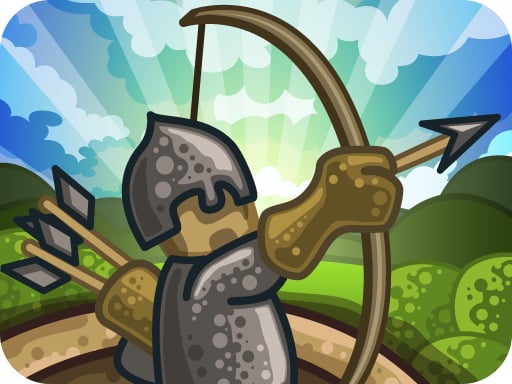
Tower Defense is one of the arcade games in the Diemakora collection. It loads in seconds and needs nothing installed. Arcade games are designed around the loop, and Tower Defense has a good one — short attempts, instant restarts and a score that begs to be beaten. From the tags you can already tell that fast reactions and constant movement are the point; there is a journey with a beginning and an end rather than an endless score chase.
About Tower Defense
Prepare yourself for an epic battle as a relentless horde of grotesque monsters charges toward your kingdom! In this thrilling Tower Defense game, you must strategize quickly and erect your fortifications in a race against time. As waves of monsters approach, it s up to you to ensure the safety of your realm by constructing various towers that unleash deadly
Judged as a arcade game, Tower Defense hits the notes you would hope for: bright, readable visuals, a single, easy-to-read score and difficulty that ramps steadily. The skills it leans on are focus and focus; both improve noticeably after a few sessions.
How to play Tower Defense
- Start by clicking the big play button. Tower Defense loads inside the frame; give it a moment, especially on a slow connection.
- Follow the on-screen prompts. The developer describes the controls like this: Build towers on the free spots and they will automatically attack monsters that come near them Use different combinations of towers and elements to your advantage If you still feel pressured use spells and upgrade your…
- Play the first run purely to learn. Notice the rhythm of the obstacles, then start a fresh run and aim for a clean start.
- Use the full-screen button under the frame for the best view, and keep an eye on the score, timer or health display so you know what the game is asking of you.
Controls
You will not need a manual for Tower Defense, but knowing the inputs before you start saves the first minute of fumbling:
| Input | What it does |
|---|---|
| Mouse | Point and click to play; the game shows its own prompts on screen. |
| Keyboard | Some actions may use the arrow keys or space bar — check the in-game hints. |
It is designed for desktop play with a keyboard and mouse.
Tips and tricks
- Combo systems reward patience: keep the chain alive with safe moves rather than reaching for risky bonuses.
- Look one step ahead of your character. Reacting to what is under you is too late; reacting to what is coming is exactly on time.
- Find the rhythm. Most arcade games have an underlying beat — taps, jumps or moves that fall on a regular interval — and once you feel it, your accuracy jumps.
- Learn the first thirty seconds perfectly. The opening is the same every time, so it should never be where you lose.
- Because this is a Tower Defense game, build at corners where the path doubles back so towers get two passes at every enemy.
- Because this is a Action game, keep moving.
Who will enjoy it
We would recommend Tower Defense to anyone with a few minutes to spare and a competitive streak. A typical session is runs of thirty seconds to a few minutes, endlessly repeatable. The learning curve is simple rules, high skill ceiling. It is designed for desktop play with a keyboard and mouse.
Game details
| Category | Arcade Games |
|---|---|
| Tags | Adventure, Action, Monstertruck, Strategy, Tower Defense, Magic |
| Platform | Browser (desktop) |
| Controls | Mouse |
| Technology | HTML5 — no download or plugin required |
| Frame | Landscape (800×600) |
| Added | 25 October 2024 |
| Plays | 2 |
| Price | Free to play |
Frequently asked questions
Is Tower Defense free to play?
It is free. Open the page, press play and the game loads in the browser. You do not need to install anything or register.
Can I play Tower Defense on my phone?
Tower Defense is best played on a desktop or laptop. It relies on keyboard and mouse input, and while it may load on a phone, the controls will not be comfortable.
What are the controls for Tower Defense?
The developer did not publish detailed controls, but the game follows genre conventions: Mouse — Point and click to play; the game shows its own prompts on screen; Keyboard — Some actions may use the arrow keys or space bar — check the in-game hints. The full list is in the controls section above.
Does Tower Defense save my progress?
Most browser games, including Tower Defense, store progress locally in your browser. If you clear your cookies or switch devices, that progress may be lost, so finish sessions before clearing browser data.
What if Tower Defense does not load?
If Tower Defense does not load, refresh the page, make sure your browser is up to date and check that hardware acceleration is enabled. Ad blockers occasionally interfere with the game frame as well.
What kind of game is Tower Defense?
It is a arcade game with the tags Adventure, Action, Monstertruck, Strategy. Simple rules, high skill ceiling, and runs of thirty seconds to a few minutes, endlessly repeatable.
Games similar to Tower Defense
When you are done, scroll down for more arcade games and titles that share tags with Tower Defense.