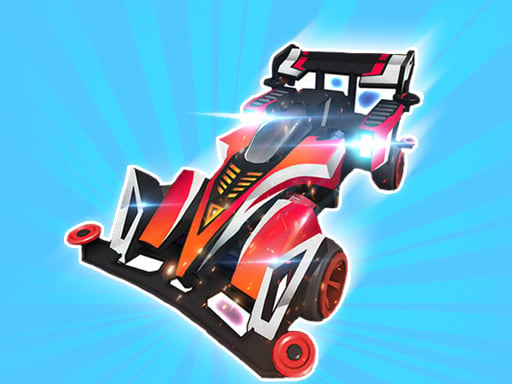
Play Toy Cars for free — a racing game that runs directly in your browser on desktop, tablet or phone. Racing games live or die on how the vehicle feels, and Toy Cars gives you a car (or something like one) that you can actually learn: brake late, steer smooth, and the lap times start dropping. A few things the tags reveal: you compete against the clock or other racers to finish first; it models a real activity or system with some fidelity.
About Toy Cars
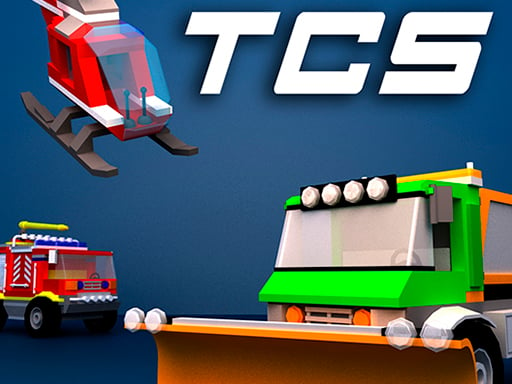
In the immersive universe of Toy Cars, a captivating game set within a visually stunning 3D environment, players have the chance to experience the thrill of driving a diverse array of miniature cars. Whether you cherish the swift elegance of sports cars or the rugged charm of off-road vehicles, there is a perfect match waiting for you. You can dive into
What makes a good racing game? Usually responsive steering, a scoring system based on time, position or distance and tracks or roads that reward memorisation — and Toy Cars has each of them in some measure. The skills it leans on are timing and spatial awareness; both improve noticeably after a few sessions.
How to play Toy Cars
- Press the play button above and wait for Toy Cars to finish loading. On first load this can take a few seconds while the game files are fetched.
- Follow the on-screen prompts. The developer describes the controls like this: WASD - Drive Space - Brake I - Switch Off Start Engine K - Distant Light L - Lights On F - Acceleration
- Do a warm-up lap without worrying about position. Feel how the vehicle brakes and turns, then race for real.
- Use the full-screen button under the frame for the best view, and keep an eye on the score, timer or health display so you know what the game is asking of you.
Controls
Here is how Toy Cars is controlled, based on the developer's instructions and our own testing:
| Input | What it does |
|---|---|
| WASD keys | WASD - Drive Space - Brake I - Switch Off Start Engine K - Distant Light L - Lights On F - Acceleration. |
| Space bar | WASD - Drive Space - Brake I - Switch Off Start Engine K - Distant Light L - Lights On F - Acceleration. |
It is designed for desktop play with a keyboard and mouse.
Tips and tricks
- Look where you want to go, not at the wall you want to avoid. Your steering follows your attention.
- Learn one track completely before moving on. Knowing where every bend is worth several seconds a lap and the skill carries over.
- Slow in, fast out. Entering a corner a little slower lets you accelerate earlier on the exit, which almost always beats a hard, late braking approach.
- On mobile, tilt controls feel exciting but touch buttons are usually more precise. Try both before you settle.
- Because this is a Webgl game, enable hardware acceleration in your browser settings if it stutters.
- Because this is a Racing game, learn one track thoroughly — the skills transfer to every other track.
Who will enjoy it
Toy Cars is a good fit for anyone who enjoys speed, vehicles and shaving seconds off a personal best. Expect a single race of one to three minutes, or a longer career if unlocks are involved. How hard is it? Forgiving on early tracks, demanding on later ones. It is designed for desktop play with a keyboard and mouse.
Game details
| Category | Racing Games |
|---|---|
| Tags | Html5 Games For Your Site, 3d Games, Fall Boys, Webgl, Simulation, Racing |
| Platform | Browser (desktop) |
| Controls | Keyboard |
| Technology | HTML5 — no download or plugin required |
| Frame | Landscape (960×600) |
| Added | 25 October 2024 |
| Plays | 1 |
| Price | Free to play |
Frequently asked questions
Is Toy Cars free to play?
Yes. Toy Cars is completely free to play on Diemakora. There is no download, no account and no payment — the game runs in your browser.
Can I play Toy Cars on my phone?
Toy Cars is best played on a desktop or laptop. It relies on keyboard and mouse input, and while it may load on a phone, the controls will not be comfortable.
What are the controls for Toy Cars?
In short: WASD keys — WASD - Drive Space - Brake I - Switch Off Start Engine K - Distant Light L - Lights On F - Acceleration; Space bar — WASD - Drive Space - Brake I - Switch Off Start Engine K - Distant Light L - Lights On F - Acceleration. The full list is in the controls section above.
Does Toy Cars save my progress?
Progress in Toy Cars is kept by the game itself inside your browser storage. It will normally be there when you come back on the same device and browser.
What if Toy Cars does not load?
If Toy Cars does not load, refresh the page, make sure your browser is up to date and check that hardware acceleration is enabled. Ad blockers occasionally interfere with the game frame as well.
What kind of game is Toy Cars?
It is a racing game with the tags Html5 Games For Your Site, 3d Games, Fall Boys, Webgl. Forgiving on early tracks, demanding on later ones, and a single race of one to three minutes, or a longer career if unlocks are involved.
Games similar to Toy Cars
Finished a session? The games listed below were picked because they share tags or a category with Toy Cars.