Play Truck Driver Simulator for free — a action game that runs directly in your browser on desktop, tablet or phone. Truck Driver Simulator belongs to the action family, which means the fun comes from momentum — moving, dodging, striking and recovering before the next wave arrives. Its tags tell you what to expect: it has touch controls and layouts made for phones and tablets.
About Truck Driver Simulator
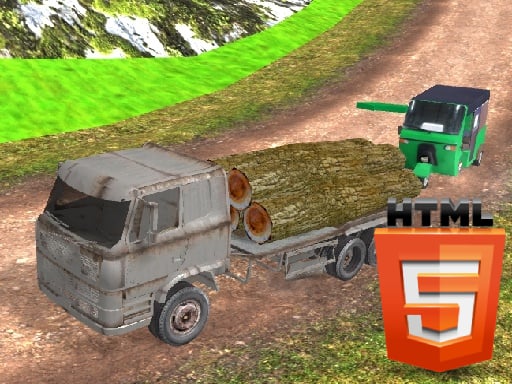
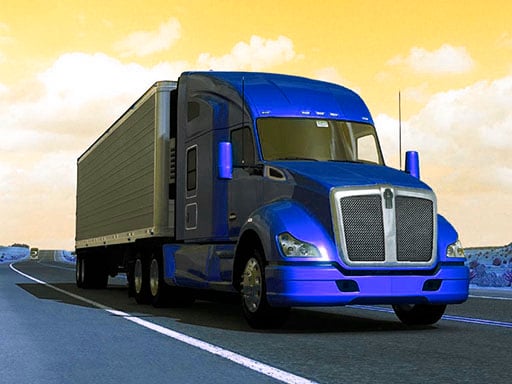
Step into the shoes of a professional truck driver in Truck Driver Simulator, where excitement meets responsibility. This thrilling simulation game challenges players to take on emergency military transport missions, requiring precision driving and strategic thinking. Your mission is to navigate through treacherous mountain roads while transporting crucial cargo safely and efficiently. Each mission consists of ten levels that progressively
What makes a good action game? Usually tight controls, escalating difficulty and short, intense rounds — and Truck Driver Simulator has each of them in some measure. The skills it leans on are reaction time and hand-eye coordination; both improve noticeably after a few sessions.
How to play Truck Driver Simulator
- Start by clicking the big play button. Truck Driver Simulator loads inside the frame; give it a moment, especially on a slow connection.
- Follow the on-screen prompts. The developer describes the controls like this: WASD or D-pad to drive Space to brake
- Start slowly. Learn the movement and the first enemy pattern before you push for score; speed comes naturally once the inputs are automatic.
- When you are comfortable, set a target: a score to beat, a level to clear or a time to shave. Small goals are what make Truck Driver Simulator stick.
Controls
Here is how Truck Driver Simulator is controlled, based on the developer's instructions and our own testing:
| Input | What it does |
|---|---|
| WASD keys | WASD or D-pad to drive Space to brake. |
| Space bar | WASD or D-pad to drive Space to brake. |
The controls are tap and drag based, which makes it comfortable on touch screens as well as with a mouse.
Tips and tricks
- Use short practice sessions. Ten focused minutes will improve your timing far more than an hour of frustrated retries.
- When you die, note exactly what killed you. The answer is usually one specific pattern, and fixing that one thing is worth more than "trying harder".
- Sound is a cue. Many action games telegraph attacks with an audio effect a moment before the visual one — play with sound on when you are learning.
- Watch the edges of the screen, not just your character. New threats almost always enter from the sides or the top, and spotting them early gives you a full second of extra time.
- Because this is a Driving game, keep your eyes far down the road — you will react earlier to what is coming.
Who will enjoy it
We would recommend Truck Driver Simulator to players who enjoy adrenaline, arcade-style progression and beating their own high score. Expect rounds of two to five minutes, which makes it ideal for a quick break. How hard is it? Easy to pick up but genuinely demanding to master. The controls are tap and drag based, which makes it comfortable on touch screens as well as with a mouse.
Game details
| Category | Action Games |
|---|---|
| Tags | 3d Games, Mobile, Unity3d, Simulation, Driving, Monstertruck, Timing |
| Platform | Browser (desktop, tablet and mobile) |
| Controls | Touch and mouse |
| Technology | HTML5 — no download or plugin required |
| Frame | Landscape (1334×750) |
| Added | 26 September 2024 |
| Plays | 2 |
| Price | Free to play |
Frequently asked questions
Is Truck Driver Simulator free to play?
Yes. Truck Driver Simulator is completely free to play on Diemakora. There is no download, no account and no payment — the game runs in your browser.
Can I play Truck Driver Simulator on my phone?
Yes — the game supports touch input and adapts to smaller screens, so you can play Truck Driver Simulator on a phone or tablet as well as on a computer.
What are the controls for Truck Driver Simulator?
In short: WASD keys — WASD or D-pad to drive Space to brake; Space bar — WASD or D-pad to drive Space to brake. The full list is in the controls section above.
Does Truck Driver Simulator save my progress?
Most browser games, including Truck Driver Simulator, store progress locally in your browser. If you clear your cookies or switch devices, that progress may be lost, so finish sessions before clearing browser data.
How do I play Truck Driver Simulator in full screen?
Click the expand icon under the game to switch Truck Driver Simulator to full screen. Esc returns you to the normal view.
What kind of game is Truck Driver Simulator?
It is a action game with the tags 3d Games, Mobile, Unity3d, Simulation. Easy to pick up but genuinely demanding to master, and rounds of two to five minutes, which makes it ideal for a quick break.
Games similar to Truck Driver Simulator
Finished a session? The games listed below were picked because they share tags or a category with Truck Driver Simulator.