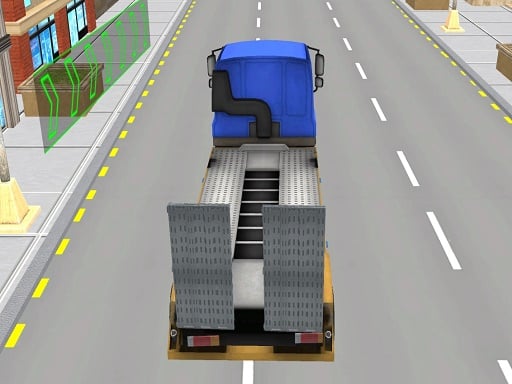
Truck Simulator Construction is one of the action games in the Diemakora collection. It loads in seconds and needs nothing installed. If you like games that reward quick decisions over slow deliberation, Truck Simulator Construction was built for you. Every few seconds something changes and you have to answer it. Its tags tell you what to expect: it uses hardware-accelerated graphics in the browser; it is a driving game where handling and road awareness matter more than raw speed; it takes place in or involves building a city.
About Truck Simulator Construction
Truck Simulator Construction offers an authentic simulation experience where players engage in a variety of construction tasks using heavy-duty trucks and specialized machinery. The game immerses players in a realistic environment, requiring them to handle everything from transporting building materials to operating cranes and excavators. Each mission challenges players to effectively manage their time and resources, as they work towards
What makes a good action game? Usually clear feedback on every hit or miss, a satisfying rhythm once you learn the patterns and tight controls — and Truck Simulator Construction has each of them in some measure. Under the surface it is a test of pattern recognition and staying calm under pressure, dressed up in tense presentation.
How to play Truck Simulator Construction
- Start by clicking the big play button. Truck Simulator Construction loads inside the frame; give it a moment, especially on a slow connection.
- Follow the on-screen prompts. The developer describes the controls like this: WASD - drive
- Start slowly. Learn the movement and the first enemy pattern before you push for score; speed comes naturally once the inputs are automatic.
- When you are comfortable, set a target: a score to beat, a level to clear or a time to shave. Small goals are what make Truck Simulator Construction stick.
Controls
Here is how Truck Simulator Construction is controlled, based on the developer's instructions and our own testing:
| Input | What it does |
|---|---|
| WASD keys | WASD - drive. |
It is designed for desktop play with a keyboard and mouse.
Tips and tricks
- When you die, note exactly what killed you. The answer is usually one specific pattern, and fixing that one thing is worth more than "trying harder".
- Do not chase every bonus. Collectibles placed near danger are a trade-off the designer set for you; take them only when your position is safe.
- Sound is a cue. Many action games telegraph attacks with an audio effect a moment before the visual one — play with sound on when you are learning.
- If there is a dash, jump or dodge move, treat it as a resource: use it to escape, not to attack, until you know the level.
- Because this is a Driving game, keep your eyes far down the road — you will react earlier to what is coming.
- Because this is a Simulation game, learn the systems slowly — simulations reward understanding over speed.
Who will enjoy it
We would recommend Truck Simulator Construction to players who enjoy adrenaline, arcade-style progression and beating their own high score. In terms of time, think of rounds of two to five minutes, which makes it ideal for a quick break. Difficulty-wise it is easy to pick up but genuinely demanding to master. It is designed for desktop play with a keyboard and mouse.
Game details
| Category | Action Games |
|---|---|
| Tags | Webgl, Unity3d, Simulation, Driving, Mentolatux, City, Trucks |
| Platform | Browser (desktop) |
| Controls | Keyboard |
| Technology | HTML5 — no download or plugin required |
| Frame | Landscape (800×600) |
| Added | 24 September 2024 |
| Plays | 1 |
| Price | Free to play |
Frequently asked questions
Is Truck Simulator Construction free to play?
It is free. Open the page, press play and the game loads in the browser. You do not need to install anything or register.
Can I play Truck Simulator Construction on my phone?
Truck Simulator Construction is best played on a desktop or laptop. It relies on keyboard and mouse input, and while it may load on a phone, the controls will not be comfortable.
What are the controls for Truck Simulator Construction?
In short: WASD keys — WASD - drive. The full list is in the controls section above.
Does Truck Simulator Construction save my progress?
Progress in Truck Simulator Construction is kept by the game itself inside your browser storage. It will normally be there when you come back on the same device and browser.
What if Truck Simulator Construction does not load?
If Truck Simulator Construction does not load, refresh the page, make sure your browser is up to date and check that hardware acceleration is enabled. Ad blockers occasionally interfere with the game frame as well.
What kind of game is Truck Simulator Construction?
It is a action game with the tags Webgl, Unity3d, Simulation, Driving. Easy to pick up but genuinely demanding to master, and rounds of two to five minutes, which makes it ideal for a quick break.
Games similar to Truck Simulator Construction
Finished a session? The games listed below were picked because they share tags or a category with Truck Simulator Construction.