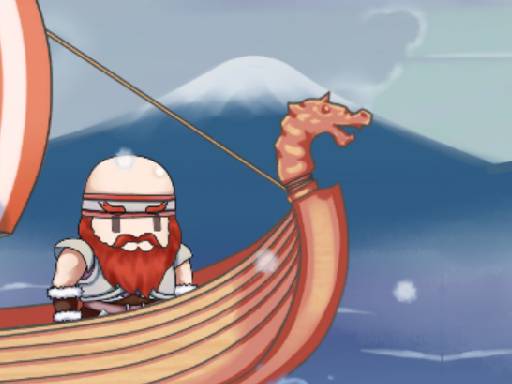
Looking for a action game that starts instantly? Vikings : War of Clans runs in your browser and is completely free to play. Vikings : War of Clans belongs to the action family, which means the fun comes from momentum — moving, dodging, striking and recovering before the next wave arrives. Its tags tell you what to expect: fast reactions and constant movement are the point.
About Vikings : War of Clans
Vikings: War of Clans is an exhilarating online game that immerses players in the fierce world of Viking warriors. In this action-packed game, you can participate in epic battles by simply touching the screen or by long-pressing the left mouse button to hurl an axe at an adversary. Perfecting your throw requires keen attention to the wind, as it influences
What makes a good action game? Usually a satisfying rhythm once you learn the patterns, short, intense rounds and tight controls — and Vikings : War of Clans has each of them in some measure. Under the surface it is a test of hand-eye coordination and reaction time, dressed up in exciting presentation.
How to play Vikings : War of Clans
- Press the play button above and wait for Vikings : War of Clans to finish loading. On first load this can take a few seconds while the game files are fetched.
- Follow the on-screen prompts. The developer describes the controls like this: Touch on screen or long press the left mouse button to throwing axe to another Viking
- Start slowly. Learn the movement and the first enemy pattern before you push for score; speed comes naturally once the inputs are automatic.
- When you are comfortable, set a target: a score to beat, a level to clear or a time to shave. Small goals are what make Vikings : War of Clans stick.
Controls
Here is how Vikings : War of Clans is controlled, based on the developer's instructions and our own testing:
| Input | What it does |
|---|---|
| Mouse | Touch on screen or long press the left mouse button to throwing axe to another Viking. |
| Tap (touch) | Touch on screen or long press the left mouse button to throwing axe to another Viking. |
The controls are tap and drag based, which makes it comfortable on touch screens as well as with a mouse.
Tips and tricks
- Sound is a cue. Many action games telegraph attacks with an audio effect a moment before the visual one — play with sound on when you are learning.
- Use short practice sessions. Ten focused minutes will improve your timing far more than an hour of frustrated retries.
- Watch the edges of the screen, not just your character. New threats almost always enter from the sides or the top, and spotting them early gives you a full second of extra time.
- Do not chase every bonus. Collectibles placed near danger are a trade-off the designer set for you; take them only when your position is safe.
Who will enjoy it
We would recommend Vikings : War of Clans to players who enjoy adrenaline, arcade-style progression and beating their own high score. A typical session is rounds of two to five minutes, which makes it ideal for a quick break. How hard is it? Easy to pick up but genuinely demanding to master. The controls are tap and drag based, which makes it comfortable on touch screens as well as with a mouse.
Game details
| Category | Action Games |
|---|---|
| Tags | 1 Player, Adventure, Action, 2 Player Games, Battleship |
| Platform | Browser (desktop, tablet and mobile) |
| Controls | Keyboard and mouse |
| Technology | HTML5 — no download or plugin required |
| Frame | Landscape (960×600) |
| Added | 25 October 2024 |
| Plays | 1 |
| Price | Free to play |
Frequently asked questions
Is Vikings : War of Clans free to play?
It is free. Open the page, press play and the game loads in the browser. You do not need to install anything or register.
Can I play Vikings : War of Clans on my phone?
Vikings : War of Clans works on mobile devices. Open this page on your phone or tablet and use the touch controls; rotating the device to landscape usually gives the best view.
What are the controls for Vikings : War of Clans?
In short: Mouse — Touch on screen or long press the left mouse button to throwing axe to another Viking; Tap (touch) — Touch on screen or long press the left mouse button to throwing axe to another Viking. The full list is in the controls section above.
Does Vikings : War of Clans save my progress?
Most browser games, including Vikings : War of Clans, store progress locally in your browser. If you clear your cookies or switch devices, that progress may be lost, so finish sessions before clearing browser data.
What if Vikings : War of Clans does not load?
If Vikings : War of Clans does not load, refresh the page, make sure your browser is up to date and check that hardware acceleration is enabled. Ad blockers occasionally interfere with the game frame as well.
What kind of game is Vikings : War of Clans?
It is a action game with the tags 1 Player, Adventure, Action, 2 Player Games. Easy to pick up but genuinely demanding to master, and rounds of two to five minutes, which makes it ideal for a quick break.
Games similar to Vikings : War of Clans
Finished a session? The games listed below were picked because they share tags or a category with Vikings : War of Clans.