Play Z Machine for free — a browser game that runs directly in your browser on desktop, tablet or phone. You do not need a tutorial for Z Machine. The design explains itself as you go, and the difficulty grows exactly as fast as your confidence does. From the tags you can already tell that you drive or control cars, so steering, braking and momentum are central; the enemies are zombies, which usually means slow but relentless crowds; the goal is to last as long as possible against growing pressure.
About Z Machine
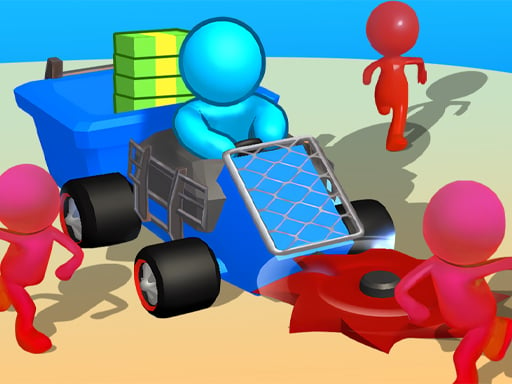
Step into the electrifying realm of the Z-Machine, where an exhilarating arcade environment comes alive with vibrant graphics and intense action. Set in a post-apocalyptic world, you are tasked with taking down endless hordes of the undead. Armed with a formidable tank, you ll navigate through chaotic streets filled with zombies, all while powering your way through this thrilling adventure.
What makes a good browser game? Usually quick loading, a friendly difficulty curve and progress you can feel — and Z Machine has each of them in some measure. Playing it works your focus and a little patience, which is a large part of why the "one more round" feeling is so strong.
How to play Z Machine
- Press the play button above and wait for Z Machine to finish loading. On first load this can take a few seconds while the game files are fetched.
- Follow the on-screen prompts. The developer describes the controls like this: Mouse click or tap to play
- Explore. Click everything once, try each button, and let the game teach you its loop.
- When you are comfortable, set a target: a score to beat, a level to clear or a time to shave. Small goals are what make Z Machine stick.
Controls
You will not need a manual for Z Machine, but knowing the inputs before you start saves the first minute of fumbling:
| Input | What it does |
|---|---|
| Mouse | Mouse click or tap to play. |
| Tap (touch) | Mouse click or tap to play. |
The controls are tap and drag based, which makes it comfortable on touch screens as well as with a mouse.
Tips and tricks
- Spend your first attempt learning, not winning. Poke at everything on screen; browser games hide small mechanics in plain sight.
- Watch your own replays or failed attempts critically: the same mistake usually repeats three times before you notice it.
- Set a small goal per session — one level, one upgrade, one new best — and stop when you hit it. It keeps the game fun.
- Sound effects are feedback, not decoration. Play with the volume up at least until you know the game.
- Because this is a Cars game, brake before the corner, not in it.
- Because this is a Survival game, plan for the late game early; what feels like plenty of resources will not be.
Who will enjoy it
We would recommend Z Machine to casual players of all ages looking for a quick, free game in the browser. Expect anything from two minutes to an afternoon. The learning curve is friendly at first and steadily more demanding. The controls are tap and drag based, which makes it comfortable on touch screens as well as with a mouse.
Game details
| Category | Games |
|---|---|
| Tags | Zombie, Survival, Cars |
| Platform | Browser (desktop, tablet and mobile) |
| Controls | Touch and mouse |
| Technology | HTML5 — no download or plugin required |
| Frame | Portrait (720×1280) |
| Added | 24 September 2024 |
| Plays | 1 |
| Price | Free to play |
Frequently asked questions
Is Z Machine free to play?
Yes. Z Machine is completely free to play on Diemakora. There is no download, no account and no payment — the game runs in your browser.
Can I play Z Machine on my phone?
Yes — the game supports touch input and adapts to smaller screens, so you can play Z Machine on a phone or tablet as well as on a computer.
What are the controls for Z Machine?
In short: Mouse — Mouse click or tap to play; Tap (touch) — Mouse click or tap to play. The full list is in the controls section above.
Does Z Machine save my progress?
Progress in Z Machine is kept by the game itself inside your browser storage. It will normally be there when you come back on the same device and browser.
How do I play Z Machine in full screen?
Click the expand icon under the game to switch Z Machine to full screen. Esc returns you to the normal view.
What kind of game is Z Machine?
It is a browser game with the tags Zombie, Survival, Cars. Friendly at first and steadily more demanding, and anything from two minutes to an afternoon.
Games similar to Z Machine
If you enjoy Z Machine, the related games below share its category or tags and are a natural next step.
 Doomsday Survival Rpg Shooter
 Zombie World Survival
 Undead Horizons: Pirates Plague
 DEAD Zombie TARGET Shooting Game
 Combat Strike Zombie Survival Multiplayer
 Zombie Survival : Last Stand
 Jewel Classic Block Puzzle Tetrix
 Last War Survival
 Mission Kill Italian Brainrot
 THE LAVA ESCAPE
 Zombii Invasion
 Advanced Blocky Gangster Warfare