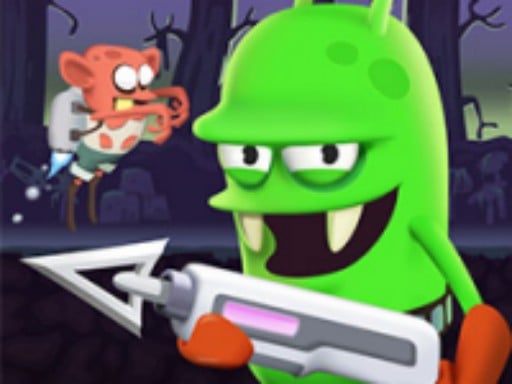
Zombie Catcher Online Game is a free online shooting game you can play right here in your browser, with no download and no sign-up. Zombie Catcher Online Game puts a target in front of you and a weapon in your hands. Aim, timing and knowing when not to fire are the whole game. From the tags you can already tell that the enemies are zombies, which usually means slow but relentless crowds.
About Zombie Catcher Online Game
Step into the thrilling world of the Zombie Catcher Online Game, where chaos reigns as zombies have broken free from the laboratory confines. As a skilled zombie catcher, your mission is to track down and recapture these mischievous monsters. Utilize your trusty weapons and a keen sense of strategy to lay traps and capture the zombies before they can escape! Journey
Judged as a shooting game, Zombie Catcher Online Game hits the notes you would hope for: precise aiming, ammunition or cooldown management and satisfying hit feedback. The skills it leans on are situational awareness and resource management; both improve noticeably after a few sessions.
How to play Zombie Catcher Online Game
- Start by clicking the big play button. Zombie Catcher Online Game loads inside the frame; give it a moment, especially on a slow connection.
- Follow the on-screen prompts. The developer describes the controls like this: Tap or click
- Take a few practice shots at the first targets to learn the aim speed, then move on to prioritising the dangerous enemies.
- Use the full-screen button under the frame for the best view, and keep an eye on the score, timer or health display so you know what the game is asking of you.
Controls
Here is how Zombie Catcher Online Game is controlled, based on the developer's instructions and our own testing:
| Input | What it does |
|---|---|
| Mouse | Tap or click. |
| Tap (touch) | Tap or click. |
The controls are tap and drag based, which makes it comfortable on touch screens as well as with a mouse.
Tips and tricks
- Sound tells you where an enemy is before you can see it. Headphones help more than you would expect.
- Keep your cursor or crosshair roughly where enemies appear, not on the spot where the last one died.
- Prioritise the threat that will hurt you soonest, not the one that is closest or biggest. Fast enemies before slow ones, shooters before melee.
- Move between shots. Many shooters make you an easy target only when you stand in one place.
Who will enjoy it
We would recommend Zombie Catcher Online Game to players who like precision, quick targeting and progressively tougher waves. A typical session is levels of a few minutes each, with longer runs in survival modes. How hard is it? Approachable at first, with a steep climb in the later waves. The controls are tap and drag based, which makes it comfortable on touch screens as well as with a mouse.
Game details
| Category | Shooting Games |
|---|---|
| Tags | Html5 Games For Your Site, Kids, Funny, Fall Boys, First Person Shooter, Shooting, H5, Zombie |
| Platform | Browser (desktop, tablet and mobile) |
| Controls | Touch and mouse |
| Technology | HTML5 — no download or plugin required |
| Frame | Landscape (1280×720) |
| Added | 26 September 2024 |
| Plays | 1 |
| Price | Free to play |
Frequently asked questions
Is Zombie Catcher Online Game free to play?
It is free. Open the page, press play and the game loads in the browser. You do not need to install anything or register.
Can I play Zombie Catcher Online Game on my phone?
Zombie Catcher Online Game works on mobile devices. Open this page on your phone or tablet and use the touch controls; rotating the device to landscape usually gives the best view.
What are the controls for Zombie Catcher Online Game?
In short: Mouse — Tap or click; Tap (touch) — Tap or click. The full list is in the controls section above.
Does Zombie Catcher Online Game save my progress?
Most browser games, including Zombie Catcher Online Game, store progress locally in your browser. If you clear your cookies or switch devices, that progress may be lost, so finish sessions before clearing browser data.
What if Zombie Catcher Online Game does not load?
A blank frame usually means the game is still loading or a browser extension blocked it. Wait a few seconds, then reload; if that fails, try another browser.
Is Zombie Catcher Online Game suitable for children?
It is tagged Kids, which usually indicates content aimed at younger players. As with any online game, we suggest a parent takes a quick look first.
Games similar to Zombie Catcher Online Game
You will find more games like Zombie Catcher Online Game further down this page, chosen by matching tags and category.