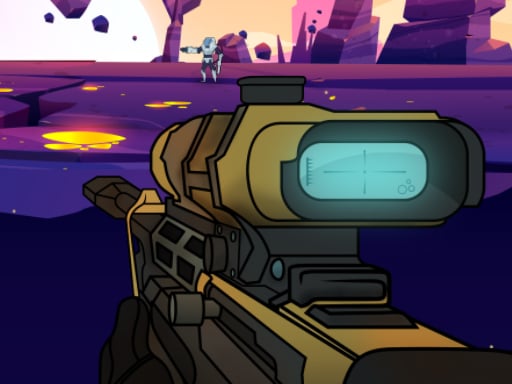
ZOMBIE EXPLOSER is one of the shooting games in the Diemakora collection. It loads in seconds and needs nothing installed. The appeal of ZOMBIE EXPLOSER is simple and old: line up the shot, take it, and watch the result. What makes it stick is the escalation that follows. From the tags you can already tell that there is a journey with a beginning and an end rather than an endless score chase.
About ZOMBIE EXPLOSER
Prepare yourself for an exhilarating adventure in ZOMBIE EXPLOSER, a thrilling game designed for those who relish explosive action and strategic gameplay. In this vibrant world, an unspeakable zombie invasion has taken over, and it's up to you to restore peace by annihilating these menacing creatures. Equipped with an advanced bazooka and an arsenal of super bombs, you are the
What makes a good shooting game? Usually enemies with distinct behaviours, waves or levels that build up and precise aiming — and ZOMBIE EXPLOSER has each of them in some measure. Under the surface it is a test of aim and target prioritisation, dressed up in tactical presentation.
How to play ZOMBIE EXPLOSER
- Press the play button above and wait for ZOMBIE EXPLOSER to finish loading. On first load this can take a few seconds while the game files are fetched.
- Follow the on-screen prompts. The developer describes the controls like this: PC controls Mouse Touch Control works on all browsers and all mobile devices
- Take a few practice shots at the first targets to learn the aim speed, then move on to prioritising the dangerous enemies.
- Switch to full screen if precision matters, and remember that the game keeps its own progress — finish a level before you close the tab.
Controls
The controls in ZOMBIE EXPLOSER are straightforward once you have seen them written down:
| Input | What it does |
|---|---|
| Mouse | PC controls Mouse Touch Control works on all browsers and all mobile devices. |
| Tap (touch) | PC controls Mouse Touch Control works on all browsers and all mobile devices. |
The controls are tap and drag based, which makes it comfortable on touch screens as well as with a mouse.
Tips and tricks
- Headshots, weak points and combo multipliers are where high scores live; once survival is comfortable, start hunting for them.
- Prioritise the threat that will hurt you soonest, not the one that is closest or biggest. Fast enemies before slow ones, shooters before melee.
- Sound tells you where an enemy is before you can see it. Headphones help more than you would expect.
- If there is a reload, reload during quiet moments — never in the middle of a wave.
Who will enjoy it
Who is ZOMBIE EXPLOSER for? In a word, players who like precision, quick targeting and progressively tougher waves. In terms of time, think of levels of a few minutes each, with longer runs in survival modes. The learning curve is approachable at first, with a steep climb in the later waves. The controls are tap and drag based, which makes it comfortable on touch screens as well as with a mouse.
Game details
| Category | Shooting Games |
|---|---|
| Tags | Adventure, Android, Battleship |
| Platform | Browser (desktop, tablet and mobile) |
| Controls | Touch and mouse |
| Technology | HTML5 — no download or plugin required |
| Frame | Landscape (1920×1080) |
| Added | 26 September 2024 |
| Plays | 0 |
| Price | Free to play |
Frequently asked questions
Is ZOMBIE EXPLOSER free to play?
It is free. Open the page, press play and the game loads in the browser. You do not need to install anything or register.
Can I play ZOMBIE EXPLOSER on my phone?
Yes — the game supports touch input and adapts to smaller screens, so you can play ZOMBIE EXPLOSER on a phone or tablet as well as on a computer.
What are the controls for ZOMBIE EXPLOSER?
In short: Mouse — PC controls Mouse Touch Control works on all browsers and all mobile devices; Tap (touch) — PC controls Mouse Touch Control works on all browsers and all mobile devices. The full list is in the controls section above.
Does ZOMBIE EXPLOSER save my progress?
Progress in ZOMBIE EXPLOSER is kept by the game itself inside your browser storage. It will normally be there when you come back on the same device and browser.
How do I play ZOMBIE EXPLOSER in full screen?
Use the full-screen button just below the game frame. Press Esc on your keyboard to leave full-screen mode again.
What kind of game is ZOMBIE EXPLOSER?
It is a shooting game with the tags Adventure, Android, Battleship. Approachable at first, with a steep climb in the later waves, and levels of a few minutes each, with longer runs in survival modes.
Games similar to ZOMBIE EXPLOSER
When you are done, scroll down for more shooting games and titles that share tags with ZOMBIE EXPLOSER.