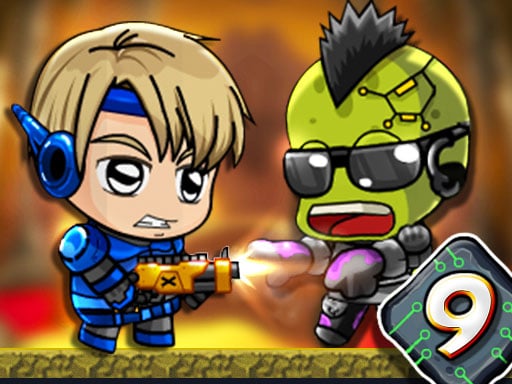
Looking for a shooting game that starts instantly? Zombie Mission 9 runs in your browser and is completely free to play. Shooting games are really about attention: Zombie Mission 9 rewards the player who tracks several moving things at once and picks the right one to deal with first. Its tags tell you what to expect: there is a journey with a beginning and an end rather than an endless score chase; the enemies are zombies, which usually means slow but relentless crowds.
About Zombie Mission 9
Welcome to Zombie Mission 9, the latest episode in the thrilling underground adventure series. Set deep within the shadowy recesses of a city long abandoned by humans, this installment invites you to explore the subterranean realms that have now become a battleground between the living and the undead. Following the catastrophic events that ravaged the surface world, survivors have sought
What makes a good shooting game? Usually ammunition or cooldown management, waves or levels that build up and precise aiming — and Zombie Mission 9 has each of them in some measure. Playing it works your aim and aim, which is a large part of why the "one more round" feeling is so strong.
How to play Zombie Mission 9
- Press the play button above and wait for Zombie Mission 9 to finish loading. On first load this can take a few seconds while the game files are fetched.
- Follow the on-screen prompts. The developer describes the controls like this: Player 1 Move W A S D Hit F Grenade G Jump W Walk on the wall Switch weapon Q-E Player 2 Move ARROW KEYS Hit L Grenade K Jump UP ARROW KEY Walk on the wall Switch weapon O-P Yo
- Take a few practice shots at the first targets to learn the aim speed, then move on to prioritising the dangerous enemies.
- When you are comfortable, set a target: a score to beat, a level to clear or a time to shave. Small goals are what make Zombie Mission 9 stick.
Controls
You will not need a manual for Zombie Mission 9, but knowing the inputs before you start saves the first minute of fumbling:
| Input | What it does |
|---|---|
| Arrow keys | Player 1 Move W A S D Hit F Grenade G Jump W Walk on the wall Switch weapon Q-E Player 2 Move ARROW KEYS Hit L Grenade K Jump UP ARROW KEY Walk on the wall Switch weapon O-P Yo. |
It is designed for desktop play with a keyboard and mouse.
Tips and tricks
- Sound tells you where an enemy is before you can see it. Headphones help more than you would expect.
- Aim first, then shoot. Spraying costs time or ammo and rarely helps; a single well-placed shot almost always beats three rushed ones.
- If there is a reload, reload during quiet moments — never in the middle of a wave.
- Move between shots. Many shooters make you an easy target only when you stand in one place.
- Because this is a Adventure game, explore side paths early; adventure games hide their best upgrades away from the main route.
Who will enjoy it
Who is Zombie Mission 9 for? In a word, players who like precision, quick targeting and progressively tougher waves. Expect levels of a few minutes each, with longer runs in survival modes. How hard is it? Approachable at first, with a steep climb in the later waves. It is designed for desktop play with a keyboard and mouse.
Game details
| Category | Shooting Games |
|---|---|
| Tags | Adventure, Best Games, 2 Player Games, Zombie, Shoot Em Up, Tower Defense, Undead |
| Platform | Browser (desktop) |
| Controls | Keyboard |
| Technology | HTML5 — no download or plugin required |
| Frame | Landscape (800×600) |
| Added | 25 October 2024 |
| Plays | 1 |
| Price | Free to play |
Frequently asked questions
Is Zombie Mission 9 free to play?
It is free. Open the page, press play and the game loads in the browser. You do not need to install anything or register.
Can I play Zombie Mission 9 on my phone?
Zombie Mission 9 is best played on a desktop or laptop. It relies on keyboard and mouse input, and while it may load on a phone, the controls will not be comfortable.
What are the controls for Zombie Mission 9?
In short: Arrow keys — Player 1 Move W A S D Hit F Grenade G Jump W Walk on the wall Switch weapon Q-E Player 2 Move ARROW KEYS Hit L Grenade K Jump UP ARROW KEY Walk on the wall Switch weapon O-P Yo. The full list is in the controls section above.
Does Zombie Mission 9 save my progress?
Progress in Zombie Mission 9 is kept by the game itself inside your browser storage. It will normally be there when you come back on the same device and browser.
How do I play Zombie Mission 9 in full screen?
Use the full-screen button just below the game frame. Press Esc on your keyboard to leave full-screen mode again.
What kind of game is Zombie Mission 9?
It is a shooting game with the tags Adventure, Best Games, 2 Player Games, Zombie. Approachable at first, with a steep climb in the later waves, and levels of a few minutes each, with longer runs in survival modes.
Games similar to Zombie Mission 9
When you are done, scroll down for more shooting games and titles that share tags with Zombie Mission 9.