Welcome to Adventure Joystick, a browser-based arcade game. Click play, wait a moment for it to load, and you are in. Arcade games are designed around the loop, and Adventure Joystick has a good one — short attempts, instant restarts and a score that begs to be beaten. Its tags tell you what to expect: the structure is classic arcade — quick rounds, rising difficulty and a score to beat; there is a journey with a beginning and an end rather than an endless score chase.
About Adventure Joystick
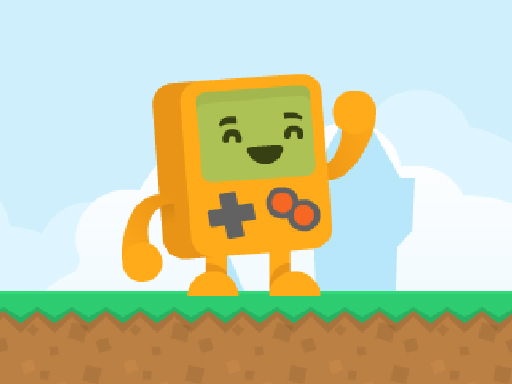
Prepare yourself for an exhilarating journey with Adventure Joystick, a charming and adorable adventurer ready to face a world filled with challenges. In this captivating game, you will navigate through various levels that are deceptively simple yet littered with obstacles that will test your skills. Your aim is to guide your whimsical hero past walls and barriers while collecting valuable
The genre lives on bright, readable visuals, instant restarts and difficulty that ramps steadily. Adventure Joystick understands that, and it shows in the first minute of play. Playing it works your rhythm and focus, which is a large part of why the "one more round" feeling is so strong.
How to play Adventure Joystick
- Start by clicking the big play button. Adventure Joystick loads inside the frame; give it a moment, especially on a slow connection.
- Follow the on-screen prompts. The developer describes the controls like this: WASD Mobile touch control
- Play the first run purely to learn. Notice the rhythm of the obstacles, then start a fresh run and aim for a clean start.
- Switch to full screen if precision matters, and remember that the game keeps its own progress — finish a level before you close the tab.
Controls
You will not need a manual for Adventure Joystick, but knowing the inputs before you start saves the first minute of fumbling:
| Input | What it does |
|---|---|
| WASD keys | WASD Mobile touch control. |
| Tap (touch) | WASD Mobile touch control. |
The controls are tap and drag based, which makes it comfortable on touch screens as well as with a mouse.
Tips and tricks
- Take a short break after three or four failed runs. Arcade games punish tired eyes more than any other genre.
- Restart early. If a run starts badly, do not grind it out; a fresh attempt costs nothing and saves your focus.
- Combo systems reward patience: keep the chain alive with safe moves rather than reaching for risky bonuses.
- Aim for consistency before you aim for records. A steady run that avoids mistakes usually scores higher than a flashy one that ends early.
- Because this is a Action game, keep moving.
- Because this is a Adventure game, explore side paths early; adventure games hide their best upgrades away from the main route.
Who will enjoy it
Who is Adventure Joystick for? In a word, anyone with a few minutes to spare and a competitive streak. Expect runs of thirty seconds to a few minutes, endlessly repeatable. The learning curve is simple rules, high skill ceiling. The controls are tap and drag based, which makes it comfortable on touch screens as well as with a mouse.
Game details
| Category | Arcade Games |
|---|---|
| Tags | Arcade, 1 Player, Adventure, Action, 2d, Android |
| Platform | Browser (desktop, tablet and mobile) |
| Controls | Touch and mouse |
| Technology | HTML5 — no download or plugin required |
| Frame | Landscape (800×600) |
| Added | 26 September 2024 |
| Plays | 3 |
| Price | Free to play |
Frequently asked questions
Is Adventure Joystick free to play?
Yes. Adventure Joystick is completely free to play on Diemakora. There is no download, no account and no payment — the game runs in your browser.
Can I play Adventure Joystick on my phone?
Adventure Joystick works on mobile devices. Open this page on your phone or tablet and use the touch controls; rotating the device to landscape usually gives the best view.
What are the controls for Adventure Joystick?
In short: WASD keys — WASD Mobile touch control; Tap (touch) — WASD Mobile touch control. The full list is in the controls section above.
Does Adventure Joystick save my progress?
Most browser games, including Adventure Joystick, store progress locally in your browser. If you clear your cookies or switch devices, that progress may be lost, so finish sessions before clearing browser data.
What if Adventure Joystick does not load?
A blank frame usually means the game is still loading or a browser extension blocked it. Wait a few seconds, then reload; if that fails, try another browser.
What kind of game is Adventure Joystick?
It is a arcade game with the tags Arcade, 1 Player, Adventure, Action. Simple rules, high skill ceiling, and runs of thirty seconds to a few minutes, endlessly repeatable.
Games similar to Adventure Joystick
If you enjoy Adventure Joystick, the related games below share its category or tags and are a natural next step.